Password Hub Importer (2nd)

Hi
I've another "problem". When i import all the entries (from RDM exportt file .rdm) then the "Sub Connections" wouldn't import in the right maner. They are not in the DPH tree. They are a "single" Entry. When look the picturethe yello marked entries in the most left are sub connections. On the right side are the same yellow marked entries without the a "Folder" entry.
The green's are with the folder but missing in the DPH Vault after import.
But, when i, as an example, import only the folder Aqu... then all ok and thre tree look like in RDM.
Best regards
2021-04-21_18-45-11.jpg
All Comments (3)
Hello,
We will investigate this. In previous versions of Hub, we didn't support sub-connections; it could explain why they are shown as single entries. In the current version (2021.1), they aren't fully supported, but we should be able to "handle" them.
Out of curiosity, is there any reasons why you would prefer to use to importer over adding your Hub Business as a data source to RDM and import from RDM?
Have a good day!
Maxime Morin
Hi Maxime
Ooooh?! Sorry,
I didn't realize that I can also import via RDM (without the Importer) - a right mouse click away.
I had already read in the blog or see in webinar (?) that the DPH can be used as "Data Sources" and allready connected bevor :-)
Now, last night i've imported the complet RDM DB (more than 3000 entries) in de DPH. Great! So far everything looks very good inclisive the sub conn.
A big thank you and have a good weekend
kurt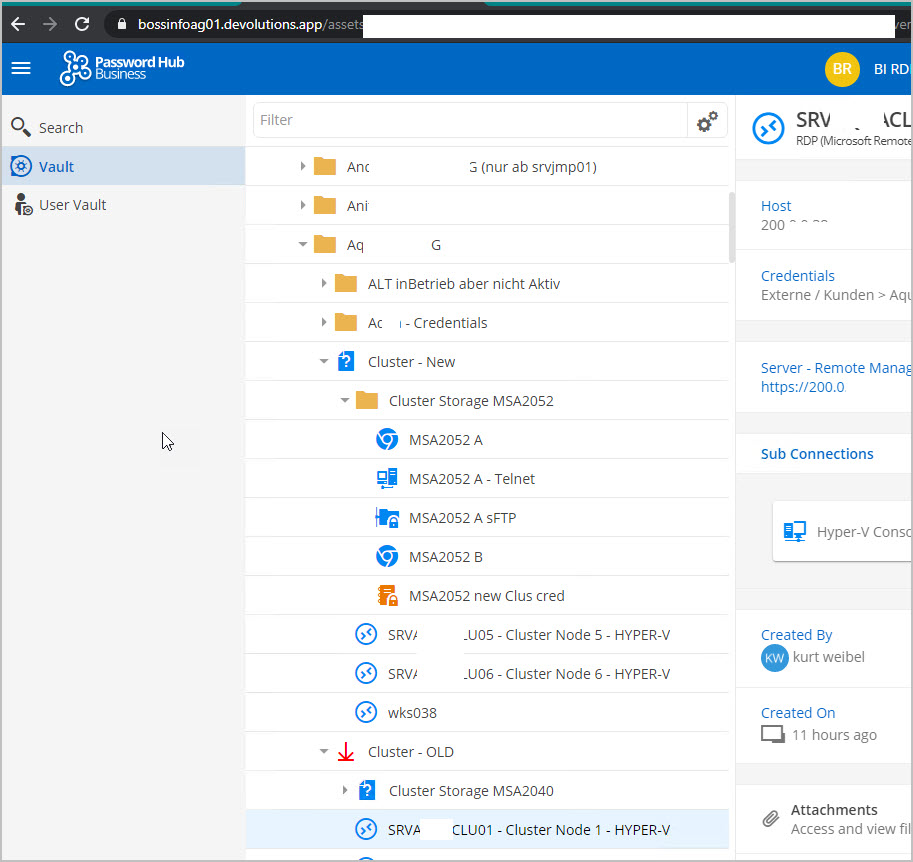
2021-04-23_09-36-29.jpg
Hi Kurt,
Thank you for the follow up. I'm glad everything is working. Rest assured, we will still fix the issues with the Importer.
Have a good day!
Maxime Morin