Cisco IOS / IOS-XE / IOS-XR Syntax Highlighting
It's an initial version, but it can serve pretty well: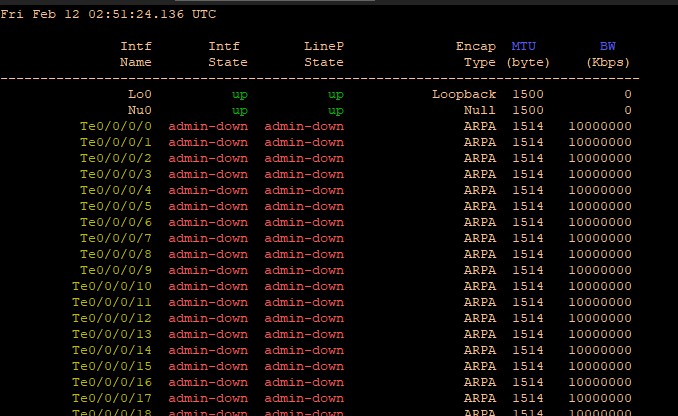
Thank you for the great product!
Screenshot_1.png
RDM-Cisco_Syntax_Highlight.xml
All Comments (6)
Hello,
Thank you very much for your contribution.
Regards
David Hervieux
It's my pleasure.
That's the polished highlighting for a DARK theme.
Enjoy
RDM-Cisco_Highlighting-Dark_Theme.xml

Hello guys !
sorry for this question, but how do apply this configuration?
Hello,
If I'm not mistaken, it's in File -> Options -> Types -> Terminal -> Syntax Highlighting, then click the Import button and select the xml file and voila!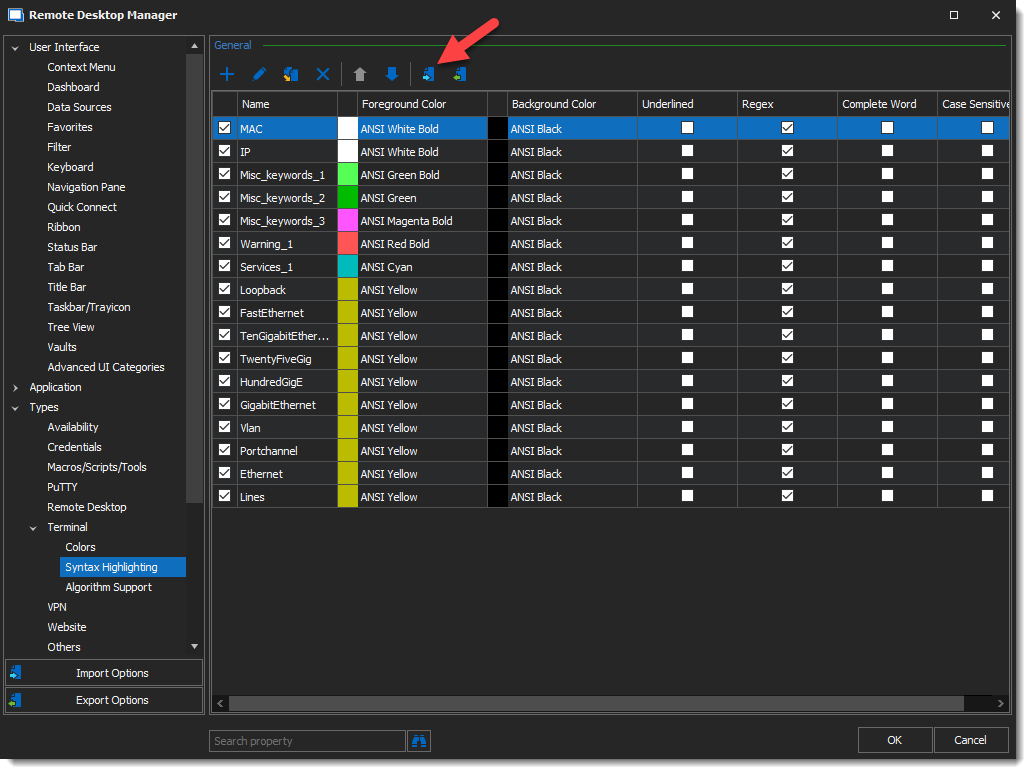
Hope this helps!
Best regards,
Alex Belisle
2022-05-19_13-34-01.png
Thanks a lot for this. Someone showed this feature in MobaXterm and I would have been surprised if RDM could not support this. It does :-)
Thanks for sharing this, @alalexiev. Your profile was the starting point for the one I use every day now.
A few things I ran into while adapting it to RDM 2026.3, in case they help someone else here:
- Rules only use their hex colour when Foreground/Background color is set to "Custom". Without that, an imported file shows everything as ANSI black on white.
- Matching is case-insensitive by default. So a header word like Device also colours ip device tracking. Ticking Case sensitive fixes that.
- Prefix patterns like Fa, Te or Lo also hit Failed, Telnet or Local. Requiring a digit after the interface type avoids that.
- Importing adds the new rules below the existing ones, and the rule higher up wins. So import into an empty profile.
- RDM's default terminal font is quite thin. Switching to Consolas 11, anti-aliased, made the colours much easier to read.
If anyone wants the reworked version, I've put it on GitHub with setup screenshots: https://github.com/Aswertus/cisco-rdm-highlighting