Logs - Prompt for comment on ... not enforced in DPS Web

Hi,
I want to use Prompt for comment and "is required", but this can be bypassed by using DPS Web ...
RDM 2020.2.19.0
DPS 2020.2.10.0
Kind Regards
Markus
======================
All Comments (7)
Hello Markus,
Thank you for contacting us on that matter!
According to my tests, this behavior is due to the fact that the "Prompt For Comment" option is not available in the Web Interface of DPS.
If you are looking for something similar with the web interface, I would recommend that you use the "Checkout Prompt":
That being said, I will now move this forum topic to the DPS section of our forum. For more information about the Checkout System, please consult this link: https://help.remotedesktopmanager.com/entrytypes_checkoutsystem.html
Best regards,
James Lafleur
Hi James,
but CheckOut is not enforcing a comment, comment can just be empty ...
Kind Regards
Markus
======================
Hello Markus,
You are correct in this statement, and after speaking with the engineering team, we have opened an improvement ticket to allow the option of making it mandatory.
A post will be made when the option will become available.
Best regards,
Christine Breault
Hi Christine,
thank you.
I got another problem too with permissions/privileges.
I want to create a username/password-entry where users have to check-out and can "View Password".
But I cant get it working.
My DPS and entry-settings are attached.
User is missing this butten: 
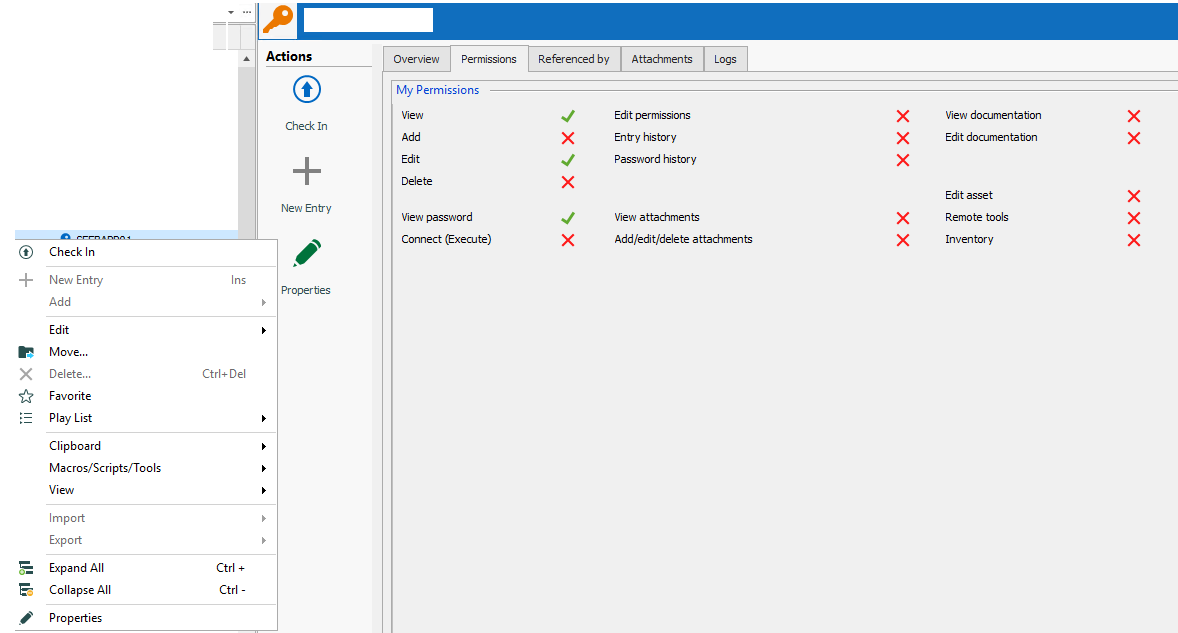
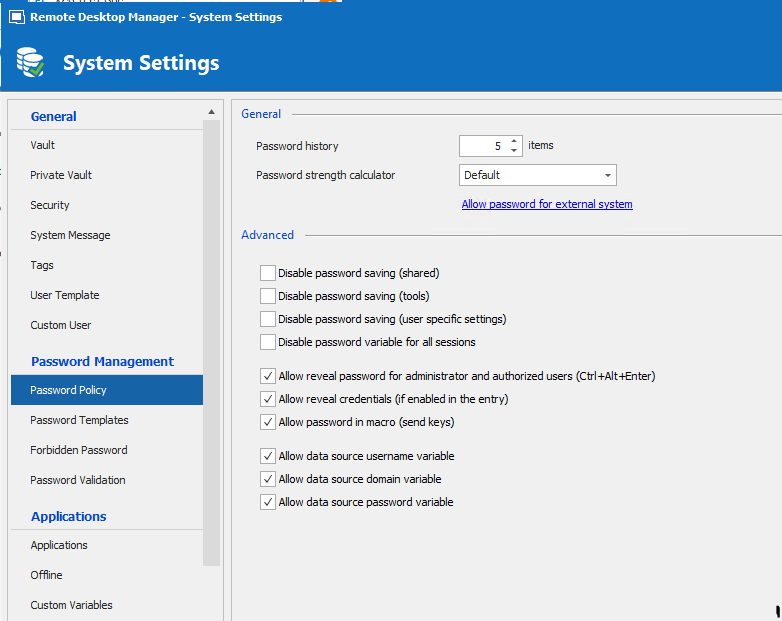
Kind Regards
Markus
======================
CheckOut-ViewPassword-NotWorking3.PNG
CheckOut-ViewPassword-NotWorking1.png
CheckOut-ViewPassword-NotWorking2.PNG
Hello Markus,
In order to view a password, it also needs the Connect (Execute) permission. I see in your screen captures that permissions is denied. Could you please try it and let me know if that works properly.
Best regards,
Érica Poirier
Hi Erica,
yes, with Connect/Execute permission it works.
Thank you for your hint.
Kind Regards
Markus
======================
Hi Markus,
Thank you for your feedback and glad that it's working.
Best regards,
Érica Poirier