Mouse pointer hotspot misaligned

Hi,
when I am zooming my desktop on a RDP connection, the hotspot (the "point" where the mouse pointer points to) is off by roundabout 150-180 pixels, meaning the hotspot is 150 pixels left and above the arrowhead of the mouse pointer.
I use to check my Workstation while there is a long time running video conversion and have to zoom in from my smartphone to a high level to access some menu point or buttons on the workstation.
Environment:
Server (connected-to device): Windows 10, 2004, installation language German, loggedon UI German
Client (connected-from device): Samsung Galaxy S10e, Android 10 with German UI
App: RDM Android V2020.2.1.0
Setting in RDM: Settings > Other > User Interface > Session > Session pointer size mode: Resize when zooming
Setting in RDM-Session: no touchmode (symbol left hand on square is white)
All Comments (4)
Hi,
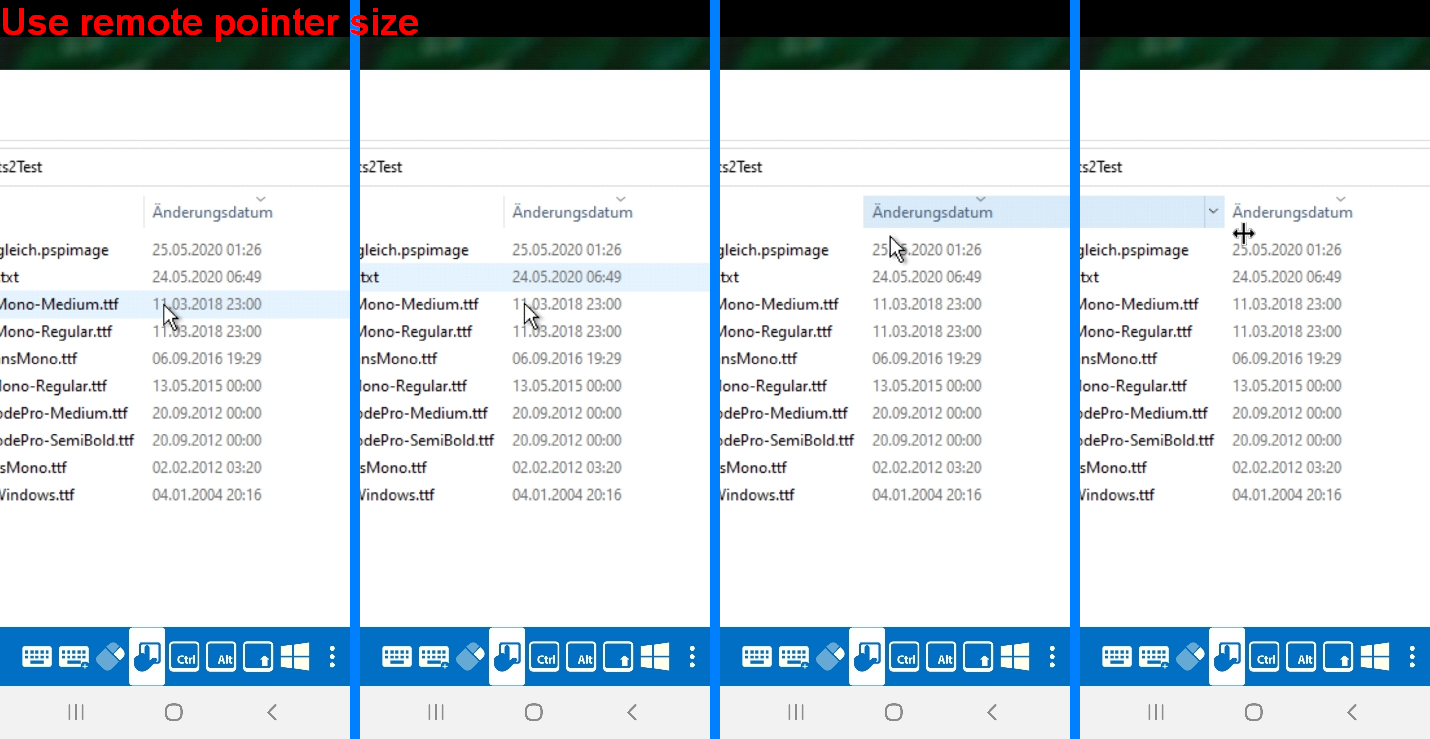
Thank you for your feedback. How does it behave if you use the setting: "Use remote pointer size" instead of "Resize when zooming"?
Best Regards,
Nicolas Dufour
Hi Nicolas,
I did some testing and made screenshots.
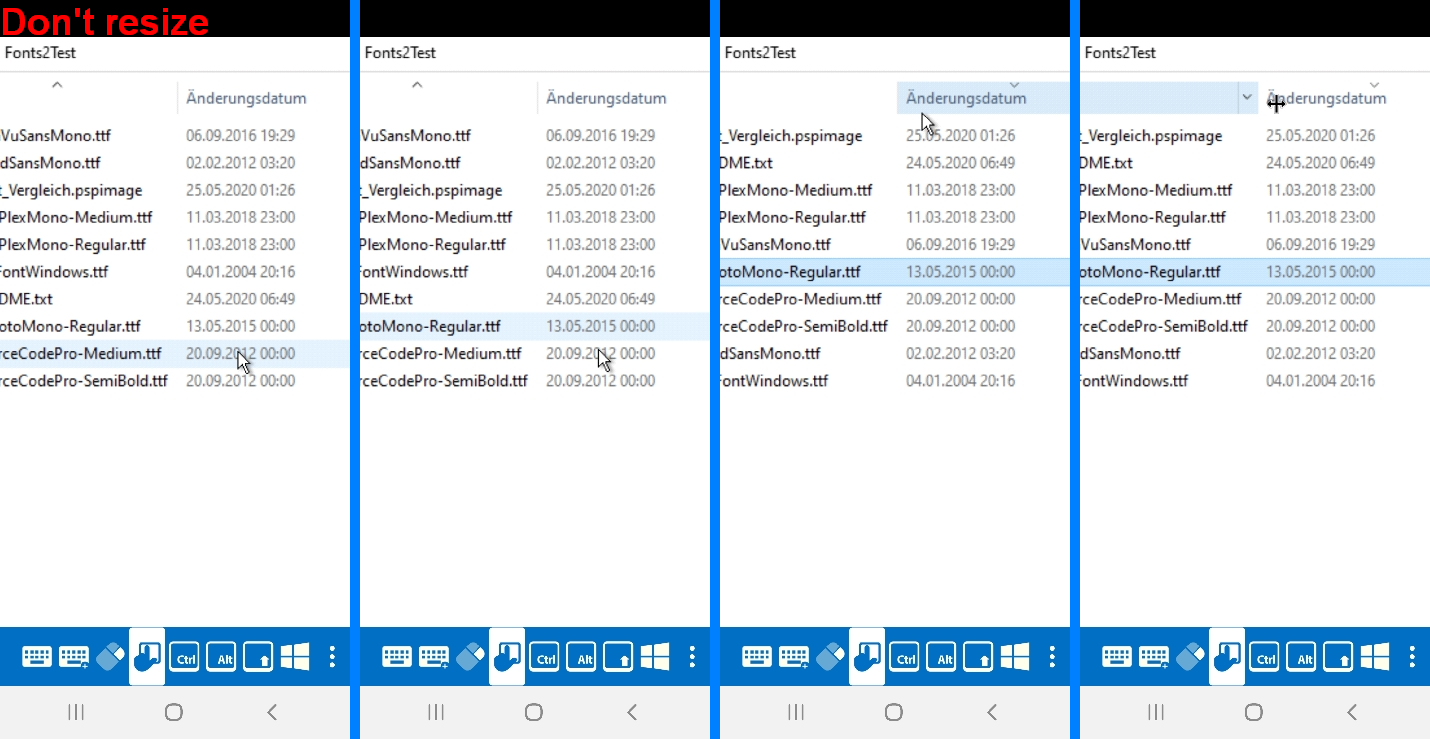
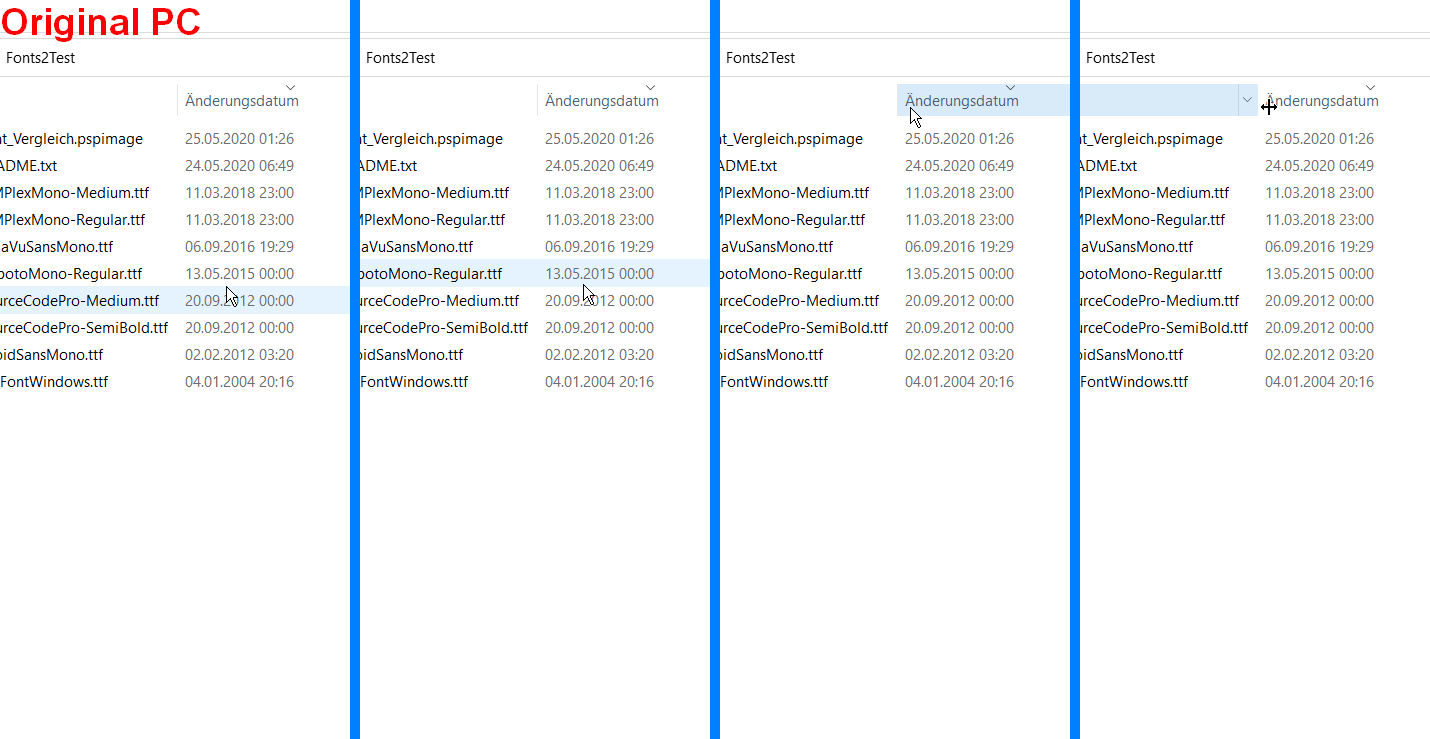
Below you see 4 different results, one made directly on my PC, the other one with the different settings of RDM.
The photos in each row mean:
- most upper position of the mouse pointer before flipping the row mark one line higher
- position of the mouse pointer (short) after flipping
- most left position of the mouse pointer before changing to "resize column" pointer
- position of the mouse pointer (direct) after change
As you can see the settings "Don't resize" and "Use remote pointer size" behave quite similar, although they are both off comparing to the original PC mouse pointer.
The setting "Resize when zooming" is totally misplaced.
Regards
Markus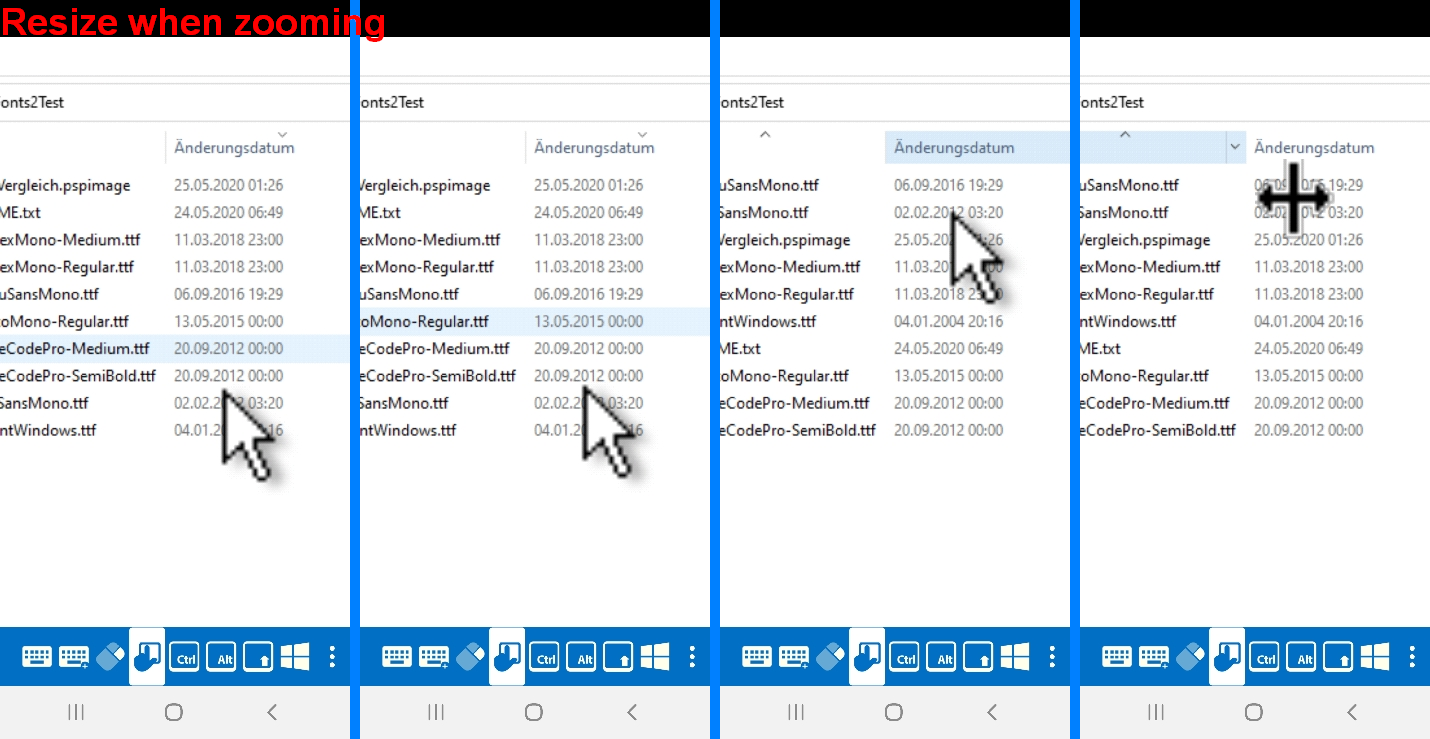
3 Resize when zooming.png
2 Use remote pointer size.png
1 Don't resize.png
0 Original PC.png
Hi,
Thank you Markus, we will investigate.
Best Regards,
Nicolas Dufour
Hi,
We think we finally found the issue. A fix should be available in the next release 2022.1.0
Best Regards,
Nicolas Dufour