oVPN issue - imported working oVPN config file doesn't work on RDM
oVPN issue - imported working oVPN config file doesn't work on RDM

Hi,
I have a strange issue - when I import a working oVPN file with PKCS file and TLS key to my local oVPN installation, connection works
fine.
When I import the same connection to RDM - I get an error in log like this:
Thu May 21 14:52:40 2020 WARNING: cannot stat file 'HRSPL-FW01-TCP4-1197-xxxxxxxxxx.hr-tls.key': No such file or directory (errno=2)
Options error: --tls-crypt fails with 'HRSPL-FW01-TCP4-1197-xxxxxxxxxx.hr-tls.key': No such file or directory (errno=2)
Options error: Please correct these errors.
Use --help for more information.
All the files are in the same directory as oVPN config file
Do I need to add something specific for the TLS file, path or something?
We have dozens of oVPN connections and all of them work fine except for this one.
Regards,
Niksa
All Comments (3)
Hi,
Which version of RDM are you testing with?
Also, after importing the ovpn file could you try to set manually the proper certificat path (if you have one) and the key path?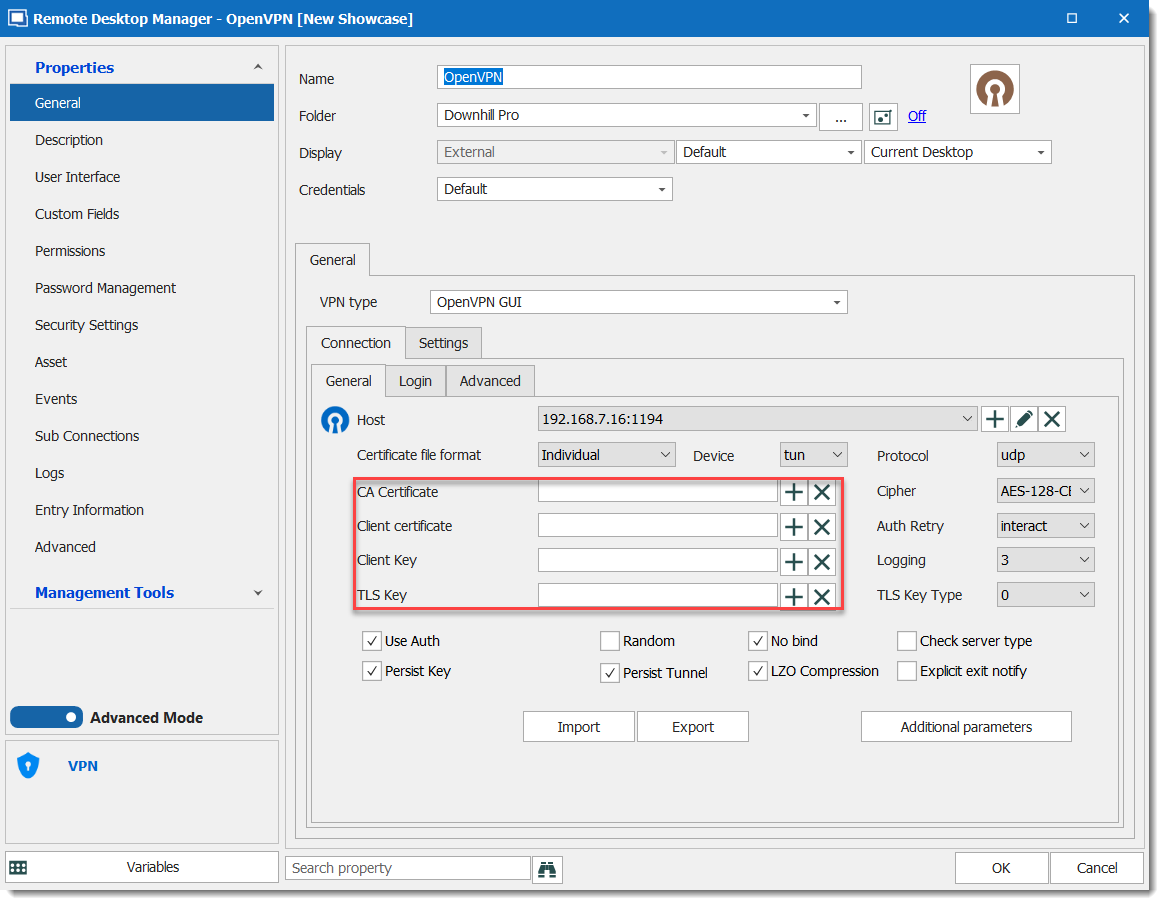
Regards,
David Grandolfo
OVPNKeys.png
Hi
the version we are using is 2020.1.19.0
We have lot's of different OVPN connections and we all of them needed some manual modification but this one is not working.
This is how this one which is not working is looking inside RDM.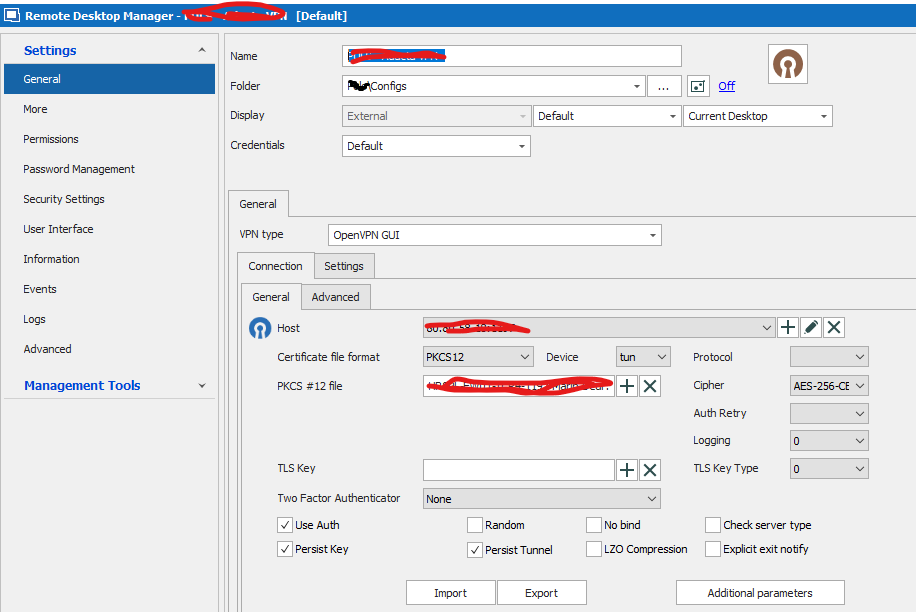
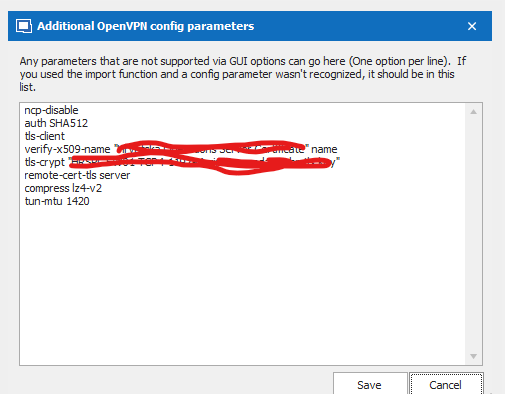
and this is the error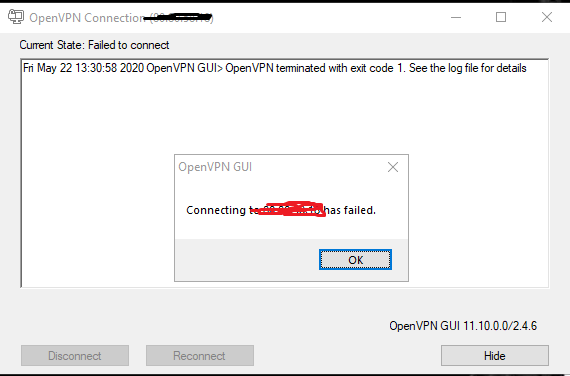
So, on a normal import to oVPN on my PC it's working - what else can we check?
I've tried to add TLS key manually through the GUI of RDM, no result, can i change it somehow to point a path
through adiitional openvpn config?
Regards,
Niksa
3.png
2.png
1.png
Hi,
Exit Code 1 in OpenVPN appears sometime when we try to run the client with insufficient user privileges. Could you try to run RDM as Administrator and then run the OpenVpn connection again?
Regards,
David Grandolfo