batch edit missing option in 2020.2 beta

Hello,
The new option Use over secure gateway is not available in the batch edit option.
Image0001 is the batch edit screenshot and image0002 is the normal edit.
Thanks
Dominique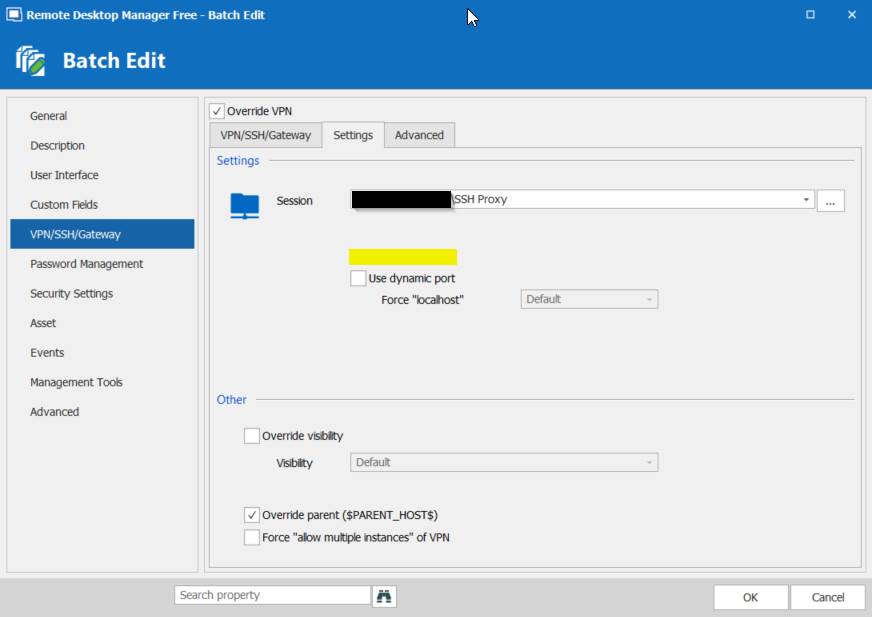
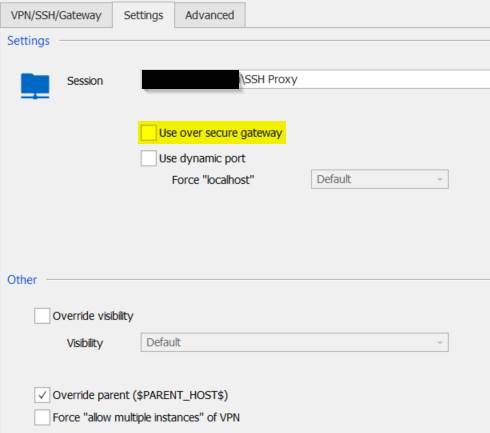
image001.jpg
image002.jpg
All Comments (4)
Hello,
Thank you for contacting us on that matter!
Since this setting cannot be changed using an option of the Batch Edit feature, I would recommend the use of a "Custom Powershell Script" instead.
To create this script, you will need to refer to this link from our online help: https://help.remotedesktopmanager.com/powershell_batchactionssamples.html
To run this script on your entries, you will need to go under the "Edit" section of your Ribbon, use the "Edit (Special Actions) button" and choose "Custom Powershell Command" from the list: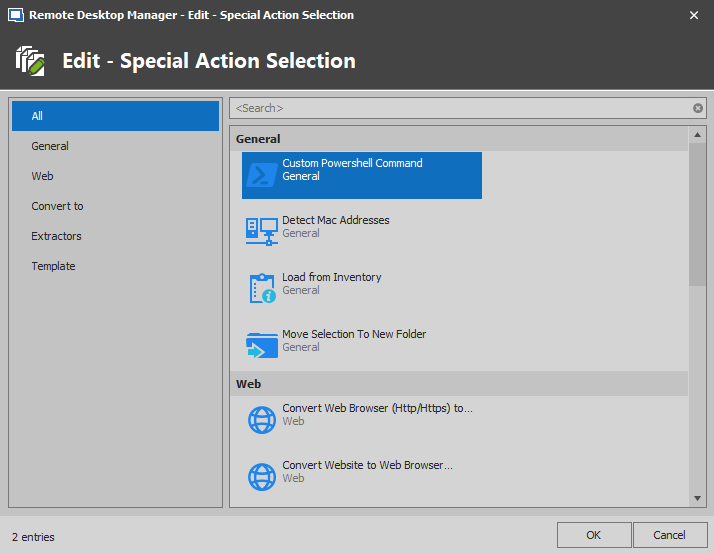
Best regards,
James Lafleur
CustomPowershell.png
And to add to what James said, a fix will be made for the next beta version and you'll be able to modify it directly in the batch edit in the future.
Regards,
Hubert Mireault
Thanks! I was able to do it with the Poweshell command!
Dominique
Glad to hear it worked well for you!
Regards,
Hubert Mireault