oVPN not working anymore on new RDM 1.36

Hi,
we are using RDM for couple of hundred of different connections, and some of them have oVPN, after the recent update to 1.36, oVPN
is not opening at all - the oVPN window won't pop out anymore. Do you have some advice what to check?
oVPN version is fine since it's been working flawlessly for all of our connections until this recent update.
Regards,
Thx,
Niksa
All Comments (3)
Hello,
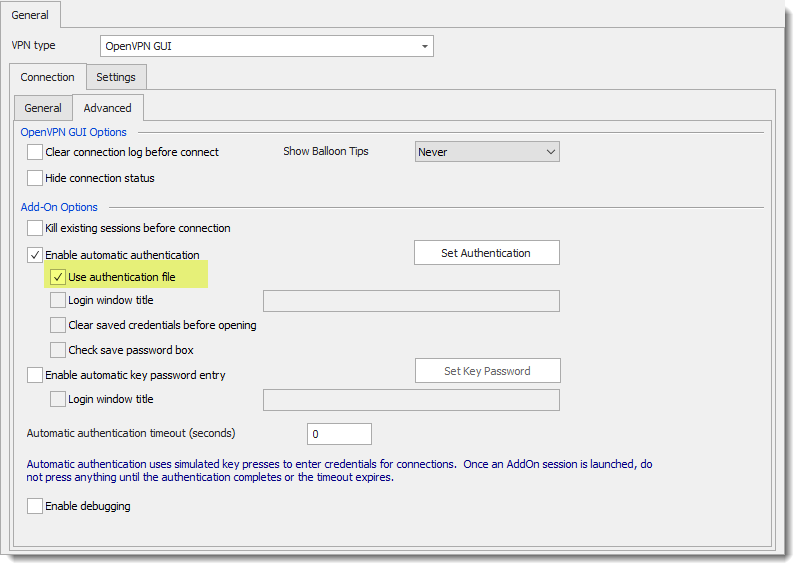
OpenVPN have a new feature Use authentication file could you test to check it to see if it works well?
Best regards,
David Grandolfo
Open_authentication_file.png
Hi,
no - still the same, we don't even get the popping oVPN screen like we used to...
Dis is what was going on when we ran connections with oVPN as a VPN solution.
Now, we only get the message .. "Remote Desktop Manager is now waiting for the VPN to be available...."
Hello,
The authentication file I ask to test is a way to bypass these pop-up windows. Many customers inform us that sometimes the username and/or the password doesn't fill properly. So we create a new integration to use an authentication file.
That being said, if this feature doesn't work for you and you are looking for the pop-up, if you uncheck Use authentication file is the VPN connect properly or nothing happens?
Which version of OpenVPN are you using?
Best regards,
David Grandolfo