Is there an option to keep the command line VPN popup-window open longer?
Is there an option to keep the command line VPN popup-window open longer?

I'm using the Cisco AnyConnect VPN client, and I'm trying to tinker with the settings to get the various confirmation windows working, but the command line window pops up and disappears so fast, I can't tell what the error message is.
I'm guessing RDM just fires a command-line to "C:\Program Files (x86)\Cisco\Cisco AnyConnect Secure Mobility Client\vpncli.exe", so I would imagine they could also add "timeout 10" at the end of the command execution to just let me read the screen for 10 seconds.
Does this option exist in any fashion?
All Comments (4)
Hello,
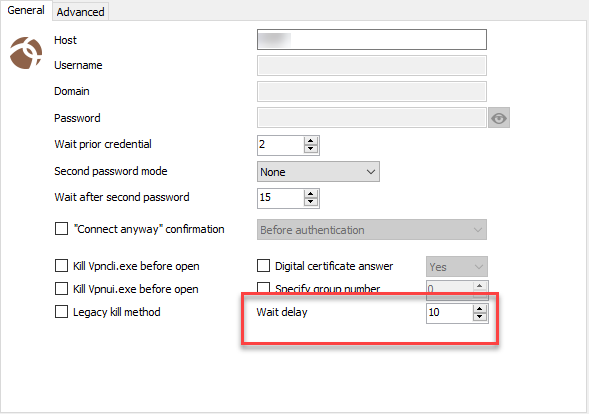
Have you tried to increase the Wait Delay?
Best regards,
Jeff Dagenais
2019-01-17_14-40-59.png
Yes I have that at 15 seconds. I think it's because I have an incorrect setting that is causing VPNCLI.exe to error and immediately close?
Hello,
Unfortunately, we don't have such option. The thing that I am thinking right now, it's to record a video of the issue so that we can try to see the error via the video.
We have a record feature in RDM. It's located in the Help tab.
Best regards,
Jeff Dagenais
One time it happened in the past, the error was due to the VPN being down/unreachable, so the error was "valid", but I couldn't see it...so even though the settings were correct, I had to run the GUI version to figure out what was happening.
I'll remember that for the future. I screwed with the settings enough that it's working now, but I can't remember what was set that caused it to error.