Log SSH Sessions
0 vote

How is it that you can't log an SSH session? I know we don't have feature parity with Windows, but come on... It would be super useful to have this most basic of features.
All Comments (10)
Hi,
I'm pretty sure you can, no? There is the Verbose, Enable logging and Log path options in the Advanced tab of SSH Shell, Tunnel and Port Forward sessions. Are they not working for you?
Best regards,
Xavier Fortin
Maybe I used the wrong term. Session recording? As in, I want to log the contents of an SSH session to a text file.
Hi,
Sorry for the delay.
We'll be looking into it and I'll post back when there will be progress.
Best regards,
Xavier Fortin
Hi,
Just to confirm with you. Are you referring to the "Printable output" log mode in RDM Windows?
Best regards,
Xavier Fortin
I'm referring to the RDM Windows action "Start Recording".
https://help.remotedesktopmanager.com/#_ga=2.253843720.1857547646.1536777016-1972975632.1536777015
Thanks,
Jon
Hi,
Alright, I see what you mean now. This was already on the TODO list, but the implementation on the SSH Shell session (based on Putty) in Windows has not been made yet. We were waiting for the implementation to be completed on RDM Windows before bringing it in RDM Mac (to share the same implementation).
There is two types of SSH sessions in RDM Windows. The SSH Shell one and the deprecated SSH Shell (Rebex) session. Only the latter supports Session Recording as of now.
I do not have a time frame as of yet for when this will be available. I'll get back to this post when I have further news.
Best regards,
Xavier Fortin
It's been 5 years is there ssh logging available for RDM(Mac)
Hi,
Yes it is available. If you want to log your ssh session you go into the logs option of your Ssh session. You will have access to the verbose level and the path to put the logs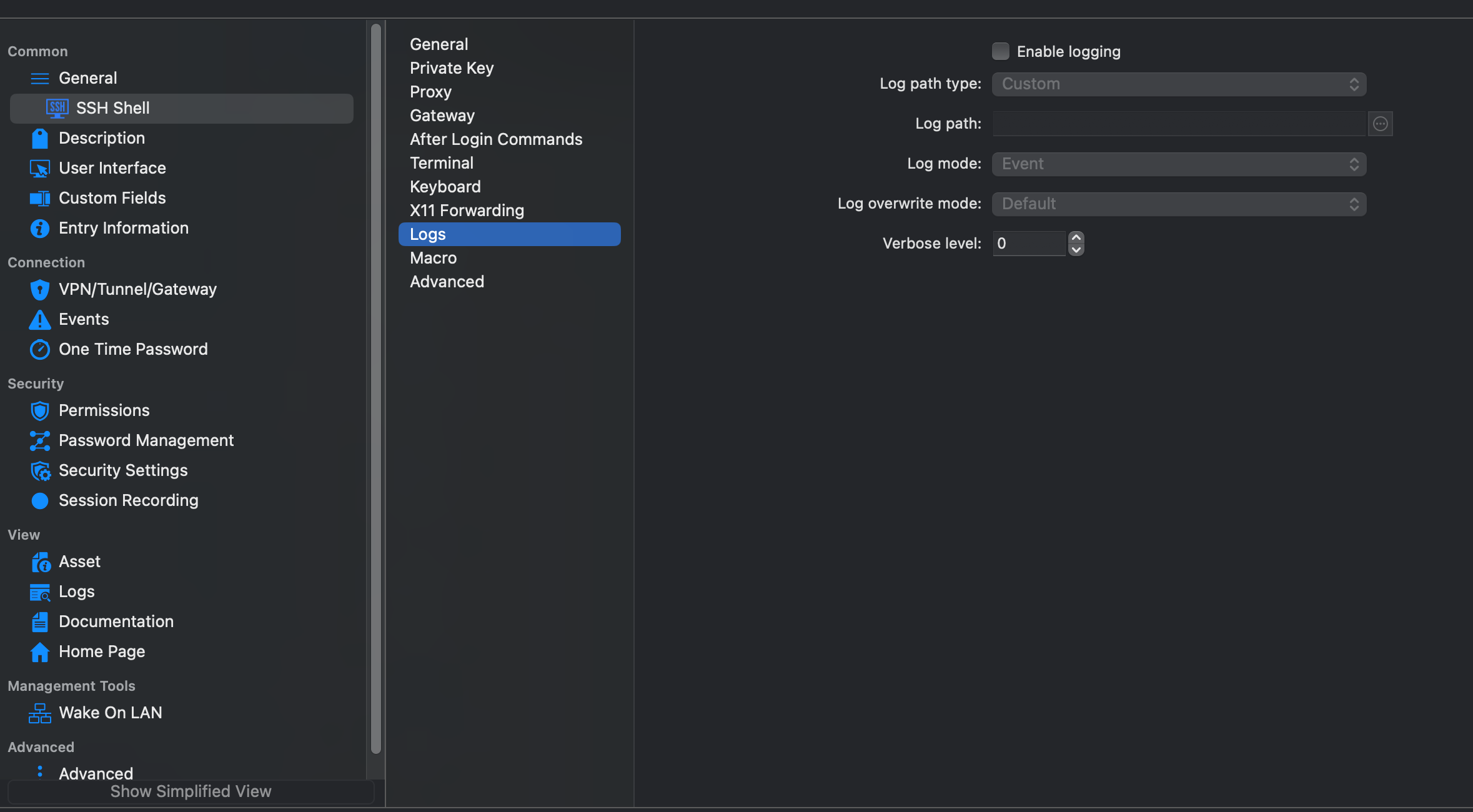
if you meant SSH recording, it is also available in the session recording tab. You will be able to record your SSH session.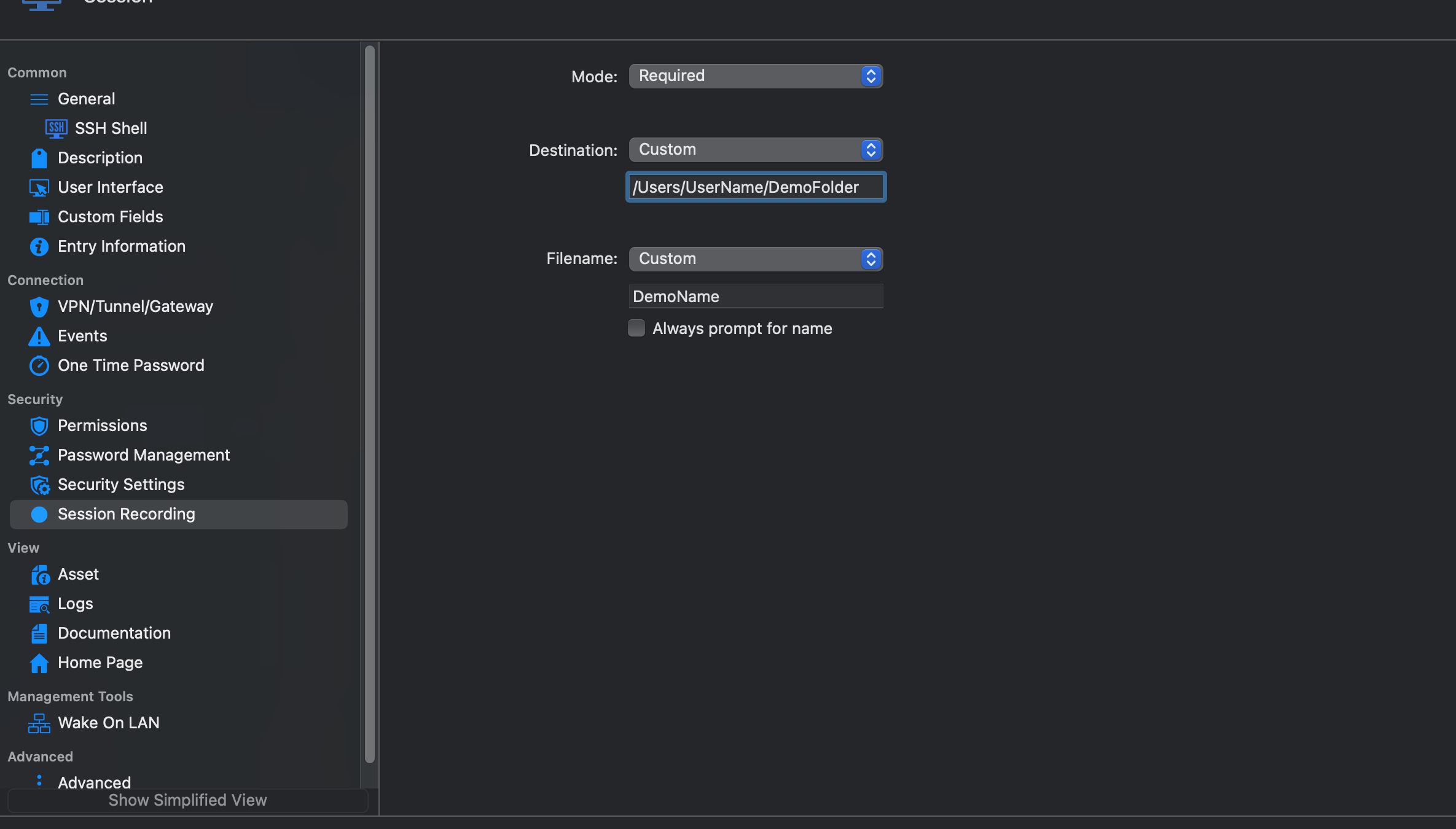
I hope this help,
Best regards.
Michel Lambert
Screenshot 2023-08-11 at 9.55.58 AM.png
Screenshot 2023-08-11 at 9.55.07 AM.png
Thank you, Michael Lambert, but I do not have that feature, and at the shell level, no matter how I try to enable the logging, it's just not logging to the path folder I point it; another question would be where is the Global default of the logging if I choose default which means to Global.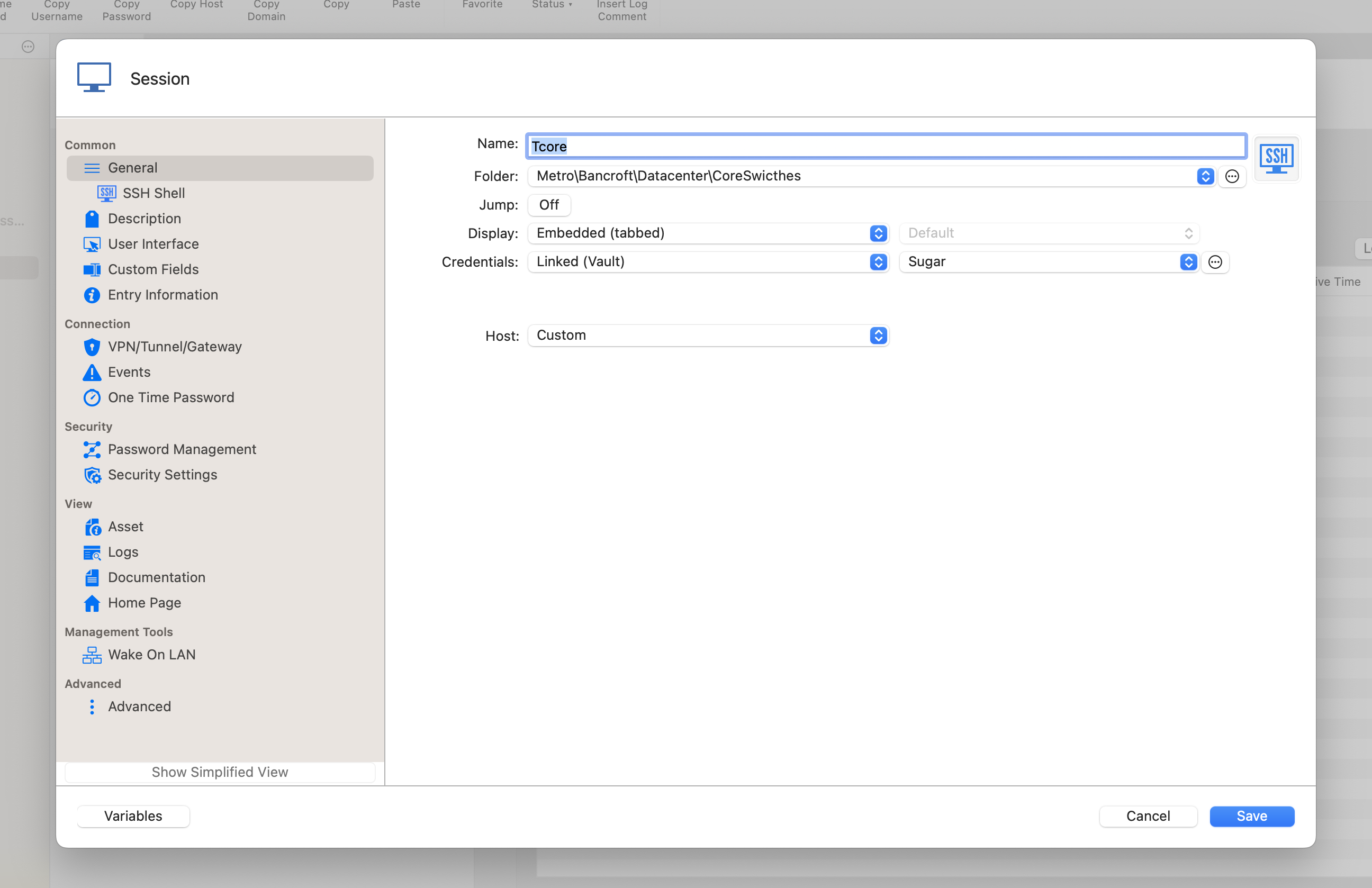
Screenshot 2023-08-11 at 11.39.42 AM.png
Hi,
To set your global logging path you have to go into File > Settings > Types > Terminal > and set the receiving folder in Log Path.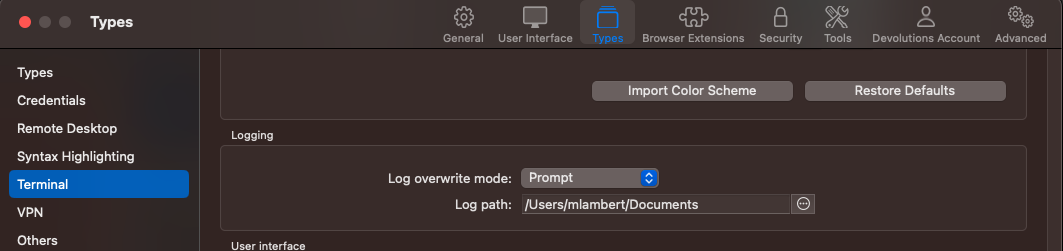
For the recording option, is RDM is currently covered by a license ? Because session recording is something that is available for our registered users.
Best regards,
Michel Lambert
Screenshot 2023-08-14 at 11.52.54 AM.png