RDM Variables into cmd

Hello. I am trying to build a .bat file for RDM to remotely access workstations using RDP shadow.
Right now, we use this script, it interacts with us and asks for computer name and then for session number:
How can i send a variable into this script, e.g. $COMPUTERNAME instead of %rcomp% after i right-click onto workstation and select macros/script/tools?
Thank you!
All Comments (14)
Hello,
Sorry for the long delay, i tested several possibilities for this one, as i wanted to do it through your .bat file.
I have been able to achieve this with a PowerShell (Local) Macro/Script/Tool.
Create a new entry, in Macro/Script/Tool, PowerShell (Local), select Embedded Script, Click on Edit embedded Script.
In the dialog box, I entered this script :
$SessionID = Read-Host "Enter RDP user ID:"
mstsc /v:$HOST$ /shadow:$SessionID /control /noConsentPrompt
This script will still prompt you for the ID of the connection, through a PowerShell imput (that will look quite the same as what you are already doing)
Then, from a session, the $HOST$ will do the trick.
I hope this helps.
Regards,
Alex Belisle
Thank you for a reply.
I would like to have the ability to see user sessions in case, multiple users are logged on to computer. query session /server:%rcomp% did it before. However, powershell does not seem to have such command.
Hello,
It turns out that you can run query.exe from a powershell window. simply add the command before the rest like:
query.exe session /server:$HOST$
$SessionID = Read-Host "Session ID"
mstsc /v:$HOST$ /shadow:$SessionID /control /noConsentPrompt
Make sure that the "Run in 64-bits Mode" is checked from the Advanced Tab.
Best regards,
Alex Belisle
It worked! Thank you very much!
Is there a way to embed RDP window that opens after the script is executed?
Hello,
Which window are you referring to? Could you post a screenshot?
Best regards,
Jeff Dagenais
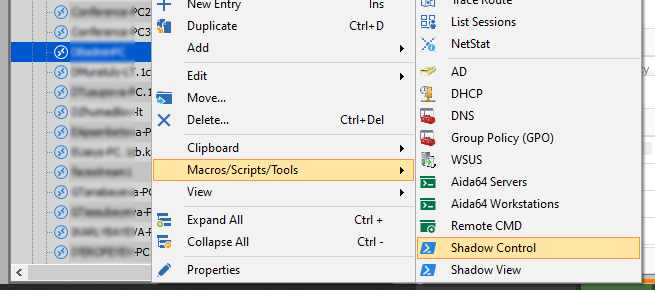
So, here i choose needed RDP connection and execute a script from Alexandre:
Then, embedded PowerShell windows opens up, where we enter session id:
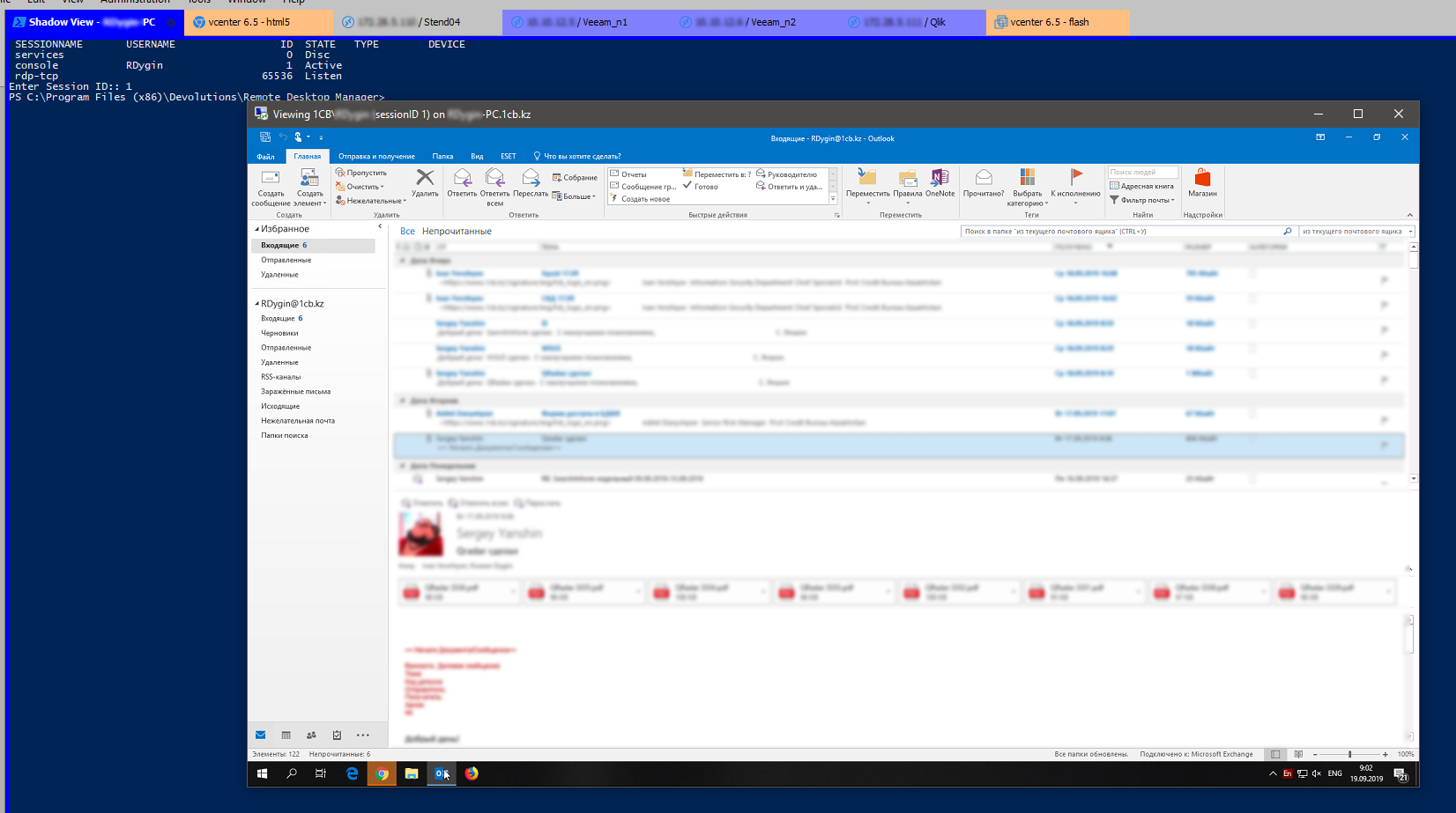
And finally, external RDP Shadow window pops up externally:
Is there a way to open this RDP window as embedded into RDM?

3.PNG
2.PNG
1.PNG
Hello,
No sure that is possible to run the window in embedded mode.
Let me verify with our engineering department and get back to you.
Best regards,
Jeff Dagenais
Hello,
After verification, it would not be possible for us to accomplish this because it's PowerShell that opens MSTSC. It's not linked to RDM.
Best regards,
Jeff Dagenais
Okay, understood.
Is there a method for implanting RDP window that opens after the content is executed?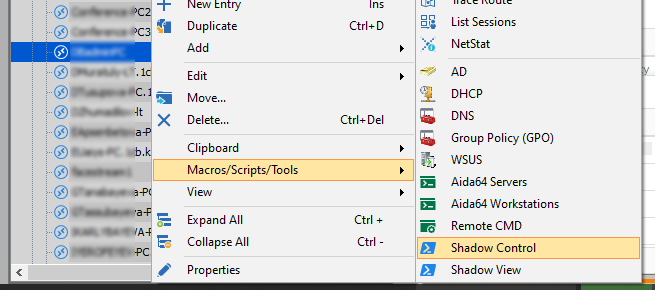
1.PNG
Hello,
The closet way to achieve that I can think of would be to use the "Before Open" feature located under the "Event" section of your RDP entry, to run your script, once it is done, the connection will be opened and you will have access to your remote host.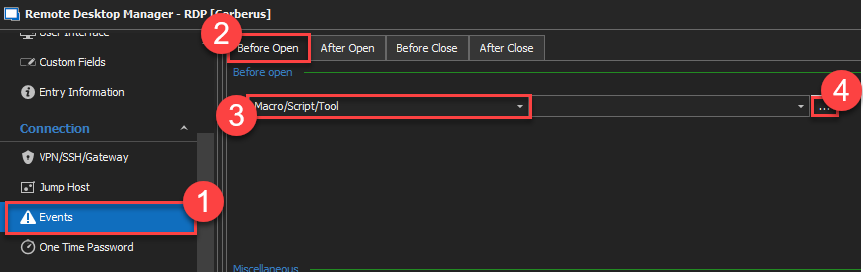
For more information, please consult this link: https://kb.devolutions.net/rdm_entry_types_events_settings.html
Best regards,
James Lafleur
BeforeOpen.png
The issue is you have to manually enter a session ID.
Unfortunately, I have no other workaround that would allow you to achieve this.
Sorry for the inconvenience.
James Lafleur