RDM 13.0.12.0 N/A: Macros/Scripts/Tools & Remote Tools

Hi,
I use RDM 13.0.12.0 and RDM 13.0.6.0.
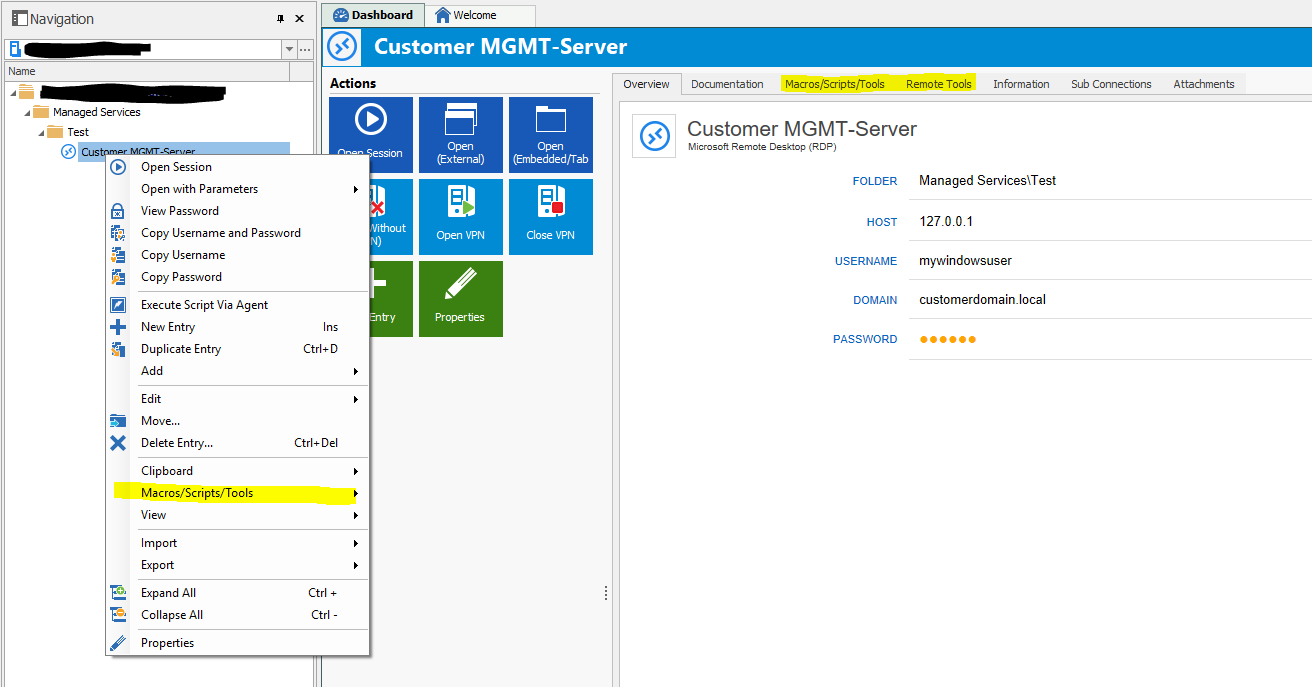
in RDM 13.0.6.0 I get Macros/Scripts/Tools & Remote Tools in Context Menu and in Dashboard
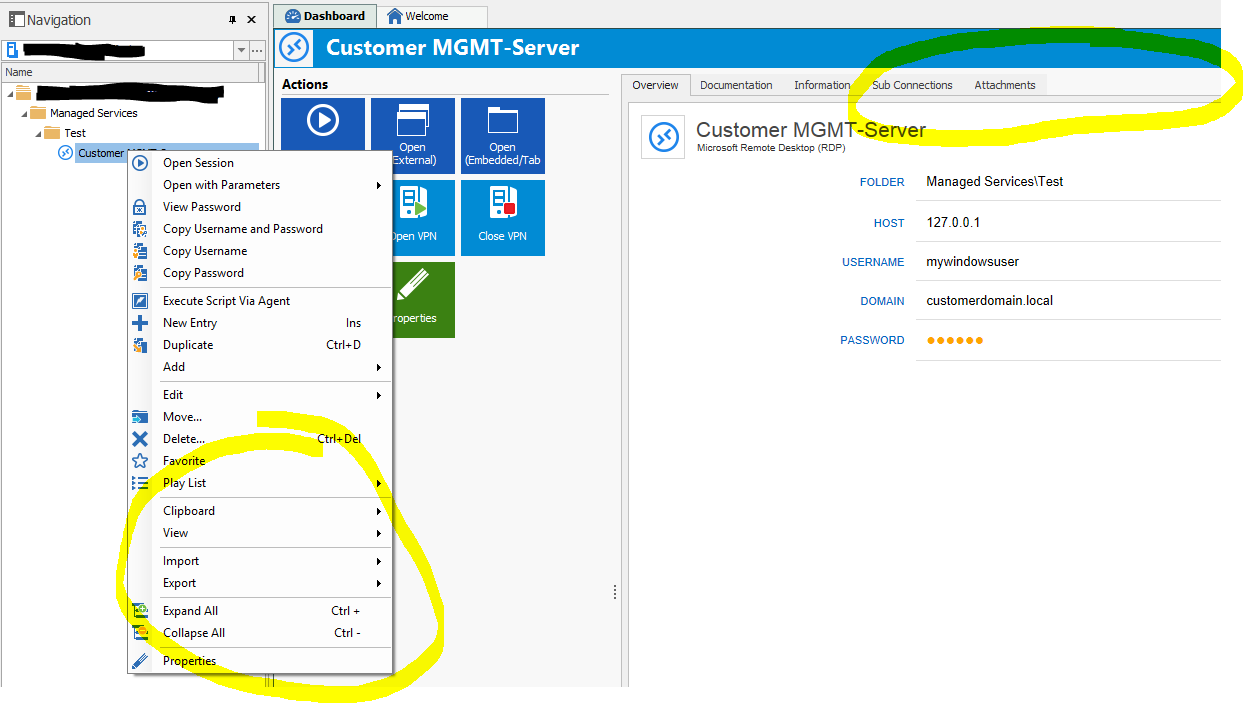
in RDM 13.0.12.0 it doesn't show up in Context Menu and in Dashboard.
Can anyone confirm?
Kind Regards
Markus
======================
All Comments (18)
Hello Markus,
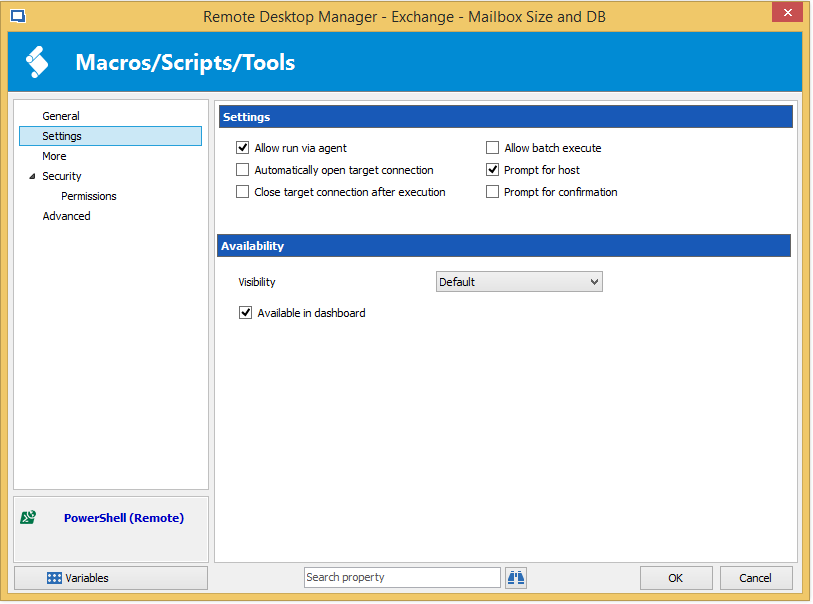
It's my fault but I have a good reason :) I have added an option to reduce the noise in the dashboard.
This way you can only add the one you really want in the dashboard and it's less confusing.
Regards

David Hervieux
MacroDashboard.png
Hi,
no,
I don't think it's "your" fault.
I remembered that you added that setting and had it activated already,
but I get no context entry "Macros/Scripts/Tools" and get no Dashboard-Tab
Kind Regards
Markus
======================
rdm-tools-prob1.PNG
I will double check what could be the problem and let you know.
Regards
David Hervieux
Screenshot RDM13.0.12.0:
Kind Regards
Markus
======================
rdm-tools-prob2.PNG
Screenshot RDM13.0.6.0:
Kind Regards
Markus
======================
rdm-tools-prob3.PNG
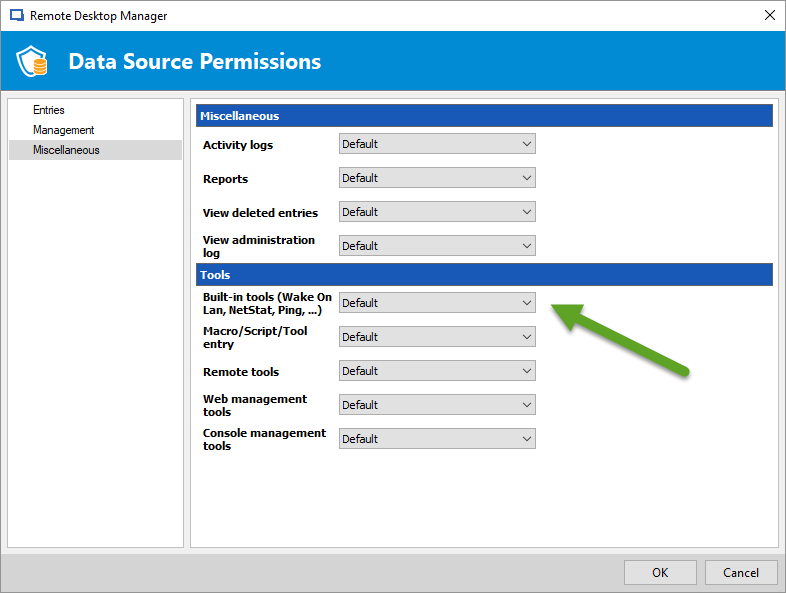
Could you verify if you have the permission for that?
Regards
David Hervieux
MacroPermissions.png
Hi David,
which DVLS-Version are you using?
I don't have that "Tools" part in my DS-Settings
I'm on 4.7.1.0
Kind Regards
Markus
======================
Do I need RDM13.0.12.0 to be installed to get that view on permissions?
because my server is still on 13.0.6.0 and there i can not see that
Kind Regards
Markus
======================
This should not be dependant of DVLS. Do you check in Administration->Data Source Permissions?
Regards
David Hervieux
Indeed you need RDM 13.0.12
David Hervieux
:thumb:
so i can use tools without using 13.0.12.0
if using 13.0.12.0 i need it on the server too to configure my ds-permissions for 13.0.12.0+
what happens if i install 13.0.12.0 to manage ds-permissions and then use 13.0.6.0?
do we get problems too?
Kind Regards
Markus
======================
encountered another problem:

Kind Regards
Markus
======================
rdm-ds-permissions.PNG
Hi,
I think that the problem is that DVLS needs to be updated as well. It does not handle this new permission. I will update RDM to support the legacy mode when it's an old DVLS version. Sorry about that.
Regards
David Hervieux
Am I outdated using 4.7.1.0?
Cannot find newer version...
Kind Regards
Markus
======================
This is the official version. I could send you an internal version but I'm not sure if it's something you want.
Regards
David Hervieux
I will change the default value to Allow, this will resolve your issue for the next version beta.
Regards
David Hervieux
This will be in RDM 13.0.14 and not the current beta.
Regards
David Hervieux
Thank you David!
Kind Regards
Markus
======================