Running remote batch file with psexec

Hello.
I am trying to run *.bat file on a remote computer using psexec tool.
I need to run psexec using domain admin credentials, otherwise i will receive "access denied" error.
Doing it manually works fine:
Run cmd, launch "C:\pstools\psexec.exe \user-pc -u domain\admin -p password cmd /k", it goes into CMD on a remote computer.
Then i type "start \share\script.bat" and it launches my batch file.
But when using RDM i cannot complete my task.
Variant 1)
Command in psexec macro/script tool looks like this, as it is recommended in FAQs:
c:\pstools\psexec.exe \user-pc -u domain\user -p password cmd /k
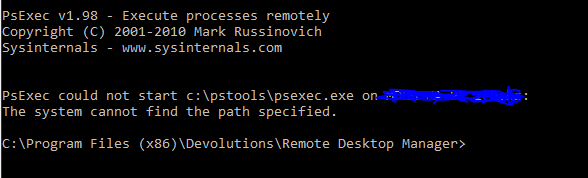
And i get this error, because apparently it tries to run psexec on a remote computer, and there is no such file:
Variant 2)
Command in psexec macro/script tool looks like this:
cmd /k start \share\user\script.bat
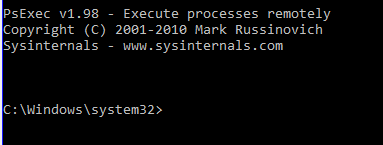
That way, i can get into a remote cmd, but without executing bach file, and i cant use domain credentials.
Variant 3)
Using just a command line tool. I can launch psexec locally and give it some arguments, like computer name and credentials:
"C:\pstools\PsExec.exe"
\$HOST$ -u domain\user -p password cmd /k
That way, i can get into a remote cmd, but again, without executing a batch file.
If i modify arguments to look like "\$HOST$ -u domain\user -p password cmd /k start \share\script.bat", it only goes into a remote cmd, without executing a batch file.
What am i doing wrong?
Capture2.PNG
Capture.PNG
All Comments (4)
Hello,
Does the remote computer is on the same domain as you or not?
Best regards,
Jeff Dagenais
Yes it is.
Hello,
Thank you for the information.
We have discovered an issue if the computers are not on the same domain, but it should work if both computers are on the same domain.
Let me verify with my team and get back to you on this.
Best regards,
Jeff Dagenais
Hmm, variant 3 suddenly started to work. Nothing was changed.