How do i get my remote connections (from Windows) to show up in ios app
How do i get my remote connections (from Windows) to show up in ios app

I did a backup in Windows and restore in ios. No connections show. I am using the online drive in both apps. How do I get the connections created and backed up in Windows to show in the ios app?
All Comments (11)
Hi,
Are you able to view the backup list on the iOS app?
Best regards
Mathieu Morrissette
Yes, I see the backup.
Hi,
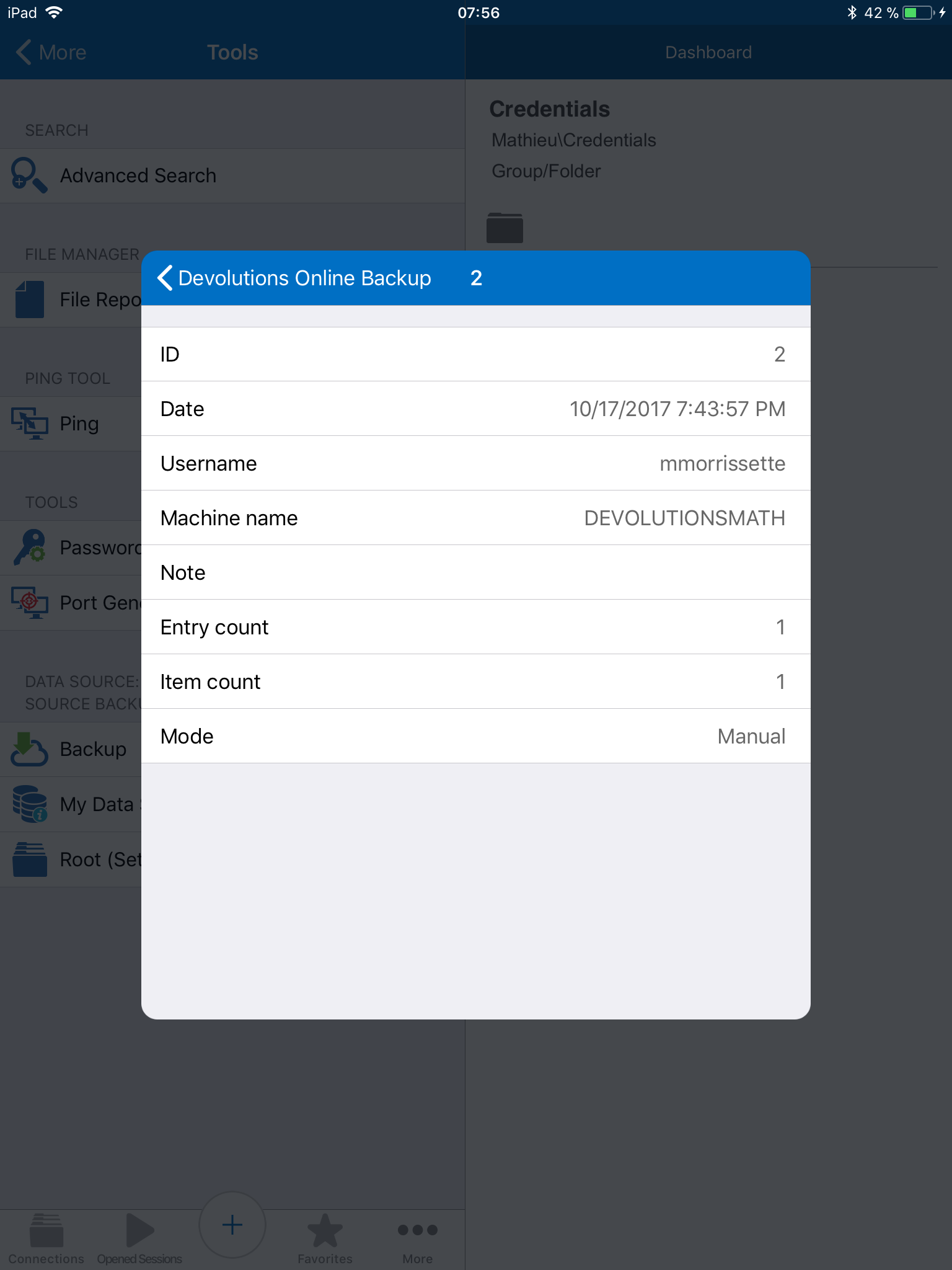
When you tap on the backup is the entry count 0?
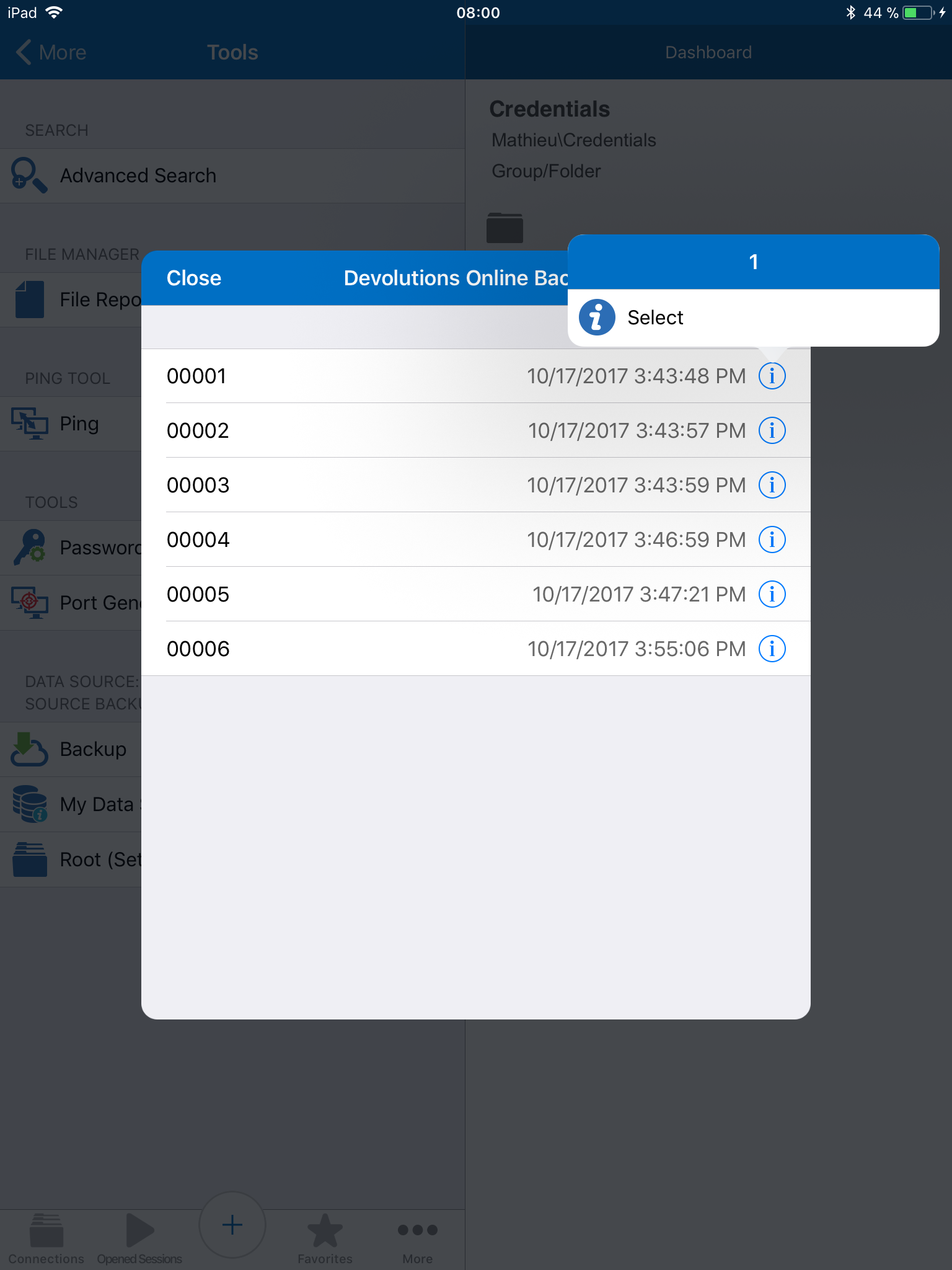
To perform a restore you must select the little (i) next to the backup you want and tap on select.
Best regards
Mathieu Morrissette
IMG_0009.PNG
IMG_0008.PNG
It is working now. It was the little (I) next to the restore sent. I did not realize I needed that to do the select of the backup set.
This is a very cool product!
Randy
This is resolved.
Well, I now have my connections, but the credentials screen looks wacky or an RDP connection. No words and I cannot see what I key. See attached. Maybe this is an iOS 11 issue?
image.jpeg
Hi,
Your right this is an issue with iOS 11 and we are actively working on it. The workaround is to store the credentials in the connection.
Best regards
Mathieu Morrissette
I cannot store the credentials because our server policy does not allow the password to be stored in any app including Windows Remote DEsktop connection files or their mobile app.
So until it is fixed, I cannot use the mobile app.
Hi,
I just released a new version that fix this issue.
Best regards
Mathieu Morrissette
Where can I get it? I did not see it on the App Store.
Thanks,
Randy
Hi,
It can take some time before the update reach all users. It's version 3.7.5
Best regards
Mathieu Morrissette