Add-on Request: Thycotic Secret Server

I know that there is KeePass support, but it would be nice to have a more Enterprise grade password manager like Secret Server.
They have a full API so it shouldn't be difficult to integrate.
https://thycotic.com/products/secret-server/secret-server-overview-short/
All Comments (11)
Hello Brandon,
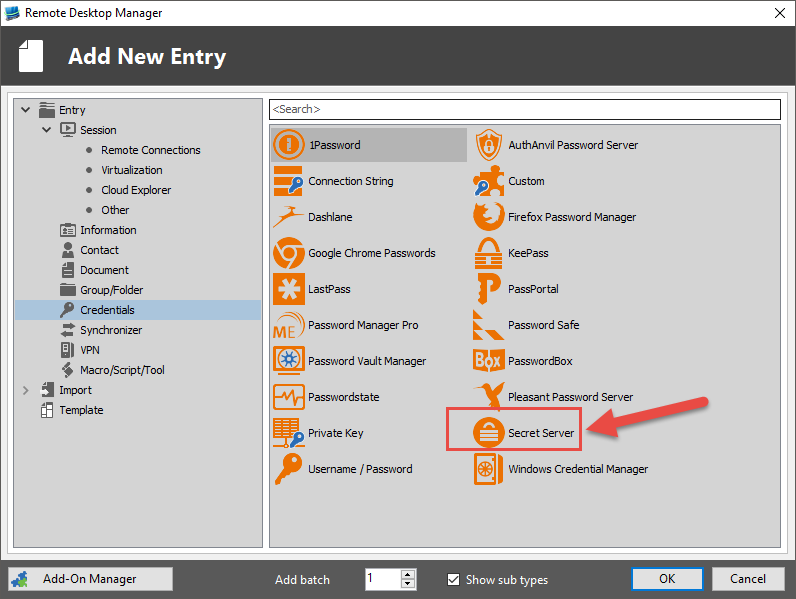
This as already been integrated;
If there is anything else we can help you with, please let us know.
Best regards,
Marc Beauséjour
2016-06-05_16-39-42.png
Is this only available in the enterprise version, I don't see it in the free one?
I guess I thought I would see it with a note "Only available in the Enterprise Edition" like i see with other features.
Hello Brandon,
Unfortunately, credential entries are only available in the Enterprise Edition.
For more information regarding the differences between the Enterprise and the free edition, please refer to this page; http://remotedesktopmanager.com/Home/FeaturesGrid
The Enterprise Edition offers many more features and advantages for you to try. Please feel free to provide us with any feedback or suggestions to make our products better.
You can also find malformation on our Online Help;
http://help.remotedesktopmanager.com
You can try the Enterprise Edition for free for 30 days here;
http://remotedesktopmanager.com/Home/Download
We can also send you a new key after 30 days if you need more time. Just email us at support@devolutions.net
If there is anything else we can help you with, please let us know.
Best regards,
Marc Beauséjour
Hello,
Can you provide more info on how to retrieve the credentials from Secret Server? I haven't found any documentation about it. I have already installed Secret Server but i dont know how to configure devolution RDM in order to retrieve the credentials from SS. How should i configure the following? Is organization field needed?
Hello,
Our integration of Secret Server is based on the old SOAP API and we need to update it to the new REST API developed by Thycotic.
This new implementation will be available in RDM 2021.2.x
As of now, the most common issue is that we do not support MFA on Secret Server. If you have a MFA enabled on Secret Server, the connection will not work between RDM and Secret Server.
That being said, do you have a 2FA/MFA enabled on Secret Server?
Best regards,
Jeff Dagenais
Hello,
I don't have 2FA/MFA enabled on Secret Server.
I tried to configure it in order to get the credentials from SecretServer but i get the following error. Should i wait for RDM 2021.2.x in order to be resolved ?
Hello,
The message occurs because you are using a version of Secret Server that is too recent for our integration.
Indeed, I would recommend waiting the rework of Secret Server in RDM 2021.2.x
Sorry about that.
Best regards,
Jeff Dagenais
Hello,
Just to know, did you do the rework with the latest API from Secret Server in 2021 as your last post mentioned it ?
Best regards,
Sylvain
Hello Sylvain,
The Secret Server integration uses the REST API since the 2021.2.13 release of RDM.
Best regards,
Richard Boisvert
Hi,
I tried to add to Remote Desktop Manager the credentials from de Secret Server but i had some issues, a put the screenshot below:
The first one: is correct the url because our secret server are in the cloud?
The second is: Why show me warning about the database? what is the correct configuration?
Thanks.
Regards.
Hello,
In the credential selection (second) tab, you need to select a credential. I suggest, however, to select "Prompt For List" instead.
Then, in the session you want to use it (RDP, etc.), you select the credential you created under Linked (Vault), and then you can click the select from list to specify the Secret (account) you want to use.
This way, you have one Secret Server entry for all the connections, making it easier to manage.
Best regards,
Richard Boisvert