WinSCP PrivateKey Data

Hello,
if we deposit the private key from a linux host as "data" the connection doesnt work. If we remove the private key data the connection works perfectly (apart from the question if the host is trusted)
Thanks
Min
error-with-private-key.png
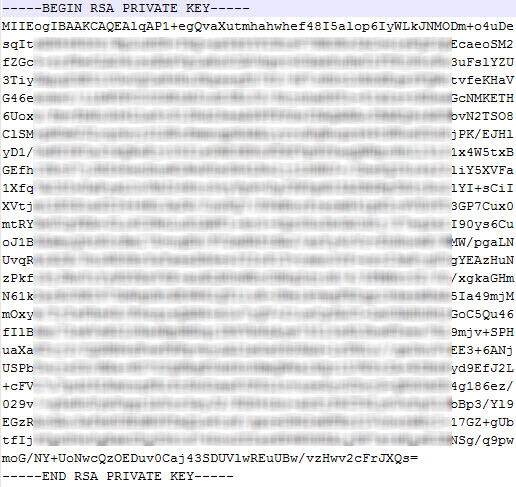
private-key.png
without-private-key.png
All Comments (8)
Hello,
The private key data doesn't look valid and looks like only the thumbprint. What you should be pasting is the full content of the private key file which should look something like this:
Can you confirm? With the full data of the private key, the connection works for me.
Regards,
Hubert Mireault
2016-05-24 10-54-08.jpg
Hello,
yes, sorry i agree - pasted only the thumbrint.. now i get the content from /etc/ssh/ssh_host_rsa_key (this should be the right file?) and insert the whole certificate information as data.. Unfortunately the same error message appears..
We use at the moment Version 11.5.0.0
Thanks!
What version of WinSCP are you using? If you are on an older version of it it might cause issues. I tested with the latest (5.7.7) as well as 5.2.3 and it seems to work for me. Nevertheless I will investigate and see if I can reproduce.
Do you think it would be possible to create a small video showcasing the issue? I'd like to see at what step of the process it stops working or if it does as soon as the session is opened. If you can you can send the video through the forum's private messages or in email at hmireault (at) devolutions.net
Thank you,
Hubert Mireault
WinSCP is version 5.7.7 (Build 6257) - sure will provide you a video with and without the key, so you can see the difference - send you the video tomorrow.
for now thanks for your support & a nice end of work ;)
Regards,
Min
Thank you :) Just to make sure of one other thing, do you have the write access to where your RDM is installed? When the private key is data with WinSCP we have to create a temporary file with the data inside it so we can pass it to the command line. If you don't have write access, this might cause the issue.
You could also see if instead of using "data" you could use "file" and directly link to the file as a test, just to see if it works.
Regards,
Hubert Mireault
Hello,
thanks for the note - if i use the "file" with the ppk extension and the private key thumbrint, the connection works, but the warning window still appears. This warning should not be shown when the private key is stored, or im wrong?
Thank you!
warning.png
The warning window is expected unless you have previously saved the host key. The host key is different than the private key. Pressing "yes" to continue will add the host key to the cache (which is located in the registry), the reason the warning is there is because WinSCP can't find the host key in the cache. This is on WinSCP's end and we can't change this.
Regards,
Hubert Mireault
Hello,
ok than its clear..
The first error message appears because of the missing write permission on the installation folder, with a file it works..
thanks for the explanation! :)
Best Regards,
Min