WMware Horizon Client problem

Hi !
I have installed the Addon for WMware Horizon Client view but when I try to connect to the remote server, seems that do not work.
Always remain in the "connecting" or "Authenticating" status.
I have inserted No credential into RDM session, because I need to insert manually with RSAsecureID pin (changes every time!)
In addiction I have observed that the GUI that is loaded is different from the GUI I have if I run the Horizon client stand alone (not from RDM)
Anybody have performed issues connecting using this AddOn ??
Regards
P.
All Comments (6)
Hi,
Could you try to execute the VMware client in command line to see if you get the same problem?
vmware-view.exe
Regards
David Hervieux
Hi David!
What'sup ?? I hope all is good !!
by the way....
If I run the vmware-view.exe from command line I have the shot1 (whit application header and 1 server configured for connection)
If I open the session via RDM I have shot 2. No header and no server configured... And the connection remain in a Authenticating status for long time...
The problem is that I cannot insert the password into RDM session, because the pswd change every time (with RSA SecurID)
So, probably the plugin should appear the popup of authentication.. .and instead do not appear...
Regards
P.
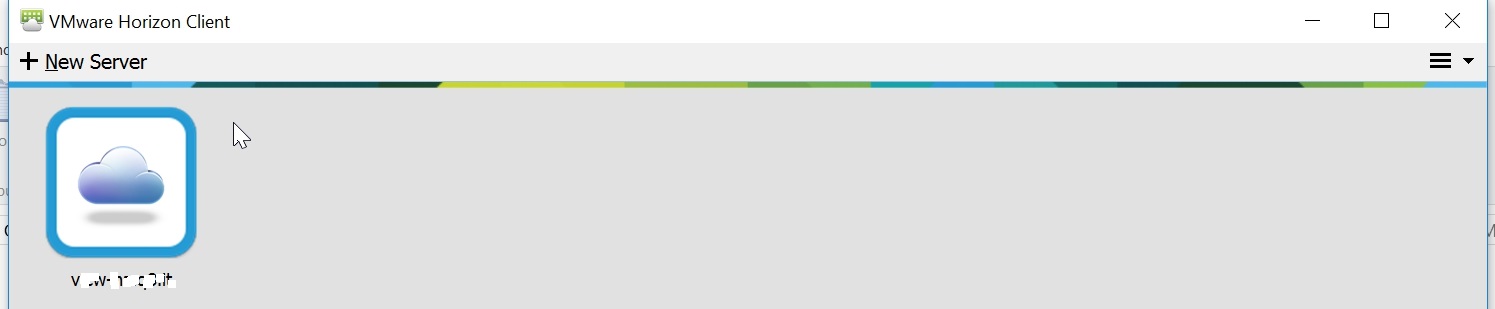

screenshot.27.jpg
screenshot.26.jpg
Hello,
Our Horizon view client simply calls the executable with the parameters as filled in the configuration.
If you could send me your session, I would reply with the exact command line that we are using.
Either use Private messaging or send it at support@devolutions.net
Best regards,
Maurice
From command line I need to launch this command to arrive to the login popup:
>vmware-view.exe -serverURL myserverURL.it
BUT from inside RDM this not works!
P:
SOLVED!
By default RDM fill some option in the second TAB (see attached image)
In my case, this option shoud be deselected.
REgards
P.
shot_2014.77.jpg
Hello Pico,
I'm glad you've found the solution. This could help other people as well. I'm sorry for the delay in my answer, I'm currently on vacation :)
Regards
David Hervieux
