quicklist of freq. used commands for ssh

What I want:
Connect to server with ssh (Rebex), then i want to open a quicklist of most used (predefined) commands , click one command that is executed directly in my ssh session.
I simply cannot find an easy way to do this as ctrl shift a does not work.
Probaly i'm doing something wrong here .... please help :)
So
Is there a shortkey for opening the macro/script list? (i don't want to right click the server, and all my menus/toolbars are collapsed so i got a maximum screen view.)
I also notice strange behavior in the macro script list.
When i open the list i have for example 3 entries. when i type something in the search that is also in my list it doesn't show up.
Whatever i type, i cannot get my 3 entries back in the list.
All Comments (3)
Hi,
The quick list is a good idea. I have entered a feature request for that. There is no shortcut and it's not possible for now to configure one. I will add this also for the next minor update. You will be able to configure it in File->Options
For the bug could you post few print screen as an example?
David Hervieux
Hi David, thanks for adding the feature request. A shotkey would be nice already...
For the bug?! see screenshots (version 11.0.18)
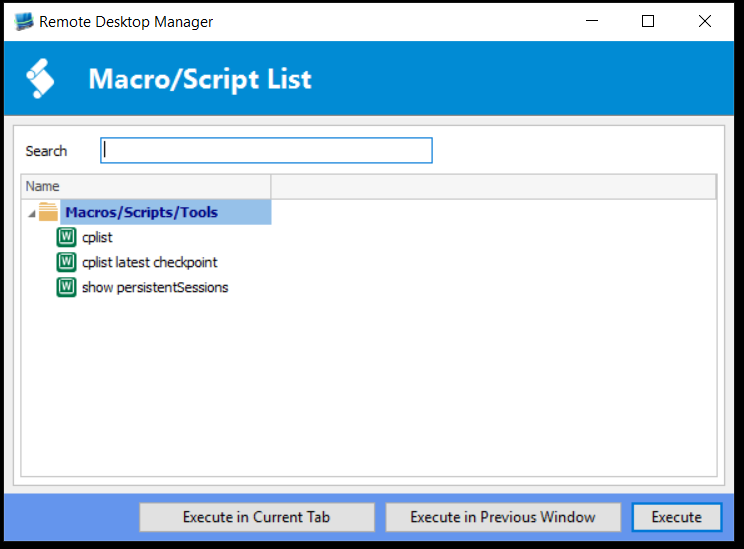
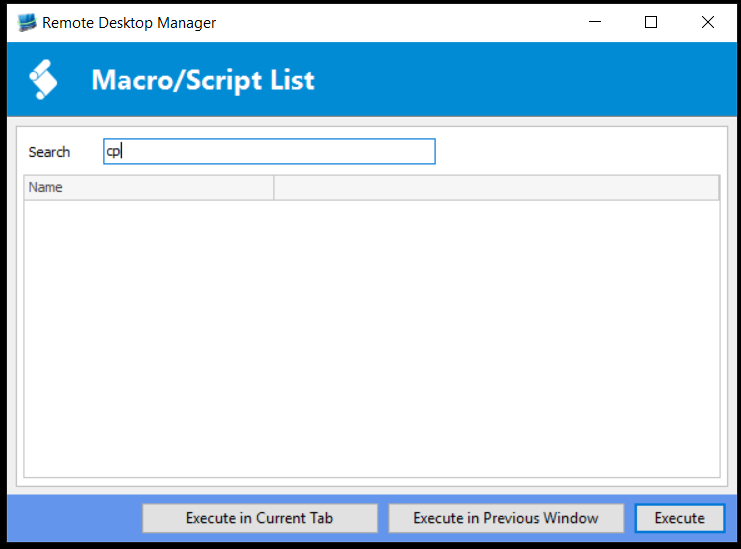
Capture2.PNG
Capture1.PNG
The filter issue is now fixed. This will be in the next minor update.
David Hervieux