Create Tool for Remote Powershell Session?

This will be a basic question but I have to admit I haven't had much luck understanding how to create a tool.
I want a tool or session entry that opens a remote powershell session. Probably RDM already does this natively but I haven't been able to find it. Under 'Other' in Session Types there is a Powershell entry - maybe I just need help configuring that?
If that is not the right way to do it, how can I create a tool that would run the following script (this is the long-winded way I do it from a Powershell window in my PC now) - with a variable replacing the 'Server' name in the final line below:
$SecurePassword = 'password' | ConvertTo-SecureString -AsPlainText -Force
$Credential = New-Object Management.Automation.PSCredential 'Domain\administrator', $SecurePassword
Enter-PSSession -Computername Server -Credential $Credential
Do not assume I know anything in your answer - step by step instructions please! Thanks in advance.
All Comments (4)
Hello,
You can find the Remote PowerShell under Macro/Script/Tool and this could be executed with a selected host/session.
Regards
David Hervieux
Thanks. I have added the tool and entered the path to my powershell exe, but when I use it it connects but I just get a blinking cursor, with no prompt appearing - I left it for at least 5 minutes but no prompt came up - screenshot in attached document.
Also, how would I get this tool working if I wish to open a remote powershell to a server using different credentials, ie as below
$SecurePassword = 'password' | ConvertTo-SecureString -AsPlainText -Force
$Credential = New-Object Management.Automation.PSCredential 'Domain\administrator', $SecurePassword
Enter-PSSession -Computername Server1 -Credential $Credential
Cheers
RDM Remote powershell.docx
Could you try the local Powershell because I'm not sure that you really need to execute it remote?
David Hervieux
The "PowerShell (Remote)" is the correct session type.
It will do the Enter-PSSession for you.
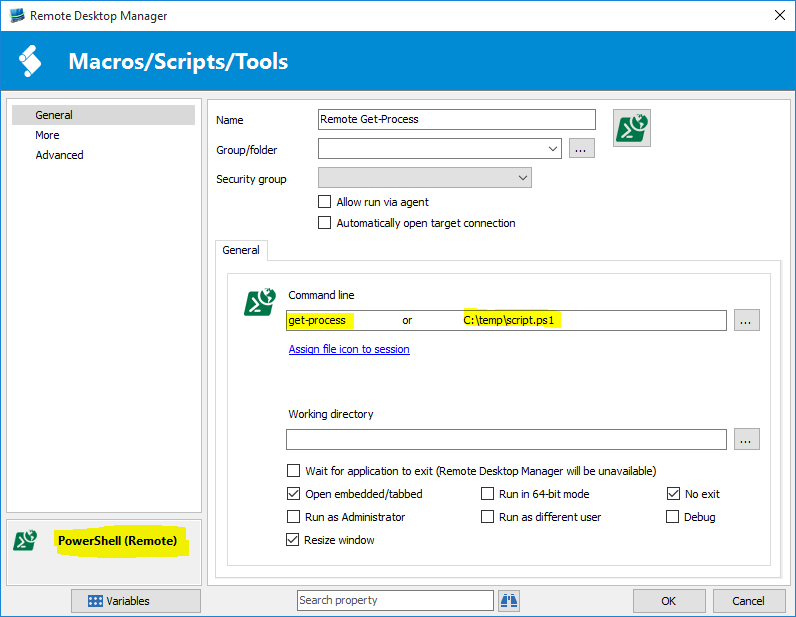
Create the PowerShell session like this:
Enter a PowerShell command, a PowerShell script file or leave it blank if you simply want a remote PowerShell prompt.
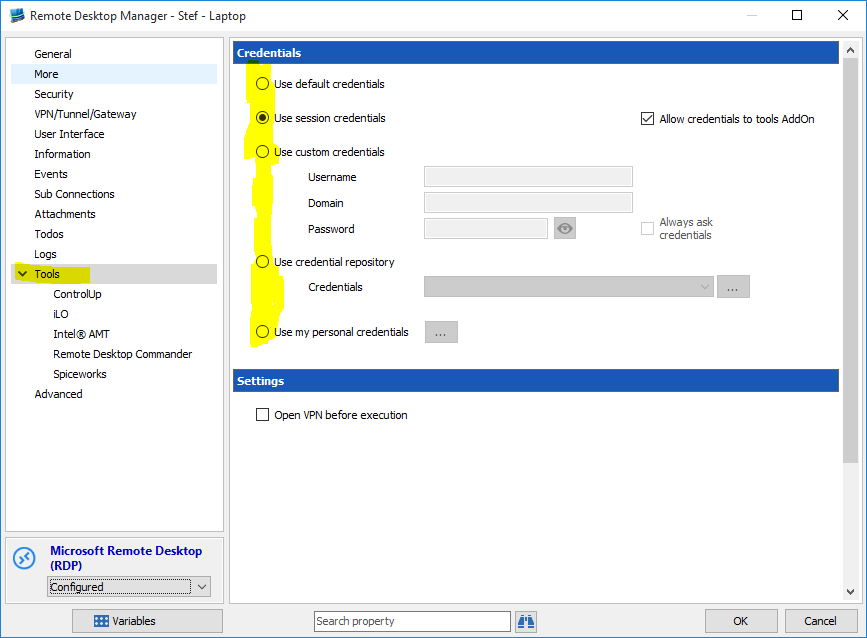
Configure the reference session like this:
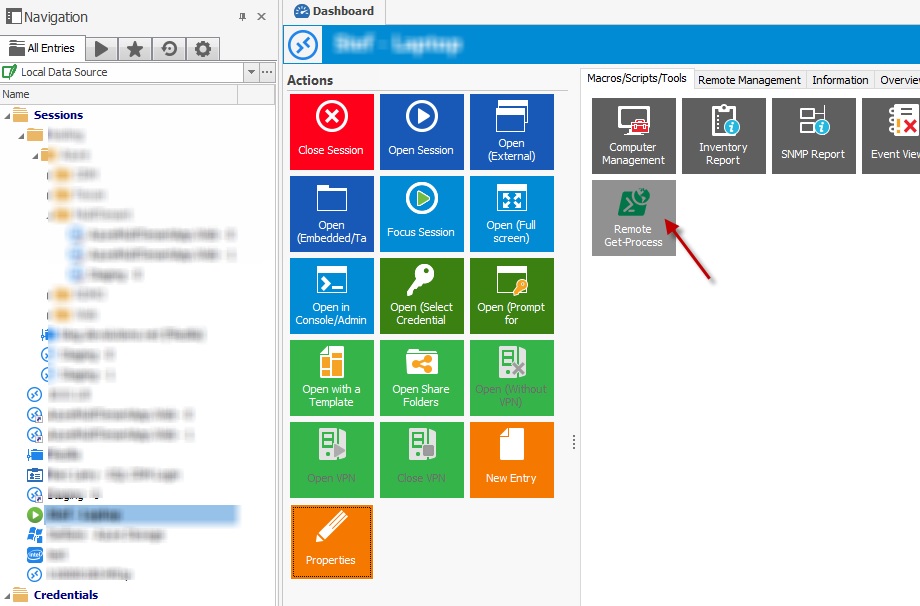
Select the session and click on the tool:
This will open a remote PowerShell session to the select host. That is, as long as remote PowerShell is enabled on the remote machine all should work.
Best regards,
Stéfane Lavergne
Execute.jpg
Configure - Session.PNG
Configure - PowerShell.PNG