UltraVNC - Use secondary monitor

Hello,
I use RDM Entreprise Ed. v10.5.2.0 with UltraVNC Add-on (Win32 1.2.0.5).
No problem for connection and remote use. The only problem is to display the UltraVNC Windows on my secondary monitor.
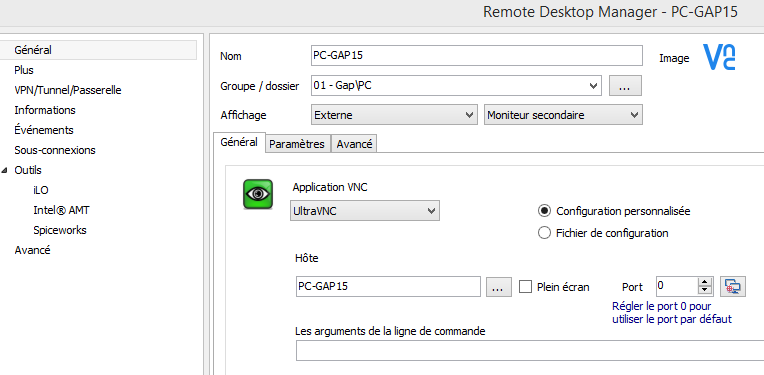
The session options are normaly OK:
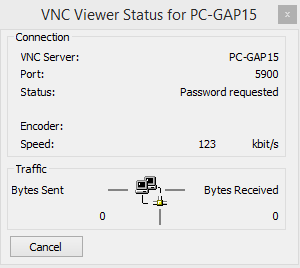
and when i launch the connection, the first windows (VNC viewer Status) is on secondary monitor (OK):
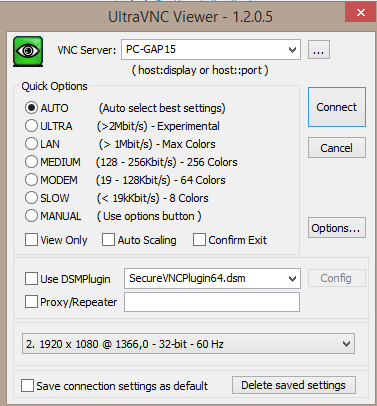
but the secondary windows with the remote user screen (VNC service mode) is displayed on my first monitor.
Problem: my first monitor (notebook) is smaller than secondary monitor (24'') and when I move the windows, the remote screen is not completed (must use scrool bar).
When I use UltraVNC without RDM, I can choose the monitor before connect and it's OK.
Can you help me?
DIGGI
ultraVNC single.PNG
ultraVNC status windows.PNG
ultraVNC connection properties.PNG
All Comments (6)
Could you try to Select Monitor #2 instead of Secondary monitor?
David Hervieux
I've tried all options: primary, secondary, current, configured, default, #1, #2, #3...
no result.
- if I try Primary Monitor, the first windows (VNC viewer status) is on first monitor, and remote windows too.
- if I try Secondary Monitor, the first windows (VNC viewer status) is on secondary monitor but remote windows on first.
- if I try Monitor current, the first windows (VNC viewer status) is on first monitor, and remote windows too.
- if I try Monitor configured, the first windows (VNC viewer status) is on first monitor, and remote windows too.
- if I try Monitor default, the first windows (VNC viewer status) is on first monitor, and remote windows too.
- if I try Monitor #1, the first windows (VNC viewer status) is on first monitor, and remote windows too.
- if I try Monitor #2, the first windows (VNC viewer status) is on secondary monitor but remote windows on first.
- if I try Monitor #3, the first windows (VNC viewer status) is on first monitor, and remote windows too.
...
It's like this parameter is only for the first windows (VNC viewer status) and not for the real remote windows.
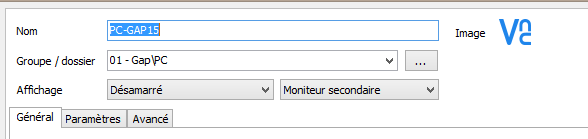
I don't understand because If i try undocked ("désamarré"in french), the secondary windows is on secondary monitor.
DIGGI
desamarré.PNG
Hi,
You might have the explanation. In external mode RDM tries to move the main window since it's an external process. It seems that the actual remote window is not available when RDM move it.
In the undocked mode it's an embedded VNC running in within the application. RDM is able to move it since it's one of his window. I'm not sure if we can do anything for that unfortunately.
David Hervieux
OK merci !
DIGGI
Could you use embedded-undocked instead for now?
David Hervieux
Yes, if this is the only solution for that...
DIGGI