Forticlient Setup help

Hi,
Im looking at purchasing this product or our Company to manage all the different VPN and remote details we have but for some reason i cannot get Forticlient to work it launches but does not connect and then closes the connection and tried to connect to the RDP.
I dont know if im doing the setting wrong or if im missing the plot totally.
Would really appreciate some assistance.
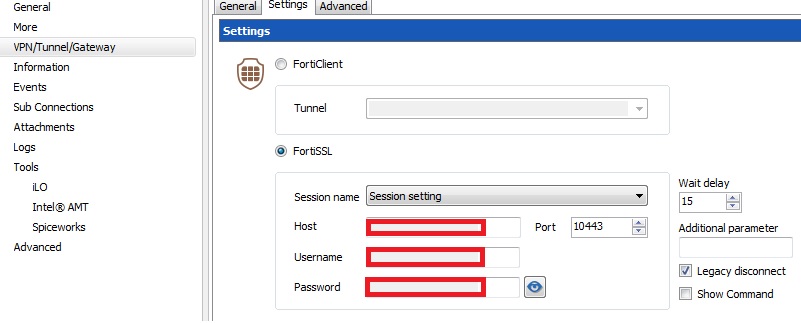
details.jpg
All Comments (9)
Hello,
Could you try making a standalone FortiClient entry and see if it works by itself?
Regards,
Hubert Mireault
Hi,
How would i go about that if i may ask as i have clicked everything i can think of inside RDM to set this up.
In the dashboard, when you create a new entry, you can filter by connection type. FortiClient counts as a VPN type:
From there, you will have the same settings as you entered previously:
Could you see if this works for you? I want to make sure FortiClient works to know if it's a settings problem or if we need to update our add-on.
Thank you,
Regards,
edited by Hubert Mireault on 3/23/2015
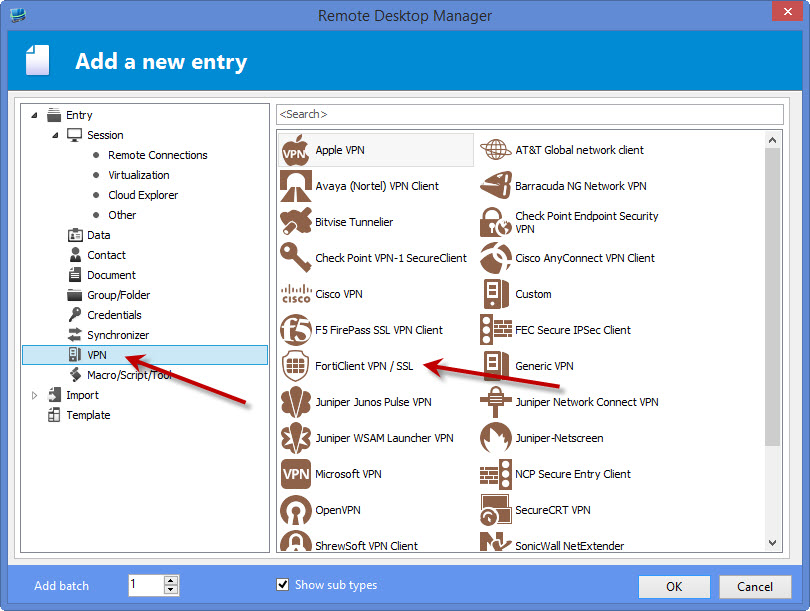
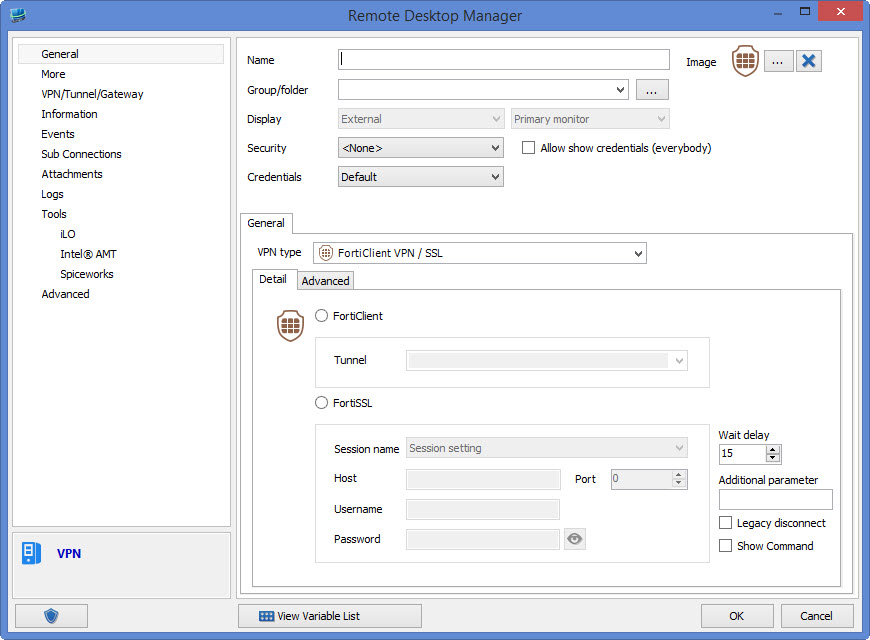
Hubert Mireault
screen2[1].jpg
screen1.jpg
Hi,
I tried that and still nothing it opens up the FortiSSL exe sits there for about 12seconds and then closes down and does nothing there is nothing nothing actually connects see attached.
details[1].jpg
Just to make sure, could you take a look at this help topic?
http://help.remotedesktopmanager.com/troubleshooting_forticlient.htm
As of version 5.2.1 of FortiClient, they don't package their command line by default, so you need to get FortiSSLVPNClient.exe from their website and put it in the installation folder.
Regards,
Hubert Mireault
Hi,
Im using Forticlient 4.3.3.445 we cannot go to a later version at the moment as some of our clients dont support it yet. I have checked and i do have the FortiSSL.exe See attached.
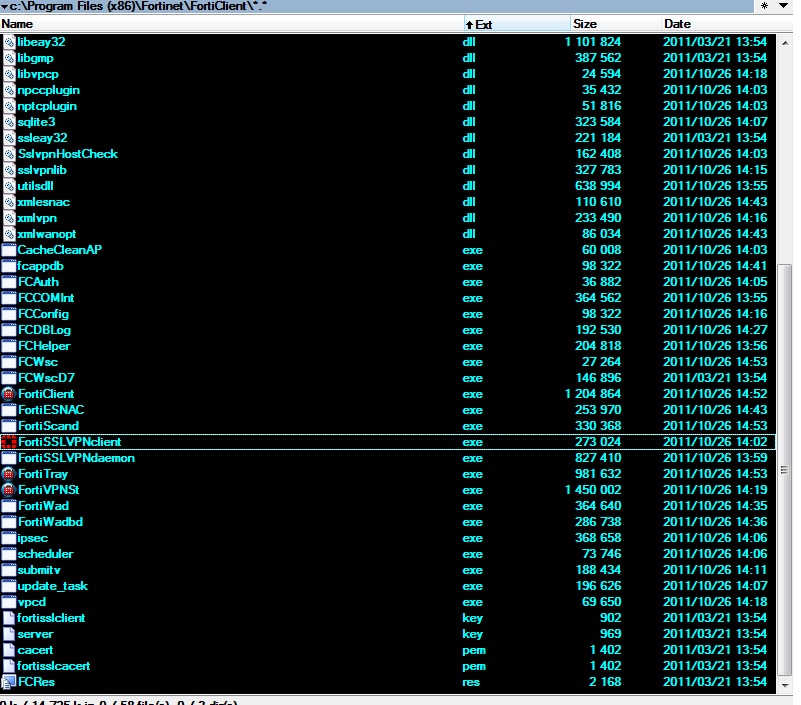
FortiSSL.jpg
In the FortiClient connection settings, there should be a checkbox for "Show command". Could you check it and post what it gives? (be sure to not use any sensitive credentials)
Could you try to run this command line outside of RDM to see if it works? If you can find a command line that works, I can see with our application's code what we're doing differently and change it, since we can't test it.
Regards,
Hubert Mireault
Hi Shaun,
we use FortiSSLVPN a lot and i know about your problem that default FortiClient doesn't work properly with RDM.
Plz use the sslvpnclient.exe-Installer you get if you login to forti-firewall:10443
i attached you the latest version you get with fortios 5.2.2,
install, set RDM-Path to %ProgramFiles(x86)%\Fortinet\SslvpnClient
and enjoy.
zip in attachement ist password-encrypted, pw is 12345
best regards
Markus
Kind Regards
Markus
======================
SslvpnClient_4.0.2300.zip
Thank you Markus for providing an executable. I hope this will fix the problem for Shaun.
Regards,
Hubert Mireault