Mikrotik RDM add-on on Citrix.

Hi,
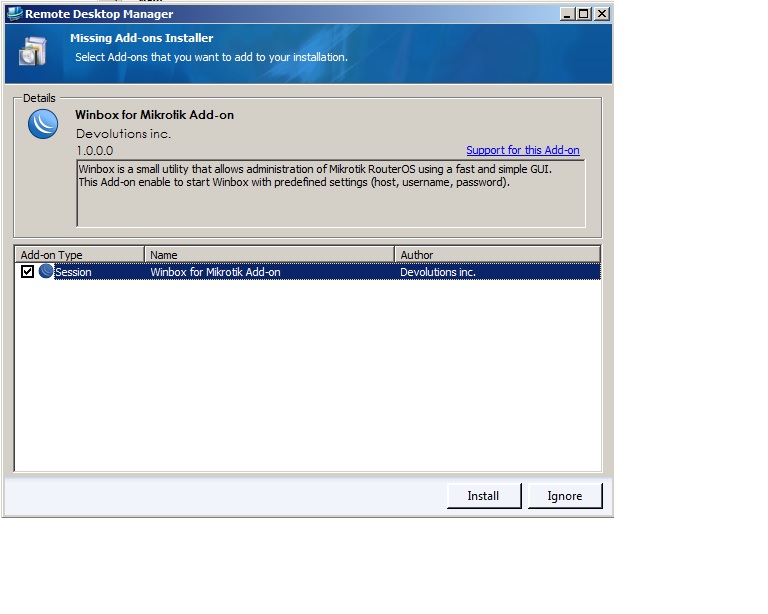
I have copied the Mikrotik program on to the servers and the default installation folder. Then when the users starts RDM he/she get's this window (see attachment).
The user then press install add-on but when RDM restarts it shows up Again (only Works for the Administrators on Citrix servers).
How do I install this or other add-ons to all users? If the user just needs the "WinboxAddOn.dll" then where do I place it?
Regards
Thomas
Mikrotik.jpg
All Comments (3)
Hi,
You can install it by using the menu Tools-Add Managers
David Hervieux
That has allready been done (as administrator in install mode), but it does not apply to the normal users.
I have tried the Add-On Manager to manuelle install the plugin with a normal user, but it does not work due to not enough rights (I guess).
Should I maybe try to regsvr32 the "WinboxAddOn.dll" in install mode. What do you think?
edited by tol on 9/4/2012
RDM add-on admin rights.jpg
I have found the solution to this strange problem.
What I did was delete the "WinboxAddOn.dll" at the users location "%appdata%\Devolutions\RemoteDesktopManager" - then it worked :-)