Sophos UTM 9 online webpage login

Hello,
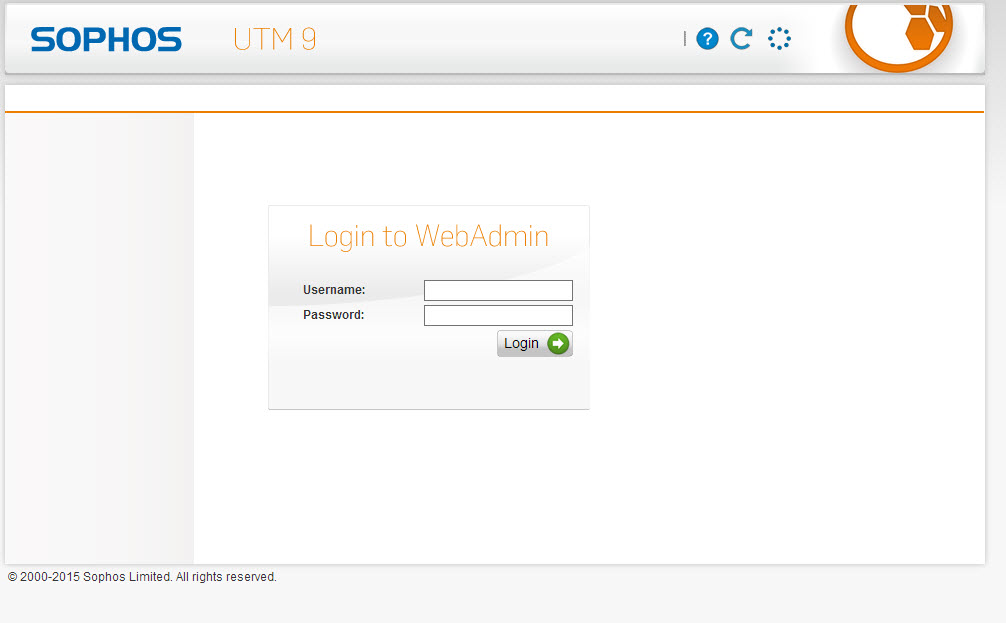
I am requesting the right settings for auto-login in a Sophos UTM 9 webpage.
Tried many things but can't find the right settings or ID for password/username.
And code from the page is attached as a HTML file
We are using the newest version of UTM.
Thanks!
edited by martijnvanzeeland on 1/8/2015
utm-login.html
1-8-2015 4-36-04 PM.jpg
All Comments (6)
Hi,
What is the version of RDM do you use? Do you use the embedded web browser in RDM or the browser extension? If you use the browser extension, which browser and what is the version of the extension?
Best regards,
Olivier Désalliers
Hello Olivier,
Thanks for your fast reply!
We are using RDM 10.1.3.0
Browser extensions are not installed, we are using a embedded IE or embedded Chrome entry with the url in RDM.
But if we press the key-icon next to the embedded IE browser, the login and password are auto filled in so it looks like it sees the form's..
Hope to hear soon.
hi there!
the sophos utm site/login-form is built with JS and is accessed via https with a self-signed certificate.
it listens by default on port "4444" (e.g. 192.168.0.1:4444).
i have a problem opening the site embedded in the first place.
i followed David's instructions from here:
http://forum.devolutions.net/topic1006-allow-embed-firefox-to-access-ssl-winvalid-certs.aspx
therefore i downloaded xulrunner from here and placed it into RDM\Applications\
with the engine MozNET (R19.8) it loads forever not showing anything.
with the engine geckofx it gives me the error
i think if we can sort out the xulrunner-ssl-error we could make it work.
any suggestions?
KR
Guenther
PS: i tried both 32 and 64-bit versions of RDM with version 10.1.4.0
Hello Guenther!
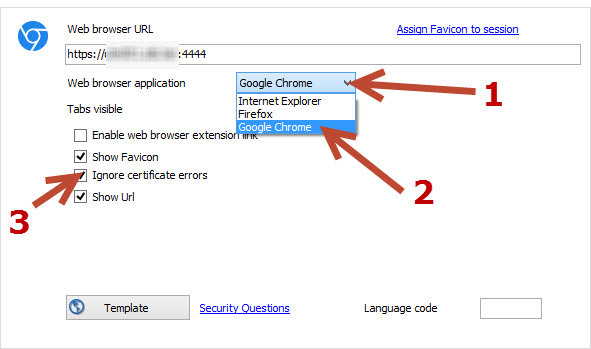
Have you tried the embedded google Chrome?
Because the chrome has a option to skip certificate warnings wich leads you directly to the right page.
Maybe this gets us one step further
1-9-2015 8-58-14 AM.jpg
hi Martijn,
Great, it works with chrome!
to make the auto-login work use the following settings.
it takes 1 second or so but then it fills the form entrys and logs you in.
KR
Guenther
IT WORKS!
Thanks very much for your effort!! Don't forget to use IE instead of Chrome and i've checked the 'ignore script warnings' Box!
Kind regards!