Customize Group/Folder Default Settings Bug

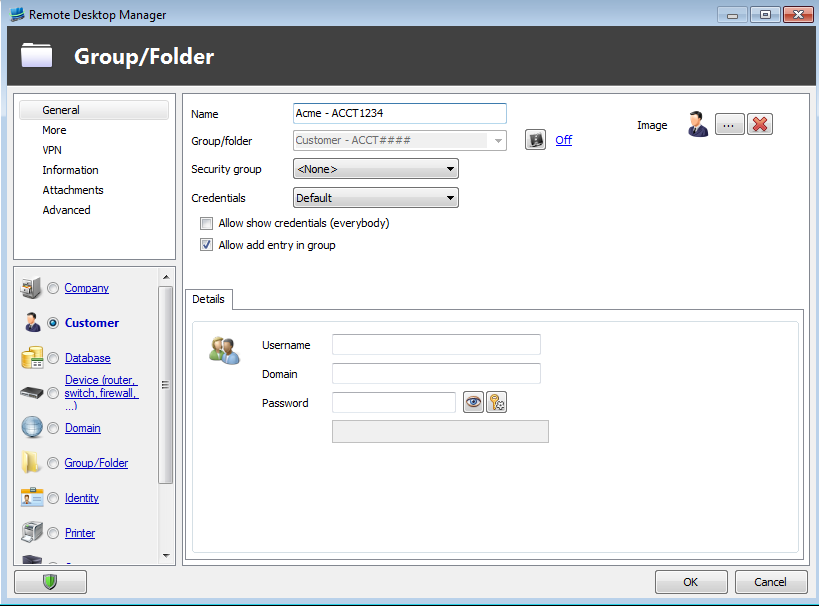
If you edit the default settings for type "Customer" (and I presume the other types as well, just didn't test) and specify a name (I specify the name so I can standardize the convention used by all users), when you create a new entry of that type the Group/folder field is the same as whatever the name I created in the template.
Setting the default settings:
Creating a new customer, it automatically set the group folder when I want it to be in the group folder that I right clicked on when creating the new folder, which is what happens when the "Name" field is blank in the default template:
Info on clicks:
May be in prior versions, I just have the beta on all of my machines right now so didn't test.
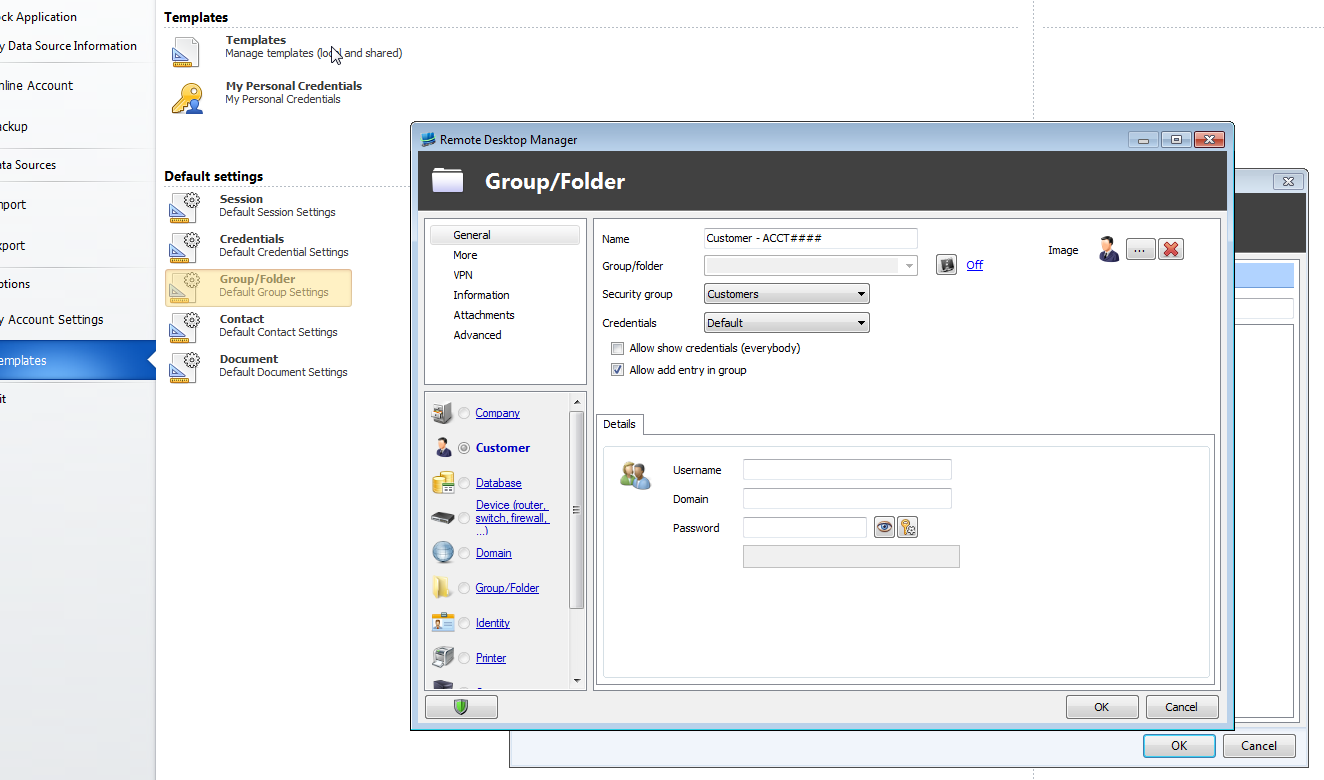

2014-08-18 22_10_57-Remote Desktop Manager [Dashboard].png
2014-08-18 22_10_41-Remote Desktop Manager.png
2014-08-18 22_09_51-Remote Desktop Manager [Dashboard].png
All Comments (1)
Hello,
The issue is in the template saving process. The template itself has that string in both the NAME and the GROUP field, it will have to be fixed in an ulterior release.
I will have to confirm with David that it is not done on purpose though.
Thank you
Maurice