Errors with UltraVNC Addon

Hello
First, thanks for the UltraVNC addon, but unfortunately there are a few bugs:
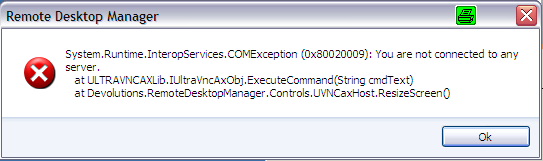
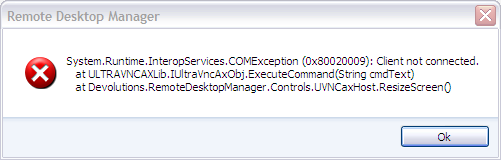
1. If the remote computer is restarted and the connection to RDM will close (UltraVNC service is stopped). The addon doesn't notice the restart and there is an error message. The same happens if somehow the connection will disconnected from the remote computer.
1.png
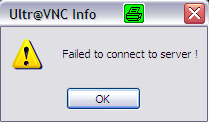
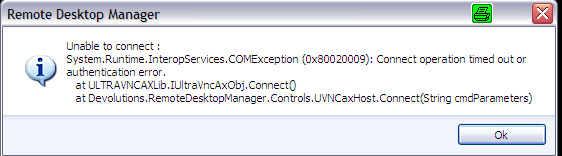
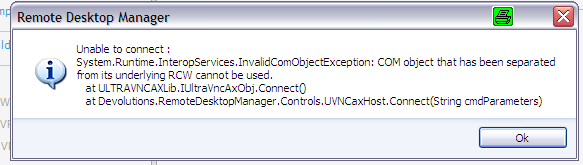
2. If the connection to the remote PC can't be established, then I get a info "Failed to connect to server" and an error message.
2.png 3.png
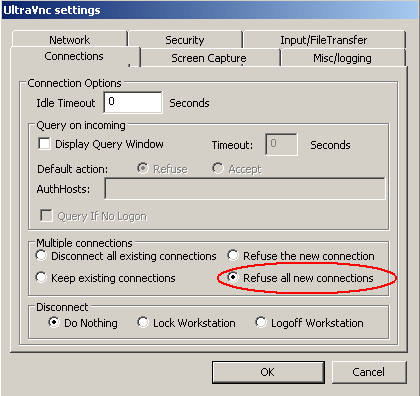
3. When set the option in the UltraVNC Server on the remote computer:
Connections ->
"Refuse the new connection" or
"Refuse all new connection"
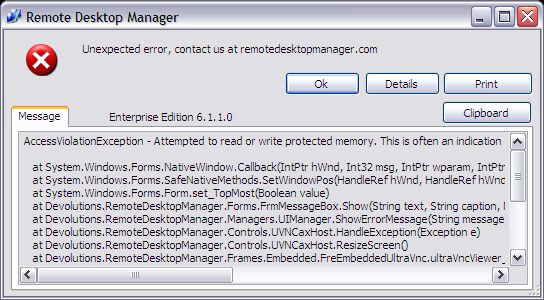
I get an error message and RDM crashes when someone else has already established a connection to the remote computer.
4.png 5.png 6.png
4. Another error message, but I do not remember where this has occurred.
7.png
5. „F2“ , „Ctrl + A“ don’t work in the remote PC. RDM catch this an used in RDM, not in the remote PC. For example, I press “Ctrl+A” in the remote PC and the “Remote Desktop Connection” is started on my PC and not “Select All” in the remote PC with Windows.
And now 2 wishes for the addon:
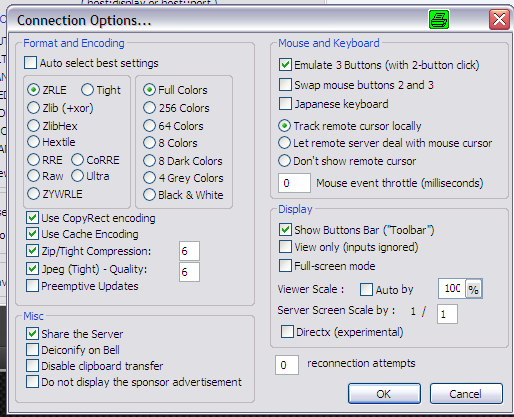
1. Encoding „ZRLE“
8.png
2. UltraVNC Icon / Image
At the moment I have set up the image in „ Custom Image “ but the better way is, if the configuration change to UltraVNC the icon comes automatically.
9.png
Sincerely
edited by carrier on 6/9/2011
edited by carrier on 6/9/2011

1.png
2.png
3.png
4.png
5.png
6.png
7.png
8.png
9.png
All Comments (9)
Wow,
Thank you very much for this post. We will look at enhancing the integration. This was only the first step and it was a big one for us. There was not .NET implementation for UltraVNC. I'm sure that most of the problem can be fixed. The hardest part for us is to detect a disconnect session because it's not exposed. I added all your request / bugs to our internal database and I'm glad to see that you use this add-on.
David Hervieux
Hello
Do you have any news?
At the moment is the problem 3 the biggest issue and hinders a roll out of the software in our company.
But additionally I have another feature request:
Implement the new file transfer.
The last usable version of UltraVNC server is 1.0.8.2. With a newer version I get the error "The connected VNC Server doesn't support UltraVNC File Transfer".
Hi,
Our development is going more slowly now, Andre who is responsible of the add-on won't be back before mid-august. I will see what I can do. For the file transfer, we are aware of the problem but it's more complicated than what it seems. We will have to port the latest code to an ActiveX. We will don't worry. Thank you
David Hervieux
Hi,
The next version will have many fixes for the embedded UltraVNC.
David Hervieux
Hello
This are very good news! :)
Do you have a timeline for this new version?
Sincerely
I will release the new beta tomorrow and all the fixes will be included:
- zrle
- file transfer
- refused connections
- unable to connect
...
David Hervieux
Hello
I have tested the new versions (5.5.1.0 & 6.6.0.0) and the most problems and wishes are fixed. Thank you for that :) but my important problem is still existing.
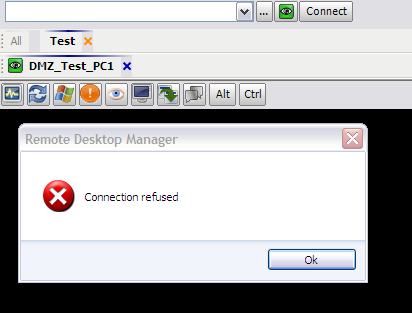
RDM crashes when the server refuse the connection. (point 3 in the start post)
There is now a message that the connection was refused but then the RDM crashes .
"
Error Log:
[10/24/2011 4:56 PM]ERROR System.AccessViolationException: Attempted to read or write protected memory. This is often an indication that other memory is corrupt.
at System.Windows.Forms.UnsafeNativeMethods.PeekMessage(MSG& msg, HandleRef hwnd, Int32 msgMin, Int32 msgMax, Int32 remove)
at System.Windows.Forms.Application.ComponentManager.System.Windows.Forms.UnsafeNativeMethods.IMsoComponentManager.FPushMessageLoop(Int32 dwComponentID, Int32 reason, Int32 pvLoopData)
at System.Windows.Forms.Application.ThreadContext.RunMessageLoopInner(Int32 reason, ApplicationContext context)
at System.Windows.Forms.Application.ThreadContext.RunMessageLoop(Int32 reason, ApplicationContext context)
at System.Windows.Forms.Application.RunDialog(Form form)
at System.Windows.Forms.Form.ShowDialog(IWin32Window owner)
at Devolutions.RemoteDesktopManager.Forms.FrmMessageBox.Show(String text, String caption, MessageBoxButtons messageBoxButtons, MessageBoxIcon messageBoxIcon, MessageBoxDefaultButton messageBoxDefaultButton)
at Devolutions.RemoteDesktopManager.Managers.UIManager.<>c__DisplayClass5b.<ShowErrorMessage>b__5a()
at Devolutions.RemoteDesktopManager.Managers.ThreadManager.Invoke(MethodInvoker invoker)
[10/24/2011 4:56 PM]ERROR SILENT System.AccessViolationException: Attempted to read or write protected memory. This is often an indication that other memory is corrupt.
at ULTRAVNCAXLib.IUltraVncAxObj.Disconnect()
at Devolutions.RemoteDesktopManager.Controls.UVNCaxHost.FlushConnection()
[10/24/2011 4:56 PM]ERROR System.AccessViolationException: Attempted to read or write protected memory. This is often an indication that other memory is corrupt.
at System.Windows.Forms.UnsafeNativeMethods.CallWindowProc(IntPtr wndProc, IntPtr hWnd, Int32 msg, IntPtr wParam, IntPtr lParam)
at System.Windows.Forms.AxHost.DetachAndForward(Message& m)
at System.Windows.Forms.AxHost.WndProc(Message& m)
at System.Windows.Forms.Control.ControlNativeWindow.OnMessage(Message& m)
at System.Windows.Forms.Control.ControlNativeWindow.WndProc(Message& m)
at System.Windows.Forms.NativeWindow.Callback(IntPtr hWnd, Int32 msg, IntPtr wparam, IntPtr lparam)
Crash.png
When you said that it crash, does it just close or you receive an error message?
David Hervieux
Hello
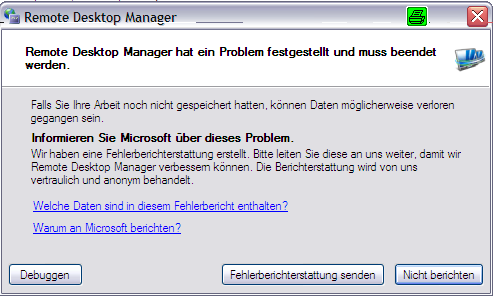
Sometime it just close without a error message and sometime i get an error message.
(German Windows)
Error.png