VMWare Remote Console not working with 5.1

Hi,
if i point the VMWare Remote Console to my 5.1 Client it does not work properly.
C:\Program Files (x86)\Common Files\VMware\VMware Remote Console Plug-in 5.1\Internet Explorer
if i use the one from my 5.0 installation everything is fine
C:\Program Files (x86)\Common Files\VMware\VMware VMRC Plug-in\Internet Explorer
another tring: if i connect to a vCenter it is not possible to connect to the remote console. either via 5.1 nor 5.0
greetings
max
All Comments (5)
The VMware console needs VMWare PowerCLI.
When it does not work, do you get an error message?
David Hervieux
I mean the remote console, not the overview of the runnings vms.
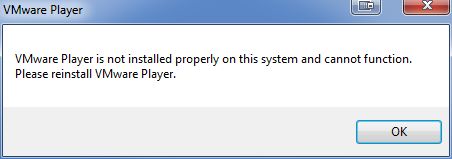
vm-console.PNG
Hi,
Ok I see what you mean. Could you verify the command line parameters for the v5.1. Perhaps they have changed them.
David Hervieux
If you have some parameters i will test them for you :)
only found some postings in vmware community:
http://communities.vmware.com/message/2166379
I've tested and get the same result:
v5.0 plugin works:
"C:\Program Files (x86)\Common Files\VMware\VMware VMRC Plug-in\Internet Explorer\vmware-vmrc.exe" -X -h 192.168.1.9 -u root -p "ThisIsNotMyPassword" "[datastore1] vm2/vm2.vmx"
v5.1 fails:
"C:\Program Files (x86)\Common Files\VMware\VMware Remote Console Plug-in 5.1\Internet Explorer\vmware-vmrc.exe" -X -h 192.168.1.9 -u root -p "ThisIsNotMyPassword" "[datastore1] vm2/vm2.vmx"
Even when starting v5.1 with no parameters it will fail.
Stéfane Lavergne