MCP Tuning: cannot find job to start so it went to admin site
MCP Tuning: cannot find job to start so it went to admin site
1 vote

696cfb02-44ac-4a2f-8c52-382cd7ca3ee4.png
All Comments (3)
Hello Matthew,
Thank you for the screenshot.
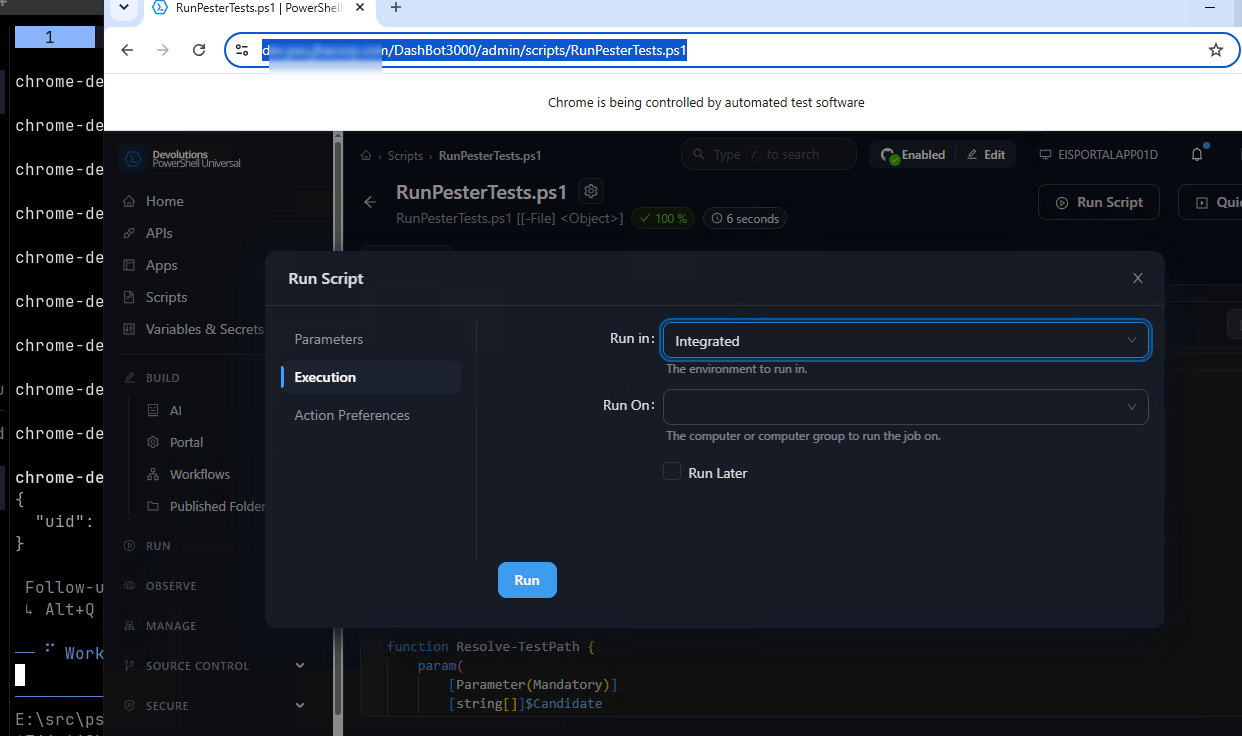
In 2026.3.4 the MCP server has no built-in tool that starts a job or runs a script. Its built-in tools cover commands and their help, repository files, resources, notifications and the output of a job by its id. Your screenshot shows your agent with the script's Run Script dialog open in the admin console.
A script can be called over MCP once it is exposed as an AI Tool with MCP enabled. In the admin console, go to Build > AI > Tools and select Create AI Tool. Give it a clear name, choose RunPesterTests.ps1 and enable MCP. Also tick Authenticated and assign a role, because without Authenticated the tool does not check who calls it. The app token your agent connects with then needs that role.
PSU then includes the tool in the list it gives your agent, under its name with spaces and periods turned into underscores. Its -File parameter becomes an argument of the tool, and each call runs the script as a job that shows on the Jobs page as an MCP job. PSU gives your agent the AI Tool's description with the tool, or the script's own description when the AI Tool has none. The New-PSUAiTool cmdlet with its -Mcp switch does the same from PowerShell.
https://docs.devolutions.net/powershell-universal/intelligence/ai-tools/#create-an-ai-tool
If you would like PSU to offer a built-in tool that starts any script, you can post it in our feature request forum.
https://forum.devolutions.net/forums/213/powershell-universal-feature-request
Best regards,
Michel
Michel Audi
yes please move it to the feature request area
maybe it would be better to have a list of tools that can be turned on and off. like
- Jobs
- get
- ....
- scripts (all)
- only this one
- or this one
- ...
- custom
- new tool call for x