Alberta Time Zone Change

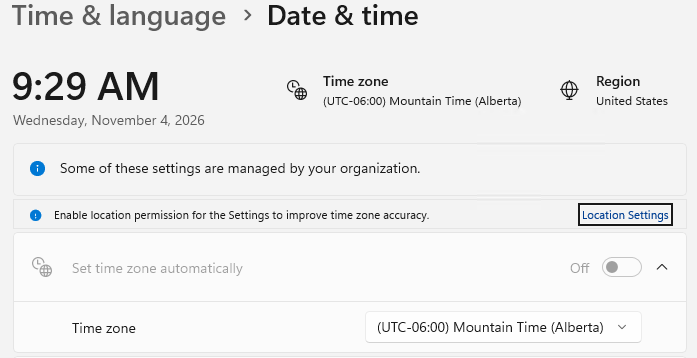
After the recent daylight saving time change in Alberta, the time zone configuration in PowerShell Universal (PSU) appears to be incorrect. The PSU server time zone has been configured as "Mountain Time (Alberta)", and all scheduled jobs are configured to use the America/Edmonton time zone. However, PSU is still operating one hour behind the current Alberta local time.
I could not find any reference for a time zone setting in the PSU docs.
PSU Server Time:
PSU Dashboard Time:
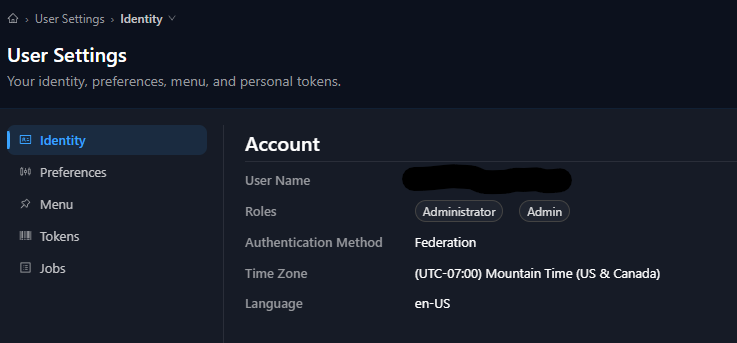
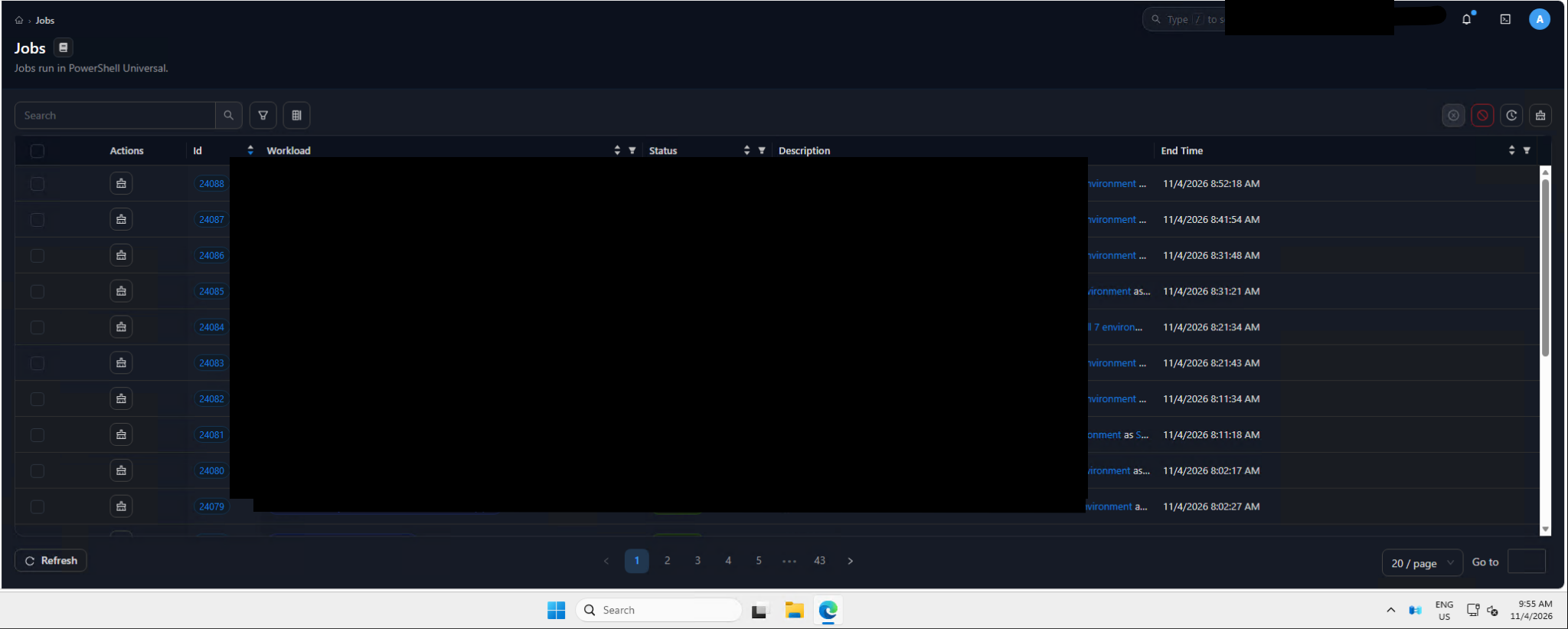
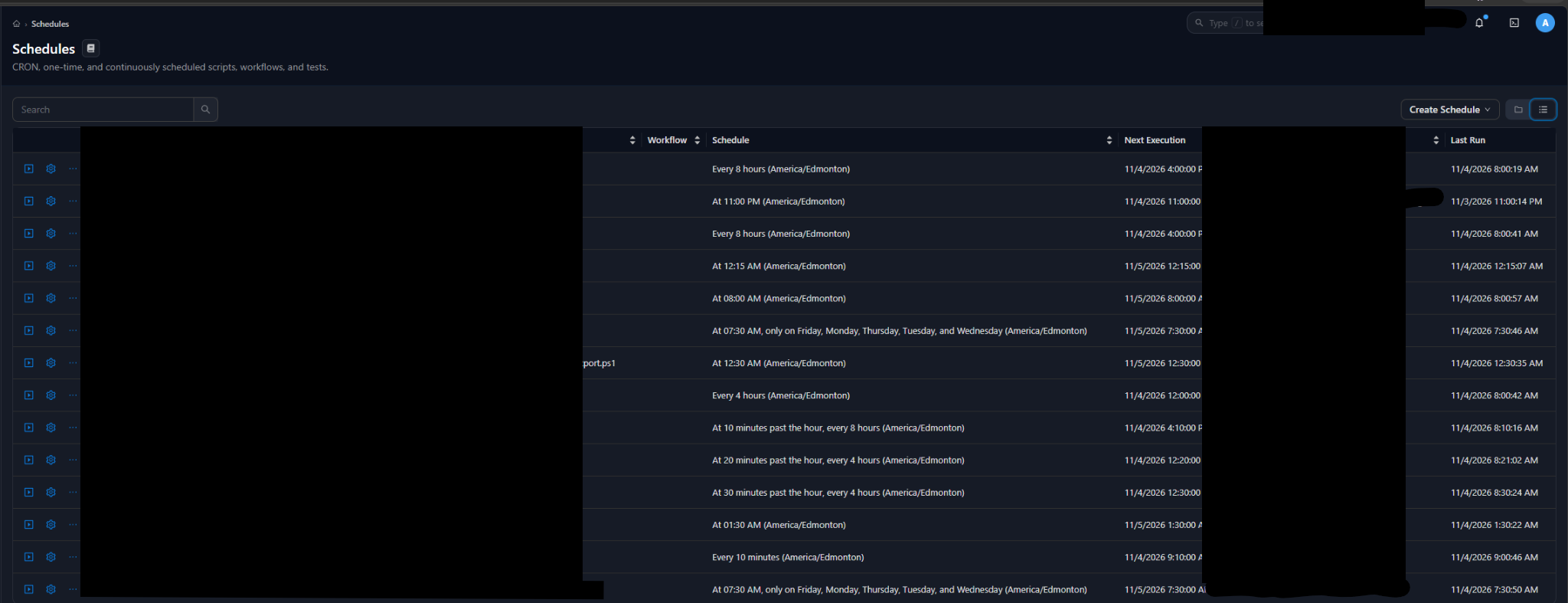
PSU seems to be operating one hour behind the current Alberta local time. It appears to be following the previous daylight saving time offset, despite the PSU server time zone and job schedule time zone settings being correct. We have jobs suppose to run every 10 minutes. The screenshot was taken on the PSU server itself.
All Comments (2)
Hello ashrafulalam,
Thank you for the clear description and the screenshots.
We reproduced the issue in our lab, and your PSU settings are correct.
Alberta moved to UTC-6 all year on November 1, 2026, and Windows added a new time zone for it, "(UTC-06:00) Mountain Time (Alberta)".
On Windows, PowerShell Universal turns a time zone name like America/Edmonton into a Windows time zone.
Windows still matches America/Edmonton to the older Mountain Standard Time zone, which went back to UTC-7 on November 1.
Because of this, schedules set to America/Edmonton run one hour late, and the admin console shows times one hour behind.
Restarting the service does not change this.
For the schedules, please change the time zone from America/Edmonton to America/Regina.
America/Regina is the Saskatchewan time zone, which is also UTC-6 all year, so the run times will match Alberta time.
You can pick it in the same Time Zone list on each schedule.
In our test, a daily schedule set to 9:28 with America/Regina ran at 9:28 Alberta time, while the same schedule with America/Edmonton ran at 10:28.
Your schedules that run every 10 minutes are not affected, since they keep running every 10 minutes.
The admin console takes its time zone from your browser, which reports America/Edmonton, and the server reads it the same way.
You can see this on your User Settings page, where Time Zone shows "(UTC-07:00) Mountain Time (US & Canada)".
There is no setting to change this in the console, so the times shown there will stay one hour behind until a fix is available.
We are passing this to our development team so that PSU handles the new Alberta time zone correctly.
If you want to confirm it on your server, you can run these two lines in PowerShell 7 (pwsh.exe), not in Windows PowerShell 5.1:
[System.TimeZoneInfo]::FindSystemTimeZoneById('America/Edmonton').GetUtcOffset([DateTime]::UtcNow)
[System.TimeZoneInfo]::FindSystemTimeZoneById('America/Regina').GetUtcOffset([DateTime]::UtcNow)
On an affected server, the first line shows -07:00 and the second shows -06:00.
Could you let us know your PowerShell Universal version, so we can follow the fix for it?
You can find more about schedules here: https://docs.devolutions.net/powershell-universal/automation/schedules/
Best regards,
Patrick Ouimet
Changing the schedule time zone to America/Regina to fixes the issue for scheduled jobs.
We are using PSU version 2026.3.4.0
A fix for the UI would be much appreciated.
Thank you very much for the information.