Issues with Roles/Permissions

Version  BuildVersion
-------  ------------
2026.2.2 28618653519
I'm having an issue with a specific role in our PSU environment. I have several dashboards. 1 is the 'main' dashboard, and the others are subject matter dashboards specific to peoples roles; HR, Facilities, etc. A specific role cannot access the main dashboard even though it has the correct permissions. I created a test local user, gave it the permissions required and it doesn't work either, even though the permissions are listed in the '/admin > "My Identity"' area. The only error that I can see happens when I got to the page and us the inspect feature. 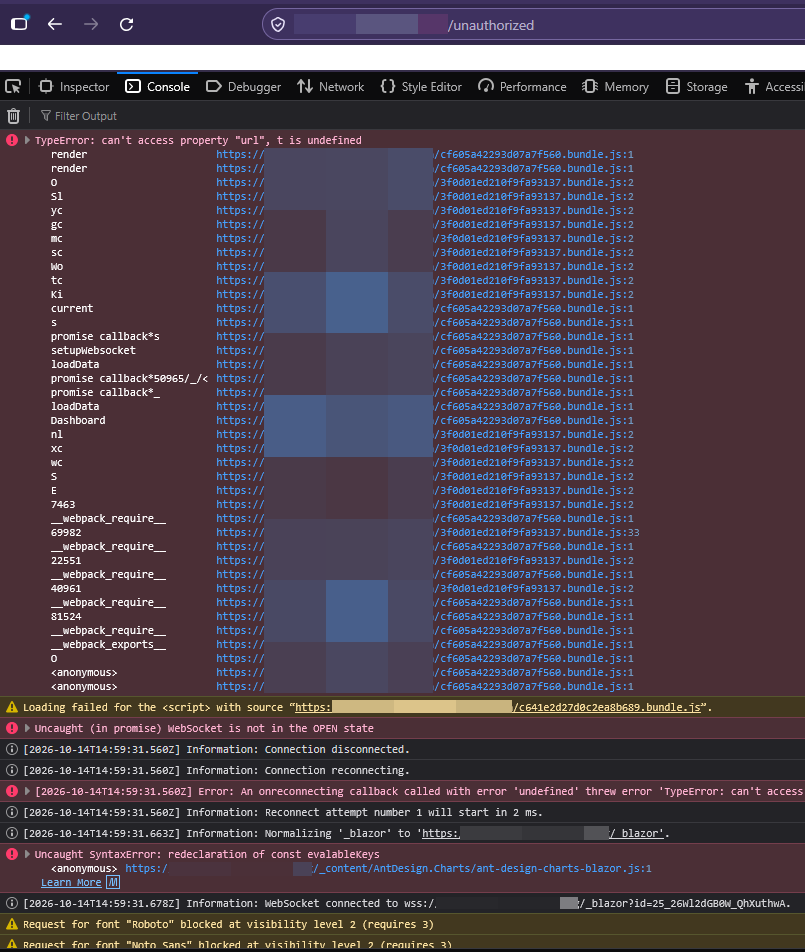 Everything up until 'Information: WebSocket connected to wss://{psuurl}/_blazor . . . ' shows up when they go to another page they aren't supposed to access, but they should be able to access this page. I have have some scripts tied to '/Portal' that they can see with no issues. I have done the typical 'Restart Service/Server' to no avail. I have also deleted the tag, as well as removed the tag from the Dashboard, and then readded it. I have not deleted the role and recreated it however.
69f405ab-5fb7-46dd-8a19-247433fd1272.png
Recommended Answer
Hi btull,
Thank you for the two screenshots. The difference between them shows where to look.
On the page they are not supposed to open, the address ends with ?ReturnUrl=..., which means the server refused the account before that page loaded; an app's Roles setting does this. On the main app, the address is a bare /unauthorized and the console shows "TypeError: can't access property "url", t is undefined". In 2026.2.2 that means the app let the account in but found no page available to it, so it sent the browser to /unauthorized. The TypeError is a side effect of that redirect, not a separate fault.
One setting that hides pages from some roles but not others is -Role: a page with a -Role list is hidden from an account holding none of those roles. Two points about this check:
1. It compares role names, not permissions. The permissions under My Identity are not used, so adding permissions cannot change the result; the account has to hold a role named in the page's -Role list.
2. The names must match exactly, including capital letters.
Page roles are set with the -Role parameter of New-UDPage, in the main app's code or in the code of a page on the app's Pages tab. Please compare this role's exact name with the -Role values of the main app's pages. If it is missing, add it to the pages it should see, or remove -Role from a page everyone may open.
If no page has a -Role, or the names already match, please send me the main app's code (with any passwords or keys removed) and the exact role name, and I will check why its page list comes back empty.
Page roles are described here: https://docs.devolutions.net/powershell-universal/apps/role-based-access/#pages-roles
Best regards,
Michel
@Michel Audi
Wow. I didn't even think of the case sensitivity. That was it (faceplam).
All Comments (3)
Oddly enough, when navigating to a different page, using the same account, which they cannot access, the url gives a 'ReturnUrl' parameter.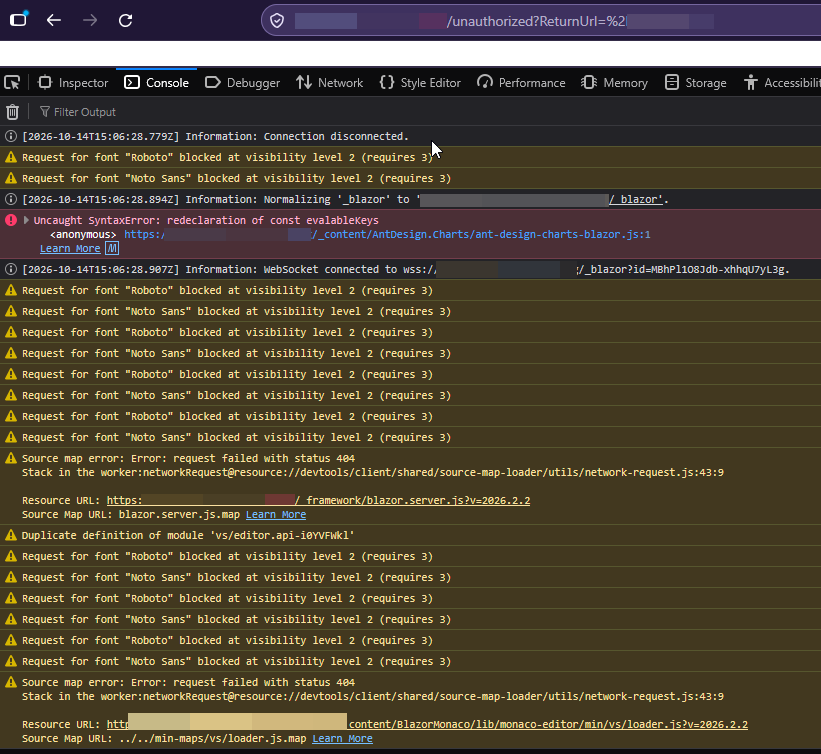
f2976ee3-20bd-4ac1-b99b-ceba1ec12fd3.png
Hi btull,
Thank you for the two screenshots. The difference between them shows where to look.
On the page they are not supposed to open, the address ends with ?ReturnUrl=..., which means the server refused the account before that page loaded; an app's Roles setting does this. On the main app, the address is a bare /unauthorized and the console shows "TypeError: can't access property "url", t is undefined". In 2026.2.2 that means the app let the account in but found no page available to it, so it sent the browser to /unauthorized. The TypeError is a side effect of that redirect, not a separate fault.
One setting that hides pages from some roles but not others is -Role: a page with a -Role list is hidden from an account holding none of those roles. Two points about this check:
1. It compares role names, not permissions. The permissions under My Identity are not used, so adding permissions cannot change the result; the account has to hold a role named in the page's -Role list.
2. The names must match exactly, including capital letters.
Page roles are set with the -Role parameter of New-UDPage, in the main app's code or in the code of a page on the app's Pages tab. Please compare this role's exact name with the -Role values of the main app's pages. If it is missing, add it to the pages it should see, or remove -Role from a page everyone may open.
If no page has a -Role, or the names already match, please send me the main app's code (with any passwords or keys removed) and the exact role name, and I will check why its page list comes back empty.
Page roles are described here: https://docs.devolutions.net/powershell-universal/apps/role-based-access/#pages-roles
Best regards,
Michel
Michel Audi
Hi btull,
Thank you for the two screenshots. The difference between them shows where to look.
On the page they are not supposed to open, the address ends with ?ReturnUrl=..., which means the server refused the account before that page loaded; an app's Roles setting does this. On the main app, the address is a bare /unauthorized and the console shows "TypeError: can't access property "url", t is undefined". In 2026.2.2 that means the app let the account in but found no page available to it, so it sent the browser to /unauthorized. The TypeError is a side effect of that redirect, not a separate fault.
One setting that hides pages from some roles but not others is -Role: a page with a -Role list is hidden from an account holding none of those roles. Two points about this check:
1. It compares role names, not permissions. The permissions under My Identity are not used, so adding permissions cannot change the result; the account has to hold a role named in the page's -Role list.
2. The names must match exactly, including capital letters.
Page roles are set with the -Role parameter of New-UDPage, in the main app's code or in the code of a page on the app's Pages tab. Please compare this role's exact name with the -Role values of the main app's pages. If it is missing, add it to the pages it should see, or remove -Role from a page everyone may open.
If no page has a -Role, or the names already match, please send me the main app's code (with any passwords or keys removed) and the exact role name, and I will check why its page list comes back empty.
Page roles are described here: https://docs.devolutions.net/powershell-universal/apps/role-based-access/#pages-roles
Best regards,
Michel
@Michel Audi
Wow. I didn't even think of the case sensitivity. That was it (faceplam).