2026.3.3 - Data grid auto-sizing columns not consistent

This goes back many versions, and I may have created a GitHub issue for it. I'm raising it now that I am using Out-UDDataGridData correctly and are still observing the auto-sizing bug.
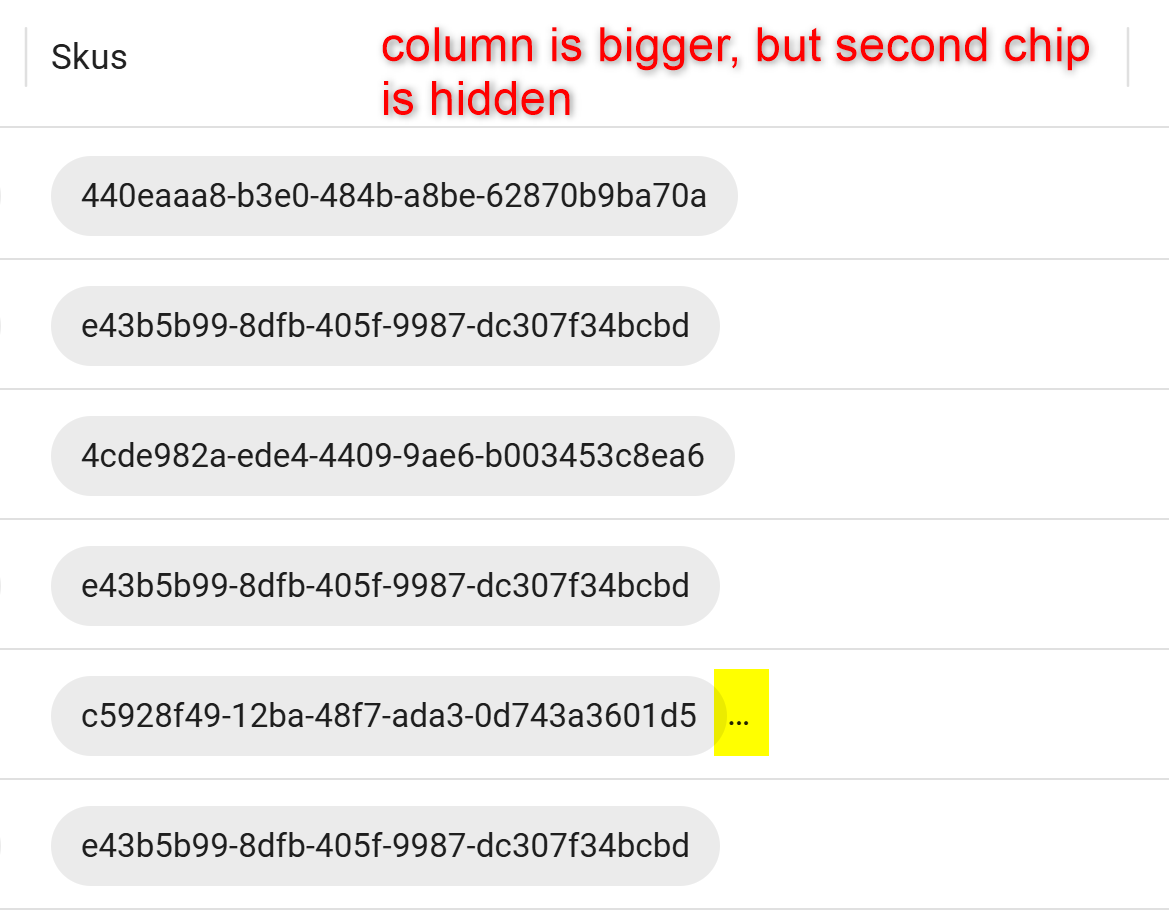
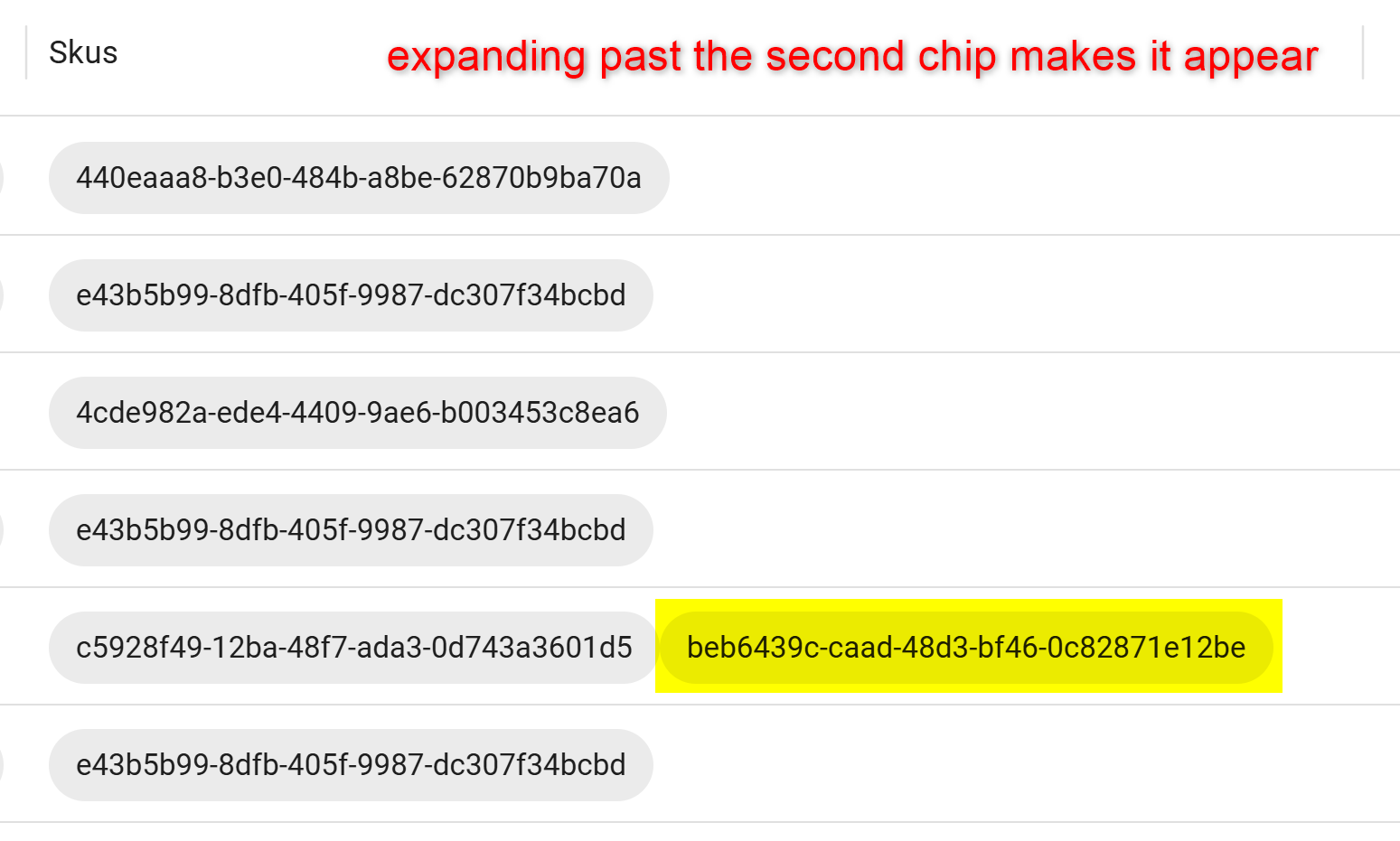
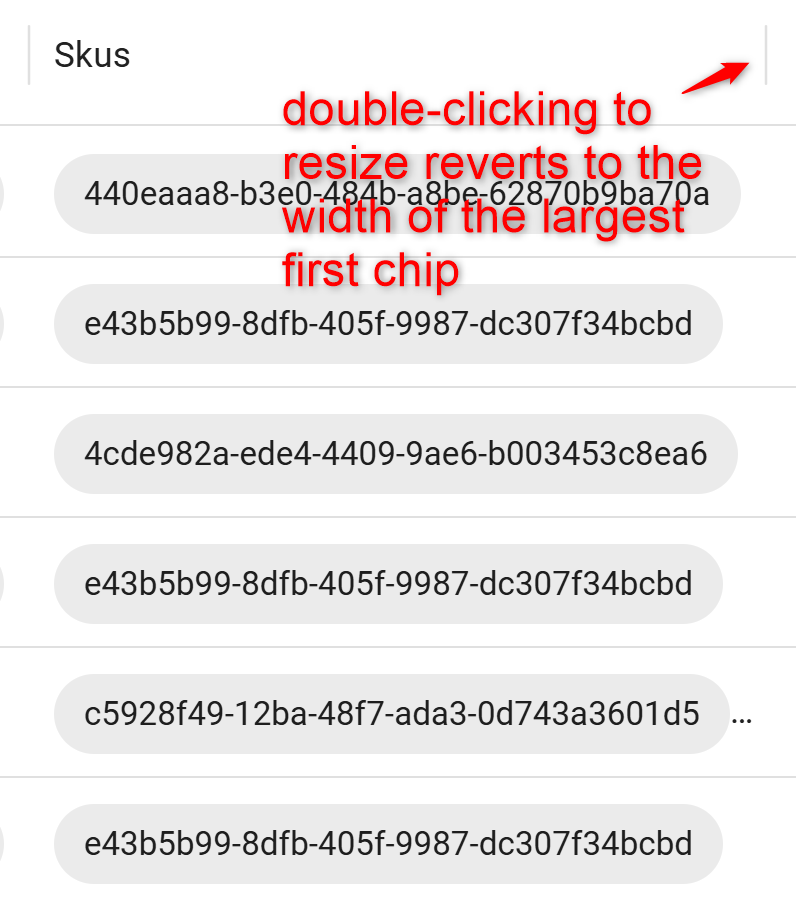
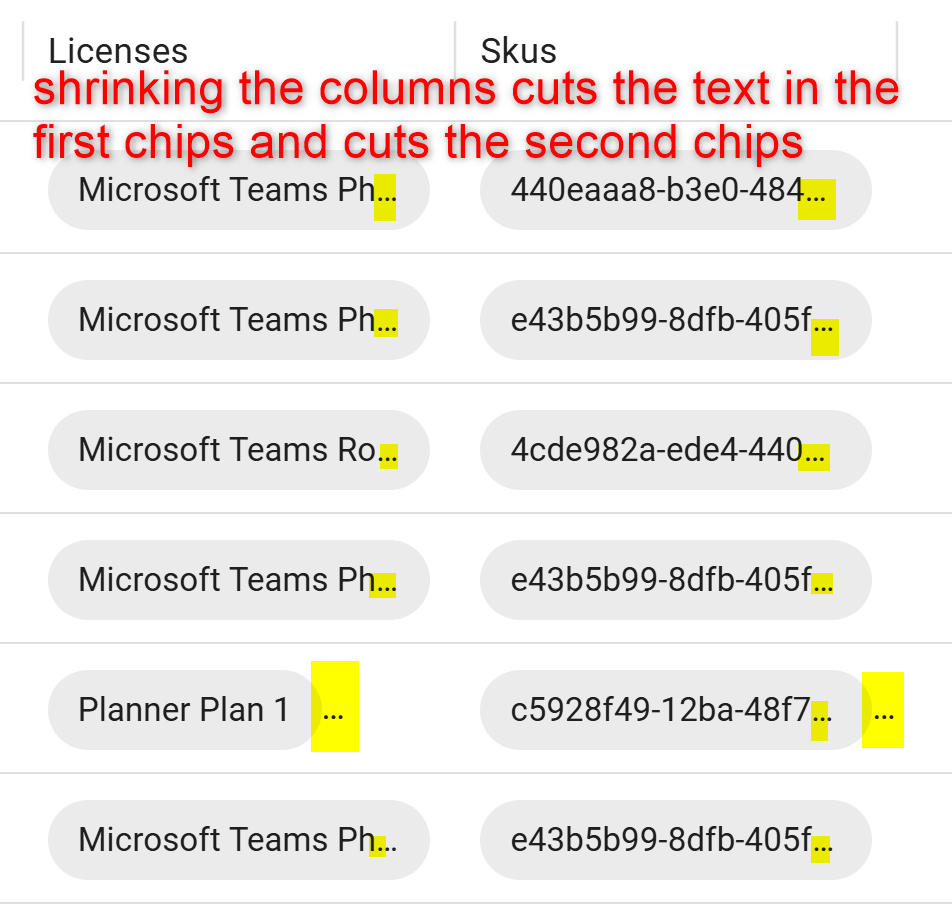
In our data grid, we have some columns rendered with UDChips inside. It appears the columns will only auto-size to the largest first chip in the column. Subsequent chips are cut off if they don't fit, displaying three dots that can easily be missed. Double-clicking the column resize handle changes the column width back to the width of the largest first chip. If you make the column smaller than the first chip, the chip is still visible, but the text inside gets cut off. Here are some screenshots that hopefully clarify what we observe, as well as the data grid code we are using.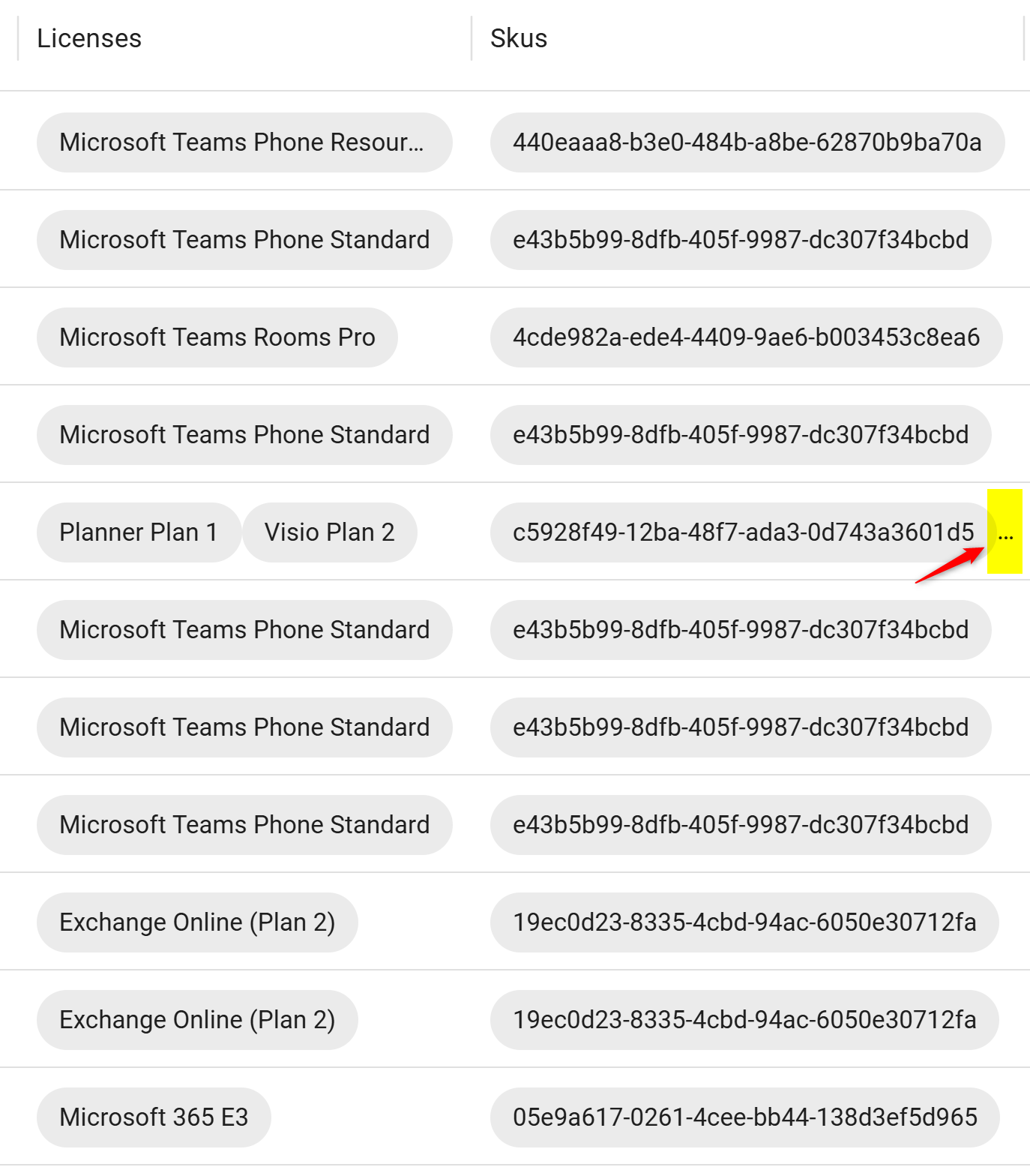
Data grid code:
New-UDDataGrid -AutoSizeColumns -ShowPagination -PageSize 25 -RowsPerPageOptions @(10, 25, 50, 100) `
  -LoadRows {
    # Map "does not contain" / "does not equal" to "not contains" / "not equals"
    foreach ($item in $EventData.Filter.Items) {
      switch ($item.operator) {
        'doesNotContain' { $item.operator = 'notContains' }
        'doesNotEqual'   { $item.operator = 'notEquals' }
      }
    }

    $Data | Out-UDDataGridData -Context $EventData -TotalRows $Data.Count
  } `
  -Columns @(
    New-UDDataGridColumn -Field Id
    New-UDDataGridColumn -Field DisplayName
    New-UDDataGridColumn -Field UserPrincipalName
    New-UDDataGridColumn -Field Licenses -Render {
      $EventData.Licenses -split ';' | ForEach-Object {
        New-UDChip -Label $_
      }
    }
    New-UDDataGridColumn -Field Skus -Render {
      $EventData.Skus -split ';' | ForEach-Object {
        New-UDChip -Label $_
      }
    }
  )
1ea4520a-7f7b-4491-89e1-afd5bbb8f689.png
8813e1fe-ce77-42e6-969b-83c743a7b107.png
ee7a5c33-5166-476e-936b-79b7eb8fb5d8.png
287cf827-b5a0-42ef-8768-bea48fec0f3b.png
731c7fbc-b431-4f32-8c28-96e957a152a4.png