Tabs missing when starting Undocked RDP Session

Hi,
I prefer to open RDP Sessions in undocked mode. However, when configure the Undocked mode to be the default in the settings I'm missing the tabs on the window. This makes it also impossible to group the connections in undocked mode.
Tested on version 2026.3.1.1
Best regards,
Christoph Fink
All Comments (6)
Hello Christoph,
I hope you are doing well.
To assist you further, we kindly ask you to provide a few screenshots illustrating the situation you are experiencing. If possible, we would also appreciate a short video demonstrating the behavior.
You can send me the video via private message.
Thank you in advance for your cooperation.
Best regards,
Alexis Geller Peiro
Hello,
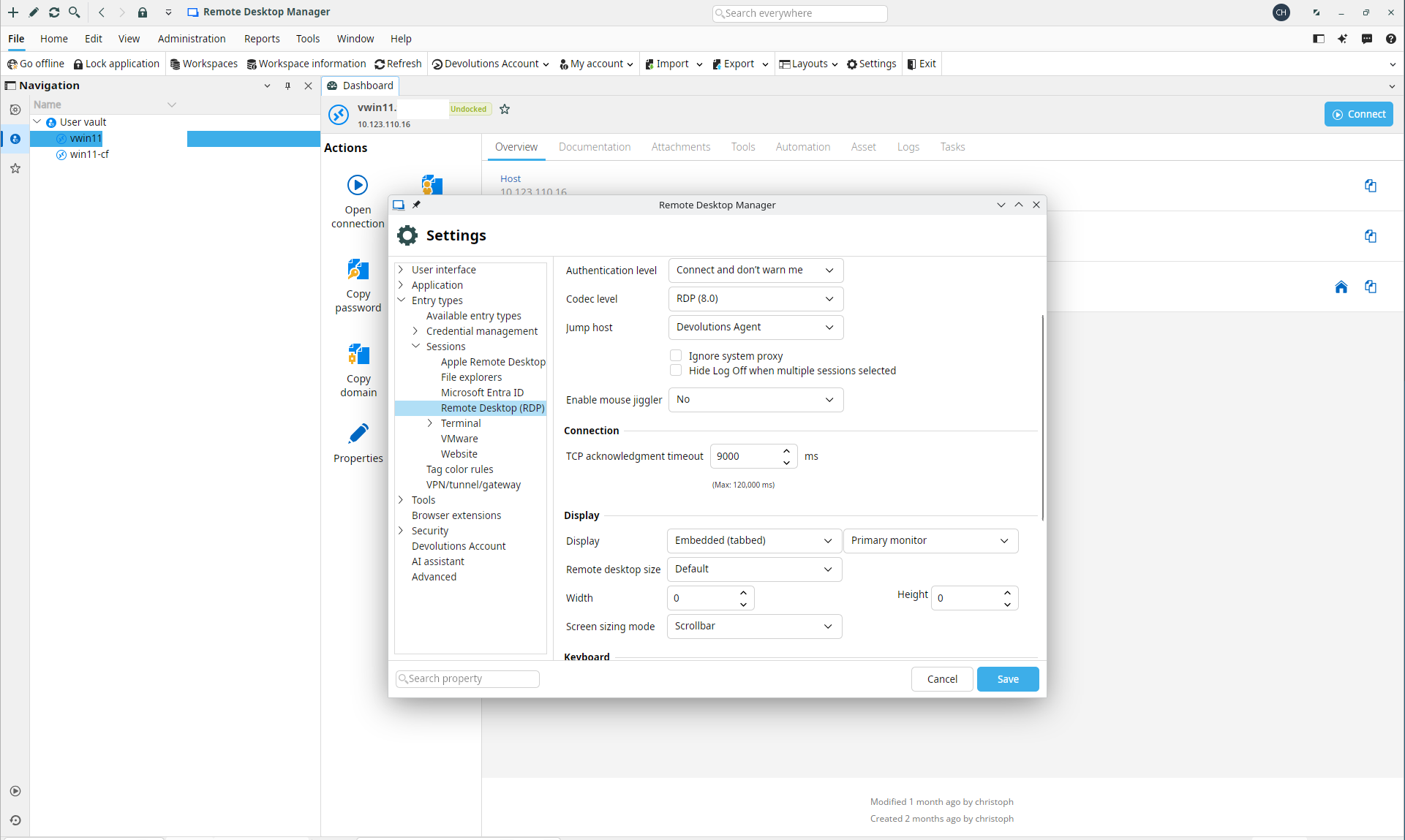
Sure, with this setting I'm starting the RDP session embedded:
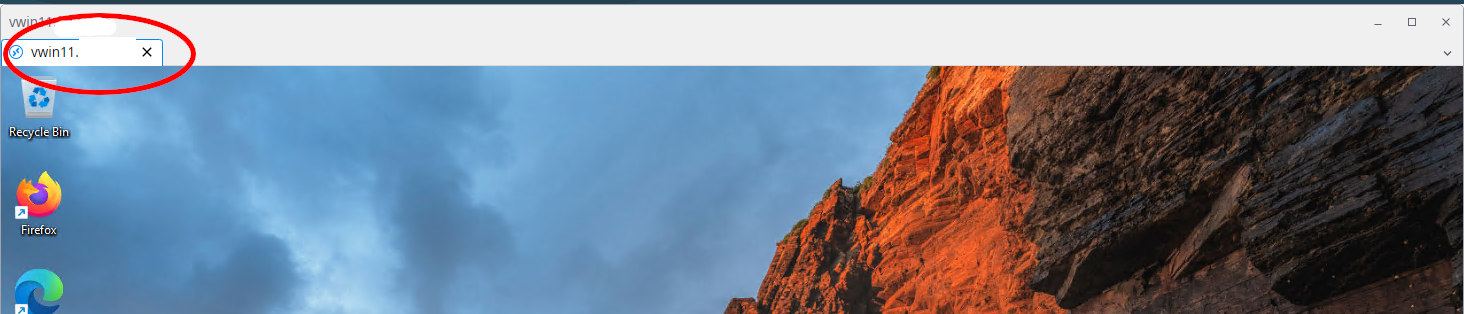
After that, I can detach the window and the Tabs are shown, which allows me to drag in other Session Tabs as well:
When I open the session as undocked:
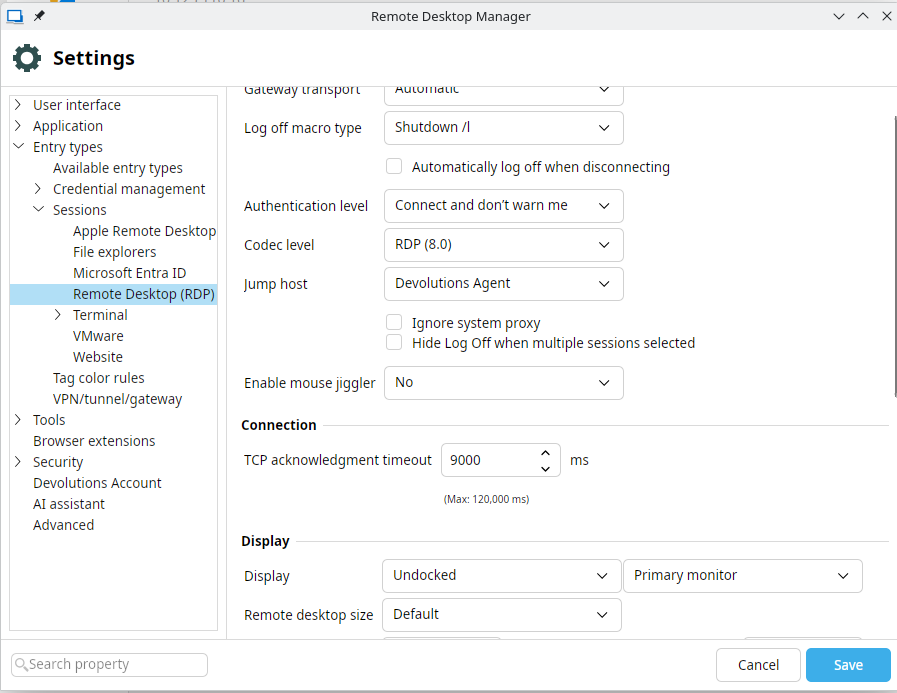
The window does open already detached but it doesn't show me tabs in that window:

So I cannot attach multiple Sessions in the same Window.
I hope this explains it better. In I'll have to make a video I'll send it via a private message to you.
Thank you for listening up. I can make a video if the screenshots don't explain it.
kind regards,
Christoph Fink