PowerShell Universal Extension: Nested IIS Sites Not Supported
PowerShell Universal Extension: Nested IIS Sites Not Supported

I get an error when i try to configure a connection in the vscode ext:
I am using the new ext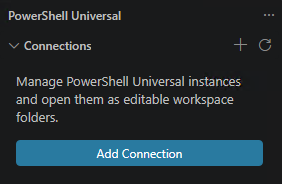
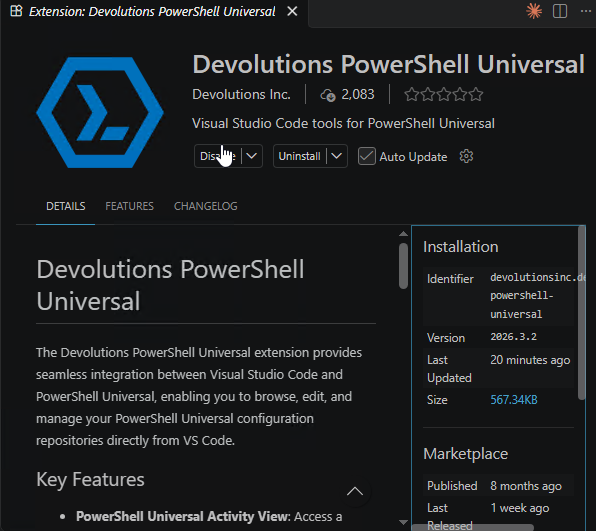
I have tried
https://dev.psu.domain.com/Beta
https://dev.psu.domain.com/Beta/
https://dev.psu.domain.com/Beta/api
https://dev.psu.domain.com/Beta/api/v1/mcp
Failed to connect to https://dev.psu.domain.com/Beta/api. PSU request failed (404 Not Found): <!DOCTYPE html PUBLIC "-//W3C//DTD XHTML 1.0 Strict//EN" "http://www.w3.org/TR/xhtml1/DTD/xhtml1-strict.dtd">
<html xmlns="http://www.w3.org/1999/xhtml">
<head>
<title>IIS 10.0 Detailed Error - 404.0 - Not Found</title>
<style type="text/css">
<!--
body{margin:0;font-size:.7em;font-family:Verdana,Arial,Helvetica,sans-serif;}
code{margin:0;color:#006600;font-size:1.1em;font-weight:bold;}
.config_source code{font-size:.8em;color:#000000;}
pre{margin:0;font-size:1.4em;word-wrap:break-word;}
ul,ol{margin:10px 0 10px 5px;}
ul.first,ol.first{margin-top:5px;}
fieldset{padding:0 15px 10px 15px;word-break:break-all;}
.summary-container fieldset{padding-bottom:5px;margin-top:4px;}
legend.no-expand-all{padding:2px 15px 4px 10px;margin:0 0 0 -12px;}
legend{color:#333333;;margin:4px 0 8px -12px;_margin-top:0px;
font-weight:bold;font-size:1em;}
a:link,a:visited{color:#007EFF;font-weight:bold;}
a:hover{text-decoration:none;}
h1{font-size:2.4em;margin:0;color:#FFF;}
h2{font-size:1.7em;margin:0;color:#CC0000;}
h3{font-size:1.4em;margin:10px 0 0 0;color:#CC0000;}
h4{font-size:1.2em;margin:10px 0 5px 0;
}#header{width:96%;margin:0 0 0 0;padding:6px 2% 6px 2%;font-family:"trebuchet MS",Verdana,sans-serif;
color:#FFF;background-color:#5C87B2;
}#content{margin:0 0 0 2%;position:relative;}
.summary-container,.content-container{background:#FFF;width:96%;margin-top:8px;padding:10px;position:relative;}
.content-container p{margin:0 0 10px 0;
}#details-left{width:35%;float:left;margin-right:2%;
}#details-right{width:63%;float:left;overflow:hidden;
}#server_version{width:96%;_height:1px;min-height:1px;margin:0 0 5px 0;padding:11px 2% 8px 2%;color:#FFFFFF;
background-color:#5A7FA5;border-bottom:1px solid #C1CFDD;border-top:1px solid #4A6C8E;font-weight:normal;
font-size:1em;color:#FFF;text-align:right;
}#server_version p{margin:5px 0;}
table{margin:4px 0 4px 0;width:100%;border:none;}
td,th{vertical-align:top;padding:3px 0;text-align:left;font-weight:normal;border:none;}
th{width:30%;text-align:right;padding-right:2%;font-weight:bold;}
thead th{background-color:#ebebeb;width:25%;
}#details-right th{width:20%;}
table tr.alt td,table tr.alt th{}
.highlight-code{color:#CC0000;font-weight:bold;font-style:italic;}
.clear{clear:both;}
.preferred{padding:0 5px 2px 5px;font-weight:normal;background:#006633;color:#FFF;font-size:.8em;}
-->
</style>
</head>
<body>
<div id="content">
<div class="content-container">
<h3>HTTP Error 404.0 - Not Found</h3>
<h4>The resource you are looking for has been removed, had its name changed, or is temporarily unavailable.</h4>
</div>
<div class="content-container">
<fieldset><h4>Most likely causes:</h4>
<ul> <li>The directory or file specified does not exist on the Web server.</li> <li>The URL contains a typographical error.</li> <li>A custom filter or module, such as URLScan, restricts access to the file.</li> </ul>
</fieldset>
</div>
<div class="content-container">
<fieldset><h4>Things you can try:</h4>
<ul> <li>Create the content on the Web server.</li> <li>Review the browser URL.</li> <li>Create a tracing rule to track failed requests for this HTTP status code and see which module is calling SetStatus. For more information about creating a tracing rule for failed requests, click <a href="http://go.microsoft.com/fwlink/?LinkID=66439">here</a>. </li> </ul>
</fieldset>
</div>
<div class="content-container">
<fieldset><h4>Detailed Error Information:</h4>
<div id="details-left">
<table border="0" cellpadding="0" cellspacing="0">
<tr class="alt"><th>Module</th><td> IIS Web Core</td></tr>
<tr><th>Notification</th><td> MapRequestHandler</td></tr>
<tr class="alt"><th>Handler</th><td> StaticFile</td></tr>
<tr><th>Error Code</th><td> 0x80070002</td></tr>
</table>
</div>
<div id="details-right">
<table border="0" cellpadding="0" cellspacing="0">
<tr class="alt"><th>Requested URL</th><td> https://dev.psu.jhacorp.com:443/api/v1/configuration</td></tr>
<tr><th>Physical Path</th><td> E:\src\psu\api\v1\configuration</td></tr>
<tr class="alt"><th>Logon Method</th><td> Anonymous</td></tr>
<tr><th>Logon User</th><td> Anonymous</td></tr>
</table>
<div class="clear"></div>
</div>
</fieldset>
</div>
<div class="content-container">
<fieldset><h4>More Information:</h4>
This error means that the file or directory does not exist on the server. Create the file or directory and try the request again.
<p><a href="https://go.microsoft.com/fwlink/?LinkID=62293&IIS70Error=404,0,0x80070002,17763">View more information »</a></p>
</fieldset>
</div>
</div>
</body>
</html>59b15a84-a288-41b6-bfee-8dba1e563d0d.png
9c840b7e-b473-4cf1-b125-09fd9f3fe28c.png
All Comments (3)
Hello @Matthew Morrow
Thank you for the detailed information.
From the error shown, IIS is returning the 404 before the request reaches the expected PowerShell Universal endpoint. The behavior also suggests that the nested IIS path may not be preserved when the extension builds the API request, but I do not want to assume that is the cause until we confirm the exact versions and hosting path.
Could you please confirm the following?
1. The exact PowerShell Universal version.
2. The exact Devolutions PowerShell Universal VS Code extension version.
3. Whether /Beta is the IIS application or virtual application path where PowerShell Universal is hosted.
4. The URL format you normally use to access the PowerShell Universal Admin Console in a browser. You can sanitize the hostname, for example:
https://<INTERNAL_FQDN>/Beta
For now, there is no need to provide additional logs. The IIS 404 response already gives us a useful starting point.
Because this is a public forum, please sanitize all evidence before posting. Remove credentials, tokens, license keys, cookies, private keys, full connection strings, email addresses, usernames, customer data, tenant or account identifiers, internal domains, hostnames, IP addresses, and private URLs. Please do not upload unredacted HAR files, memory dumps, database backups, or complete configuration files to this public thread.
Once I have those details, I can narrow this down and determine whether we need to reproduce the nested IIS configuration independently.
Best regards,
Ruben Tapia
1. The exact PowerShell Universal version.
2026.3.3.0
2. The exact Devolutions PowerShell Universal VS Code extension version.
2026.3.3.0
3. Whether /Beta is the IIS application or virtual application path where PowerShell Universal is hosted.
application with its own app pool
4. The URL format you normally use to access the PowerShell Universal Admin Console in a browser. You can sanitize the hostname, for example:
https://<INTERNAL_FQDN>/Beta
https://dev.psu.myinternaldomain.com/Beta
I opened a bug to track this one. It seems like we need to fix the extension.
Adam Driscoll
PowerShell Expert and Software Architect at Devolutions