26.3.2 Workflow scripts run on different Nodes.

I have two instances of PSU that are connected with the same DB.
(prod duplication)
When I edit a script on one node and want to test it befor i commit, the script almost always runs on the wrong node. This wont be a problem when i actually commit but for testing this is problematic.
Can we get a setting that scripts where triggered manually are always on the node it was started on unless specified otherwise with out setting a single node as the default?
Also the workflow execution settings are empty.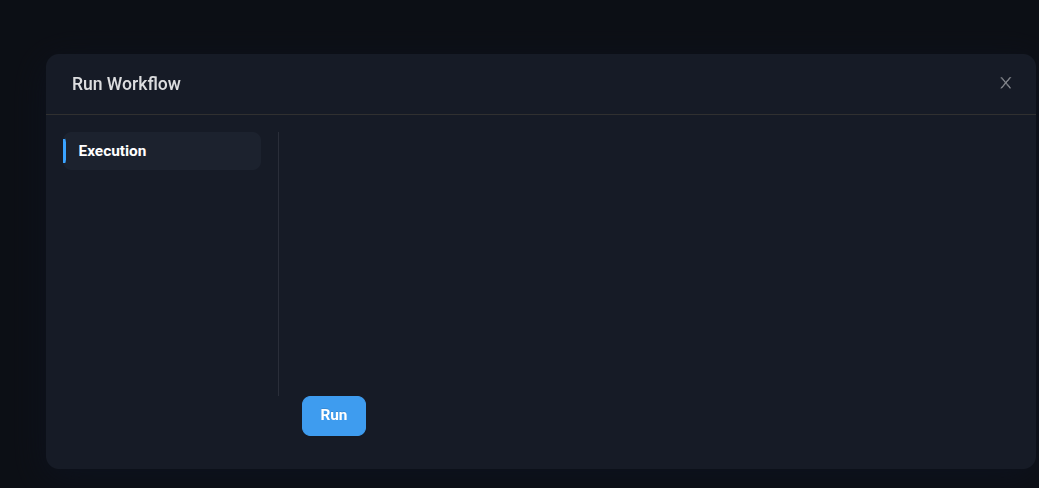
 When i set this subscript do execute on the right node. I do not want to set it, because i still want the other scripts to run on the least busy node.
But without the Default Run this happens:
The subscript executes on the wrong node.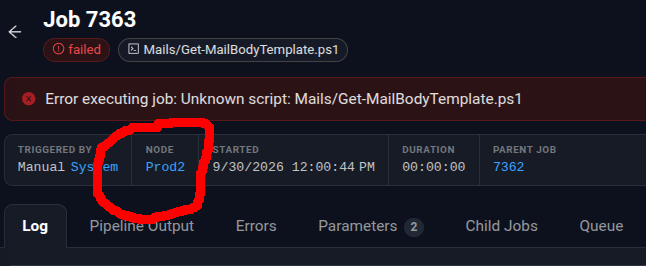
Regards Best Dy.
264d0ba7-224e-4d81-b71b-518182075f26.png
c8054595-7351-4c47-857a-99a14f696e20.png
ddf7af9c-e402-43d9-84cc-f9589e1cafb3.png
da89da1b-3bb4-4191-84d1-f2aec7dac23d.png
All Comments (2)
also saving a Workflow causes a infinit suspension until reaload.
Hello @Dynamic66
Thank you for the detailed report and screenshots.
I reviewed the current PowerShell Universal documentation. For script execution, when no specific Computer is selected, the documented default is any available computer. When multiple computers are valid targets, PSU uses the least busy server algorithm. I would like to verify how this interacts with Workflow child jobs in your two node environment, especially while a script contains changes that have not yet been committed or synchronized.
Could you please confirm the following?
1. Are both nodes running exactly PSU 2026.3.2 with the same build and hosting method?
2. Are you using SQL Server or PostgreSQL for the shared database?
3. What Git synchronization mode are you using on the nodes?
4. When the child job fails with "Unknown script", does that script already exist on both nodes, or is the updated version currently available only on the node where you are editing it?
5. After committing and synchronizing the configuration to both nodes, can the same Workflow still produce the "Unknown script" error?
I also noted the two UI behaviors you reported: the empty Workflow Execution options and the Workflow remaining suspended after saving until the page is reloaded. For the save issue, please let me know whether this happens with every Workflow or only this particular Workflow.
Because this is a public forum, please sanitize all evidence before posting. Remove credentials, tokens, license keys, cookies, private keys, connection strings, email addresses, usernames, customer data, internal domains, hostnames, IP addresses, and private URLs.
References:
https://docs.devolutions.net/powershell-universal/automation/scripts
https://docs.devolutions.net/powershell-universal/automation/workflows
https://docs.devolutions.net/powershell-universal/config/hosting/high-availability
Best regards,
Ruben Tapia