2026.3.2 - "Log in again" button on "Logged out" dialog doesn't always work
2026.3.2 - "Log in again" button on "Logged out" dialog doesn't always work

Clicking the button throws the following in the console: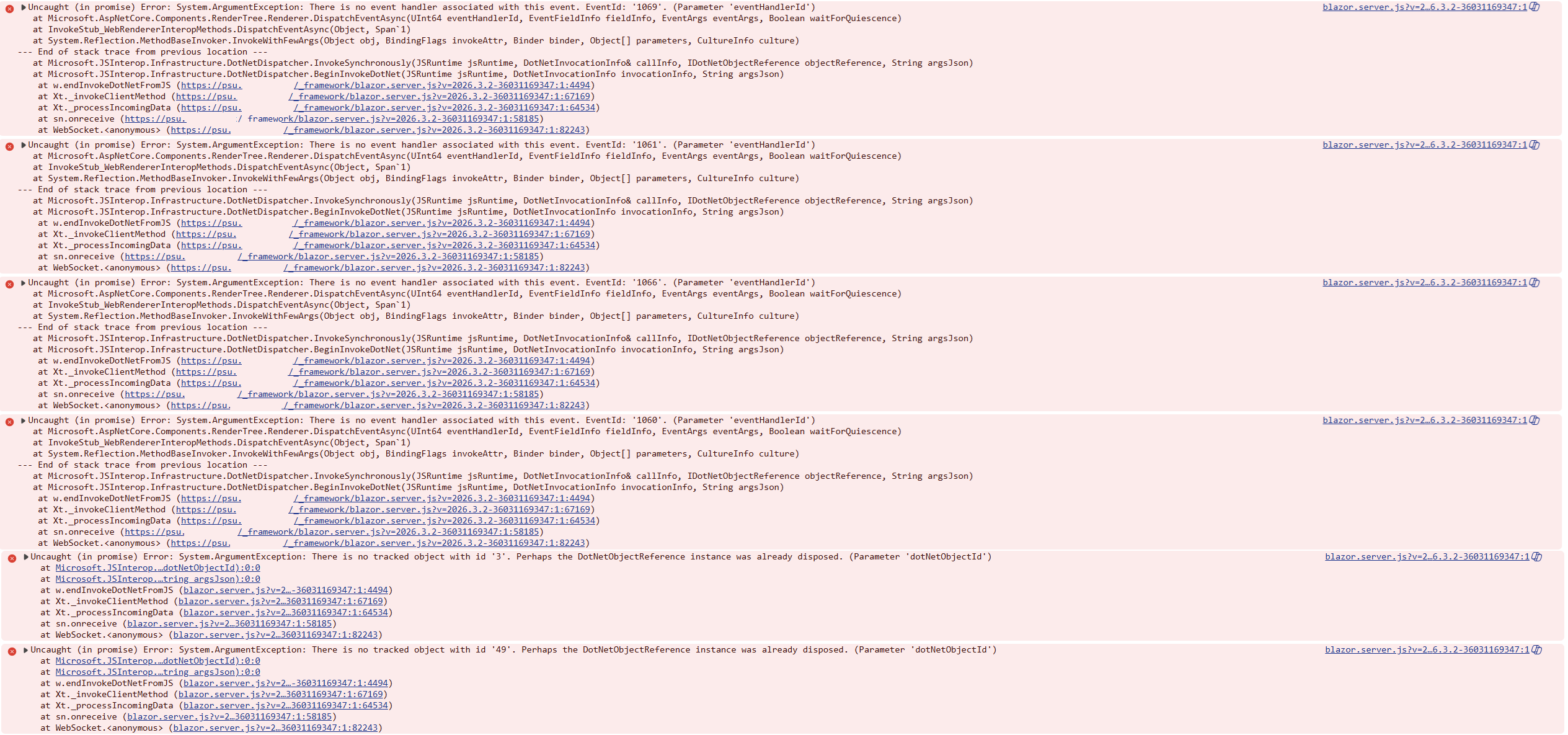
5adaa147-d5b1-4c86-9744-2c19ede7402e.png
All Comments (3)
Hello,
Thank you for the screenshot of the browser console.
Both errors come from the PowerShell Universal admin console, which runs on Blazor Server.
Logging off and clicking "Log in again" both reload the whole page.
While the old page closes, the browser can still send a click or a mouse movement for a menu or dialog that the server has just removed.
The server then replies with "There is no event handler associated with this event" or "There is no tracked object with id".
It does not run anything for these late events, and the next page starts with a fresh connection.
We tested the same steps on a clean PowerShell Universal 2026.3.2 installation, with several log off and "Log in again" cycles, and saw neither these errors nor any functional issue.
The "Logged out" prompt with the "Log in again" button appears after a period of inactivity, based on the SessionTimeout setting, which is 25 minutes by default.
More details are on the App Settings page:
https://docs.devolutions.net/powershell-universal/config/settings/
Could you confirm whether anything actually fails when these errors appear, such as a login that does not complete, a blank page, or a page you have to refresh manually?
If everything keeps working, you can safely ignore these console entries.
If something does fail, please send us the following:
A HAR file and a console capture of the same session, recorded with "Preserve log" enabled in the browser developer tools
The page you were on just before logging off
Whether PowerShell Universal runs behind a reverse proxy or a load balancer, and on how many nodes
Best regards,
Patrick Ouimet
Hey Patrick, this bug appears if you return to the admin panel after a good chunk of time has passed. I found that sometimes when I return, the "Logged out" prompt isn't on the screen, but when I go to click a button, nothing happens. Well, sometimes the URL in the address bar will change, but the page doesn't. If I reload the page, PSU takes me through our OIDC auth again, then everything works again.
Hello akapsch,
Thank you for the extra details.
The pattern you describe, coming back to the admin console after a long idle period, points to the live connection between your browser and the server.
The admin console keeps that connection open the whole time the page is displayed.
During a long idle period, the browser can put the tab to sleep, the computer can go to sleep, or a proxy can close the idle connection.
The server keeps a disconnected session for a limited time only, then discards it.
After that, the page still looks normal and links can still change the address bar.
However, clicks no longer reach the server, which matches what you see.
This would also explain why the "Logged out" prompt does not always appear.
Our first test covered repeated log off and "Log in again" cycles, not a long idle period.
Version 2026.3.3, released on October 2, includes a related fix for apps that go blank after a tab sleeps or is reopened.
That fix targets apps rather than the admin console.
We cannot promise it solves your case, but it is worth a try if an upgrade is convenient.
The release notes are available here:
https://devolutions.net/powershell-universal/release-notes/
In the meantime, reloading the page when you come back, as you already do, is the reliable way to recover.
Best regards,
Patrick Ouimet