[2026.3.2.0] Set-PSUCache not working in 'apps'

i am still having trouble with set-psucache,
"Permission denied. The role specified does not have access to this resource."
adding -Integrated does not help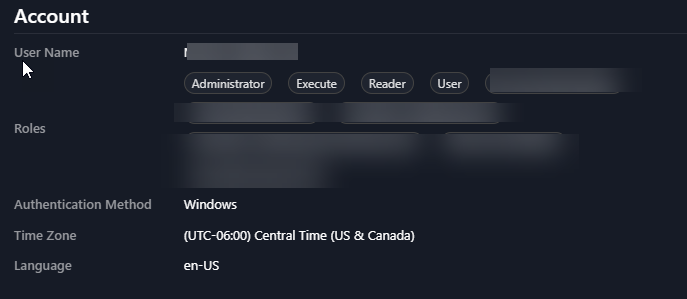
9c11ffb5-6392-4d06-a08b-f6e1f2a90ea4.png
All Comments (6)
adding Operator $true does not help
wish i could change the title of the post.
Lets include endpoints in this problem also
Scripts are the only thing that is working however
here is my test code for endpoints/apps/scripts.
Set-PSUCache -Key 'troubleshootingCache' -Value @{
    Timestamp = Get-Date
    Message   = 'Troubleshooting initiated.'
}

Set-PSUCache -Key 'troubleshootingCacheV2' -Value @{
    Timestamp = Get-Date
    Message   = 'Troubleshooting initiated.'
} -Integrated
reverting back to 2026.2.5.0 for now
"SecurityModel": "Integrated",
Hello @Matthew Morrow
Thank you for the additional testing and details. The comparison between Apps, Endpoints, and Scripts is particularly helpful, as is confirming that neither -Integrated nor the Operator role changed the behavior.
I understand that you are reverting to 2026.2.5.0 for now.
We also recognize that you currently have several open topics under investigation. Thank you for your patience while we work through them. We are prioritizing the issues with the highest impact first, and we will continue reviewing this behavior as capacity becomes available.
For now, there is no need for you to perform additional testing on this topic. We will follow up here when we have meaningful findings or need a specific comparison from your environment.
Thank you again for your understanding and for providing detailed reproduction information.
Best regards,
Ruben Tapia