2026.3.1 - Exchange module 3.10.1 missing name, version, and environment
2026.3.1 - Exchange module 3.10.1 missing name, version, and environment

This is what I see for installed Exchange modules:
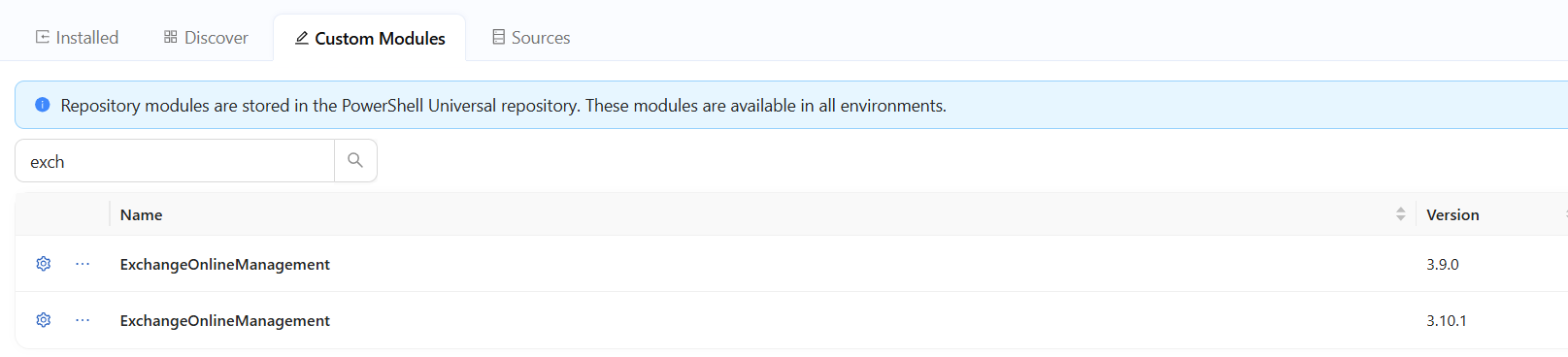
If I go to the Custom Modules tab and search for Exchange, it shows me both options, but doesn't show me anything about the first:
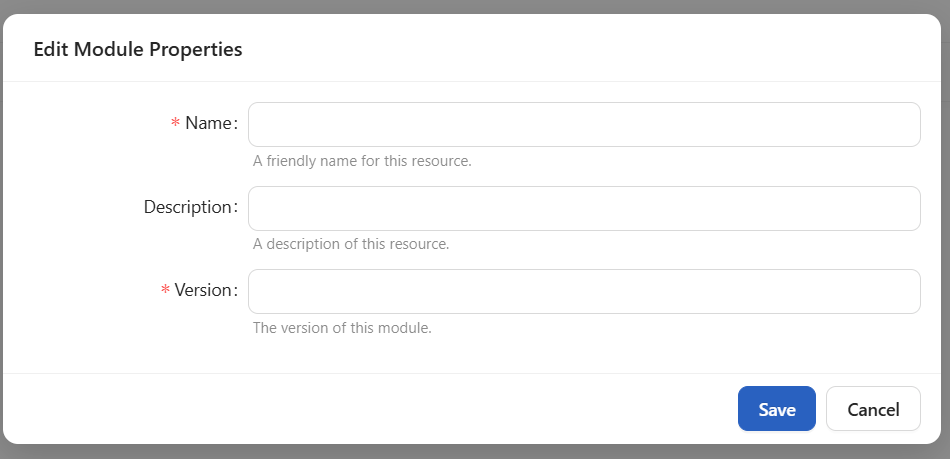
Clicking the three dots and then clicking edit code brings me back to the installed modules tab without it being selected:
If I delete the blank module, then install it again from the Discover tab, it shows up again:
676e82c2-bdfe-4163-b29c-0439f0750b80.png
d4a44cd3-1441-46d7-9d1e-07f9c0d74ae6.png
c4745e41-9941-4c63-b189-2d59119183b9.png
b1d4d82c-8a4f-430a-b7be-31d87c570e54.png
14f09091-05bc-48cd-9e76-51f8d47cdb04.png
b37dc3a6-0238-46f1-9aee-bccc068f4d91.png
All Comments (3)
A reboot caused the text to disappear again.
Hello @akapsch
Thank you for the additional screenshots and for confirming that the module information disappears again after restarting PSU.
The behavior you demonstrated is useful because it gives us a clear sequence to investigate:
Install ExchangeOnlineManagement 3.10.1 → metadata appears correctly → restart PSU → Name, Version, and Environment disappear again.
Before we reproduce this internally, could you please confirm whether this PSU instance is running in Docker, Linux ZIP, or another hosting configuration?
Also, after restarting PSU and while the 3.10.1 entry is showing the missing information, could you run the following from the same environment and share the sanitized output?
Get-Module -ListAvailable ExchangeOnlineManagement |
Select-Object Name, Version, ModuleBase, Path
This will help us determine whether PowerShell can still discover both module versions after the restart and whether the issue is limited to the Admin Console metadata.
Because this is a public forum, please sanitize all evidence before posting. Remove credentials, tokens, license keys, cookies, private keys, full connection strings, email addresses, usernames, customer data, tenant or account identifiers, internal domains, hostnames, IP addresses, and private URLs. Please do not upload unredacted HAR files, memory dumps, database backups, or complete configuration files to this public thread.
We will also work on reproducing the same restart behavior internally using PSU 2026.3.1.
Best regards,
Ruben Tapia
Hello @akapsch
Thank you for your patience while we reproduced this internally.
We were able to reproduce the behavior in PSU 2026.3.1. The module metadata displays correctly immediately after installation, but after restarting PSU, the Name, Version, and Environment fields become blank.
Our lab also captured a startup exception in PSU's ModuleConfigService while reading the ExchangeOnlineManagement manifest. PowerShell itself was still able to validate and import the module successfully in our test environment. :contentReference[oaicite:0]{index=0}
Based on these results, we will escalate the case internally to Development for further review and confirmation.
We will update this thread when we have additional information.
Best regards,
Ruben Tapia