Devolutions Server Scheduler Service Showing Offline

Hello,
I am experiencing an issue with my Devolutions Server installation.
Environment:
- Windows Server 2022
- Devolutions Server updated to the latest available version (2026.3.5)
- Standard installation
- All components are installed on the same server
Issue:
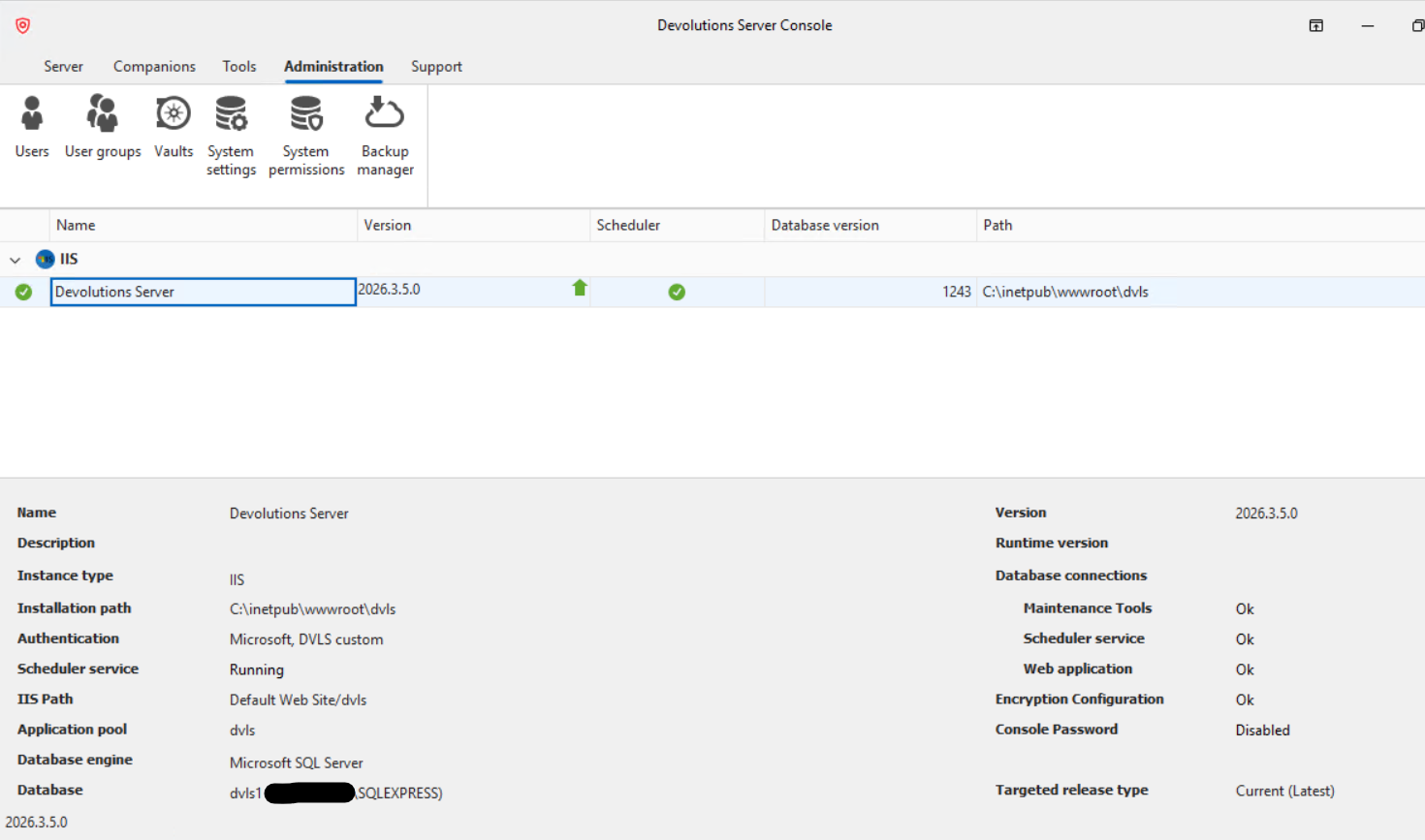
- The Devolutions Server Scheduler service starts successfully and is shown as Running in Windows Services.
- No error message appears when the service starts.
- However, in the Devolutions Server administration interface, the Scheduler is displayed as Offline.
Troubleshooting already performed:
- Restarted the Scheduler service.
- Restarted the server.
- Verified that the service is running in Windows Services.
Could you please advise which checks or logs I should review to determine why the Scheduler is reported as offline while the Windows service appears to be running normally?
Thank you for your assistance.
Kind regards,
Jérémy G
System & Network Administrator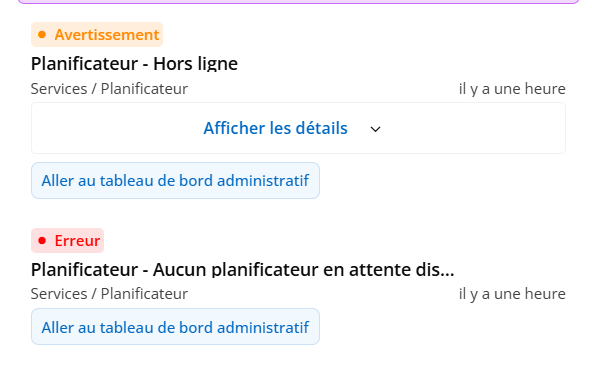
4003187f-5446-430e-a210-4260cee4902c.png
1f2913e5-a821-4707-8dd7-1dad1fe4aa19.png
6875a4fa-2854-48b0-921a-89c4d146bdb0.png
All Comments (3)
Hello Jérémy,
Thank you for the detailed description. Here are the checks, in this order:
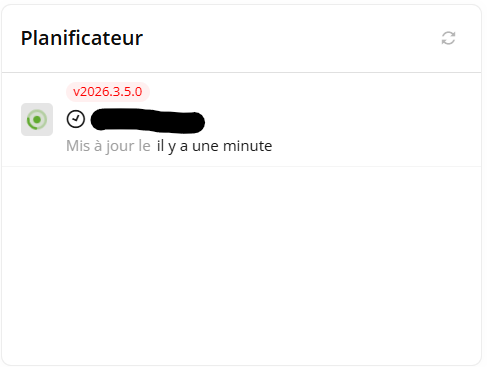
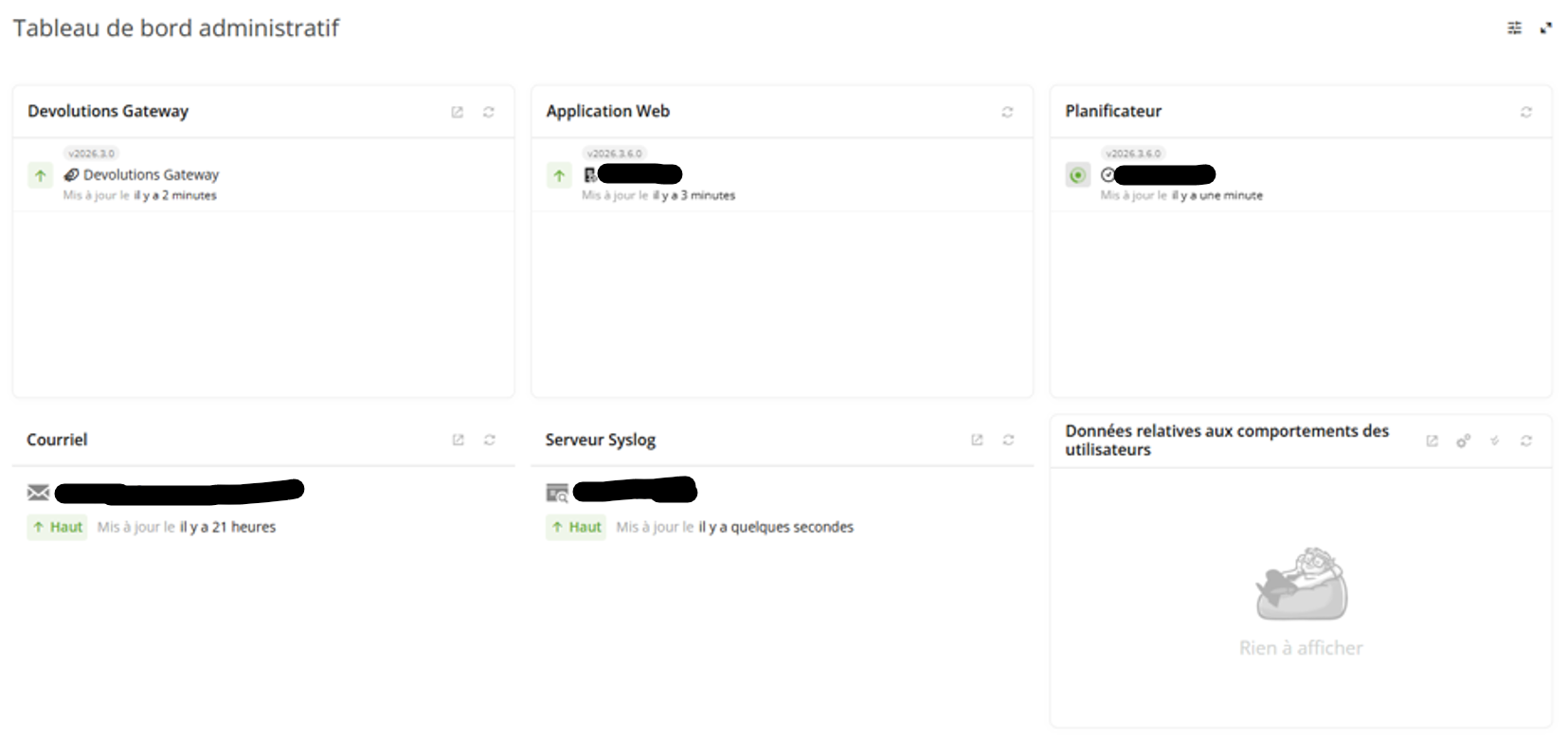
1. In the web interface, open the Administration dashboard and look at the Scheduler widget. It lists each Scheduler registered with the database, with its version and a "Last updated" time (shown as, for example, "20 minutes ago"), which is when its last heartbeat was recorded. Hovering over a row whose status is Down shows the reason given for it. Please take a screenshot of the widget now, with that tooltip showing.
2. Turn on the Scheduler's log file. In Administration > Server settings > Logging, make sure "Log debug information" is checked and set a "Scheduler log path" to a folder that the account running the Scheduler service can write to. Save, then restart the Scheduler service. The steps are under "Enable Scheduler logging" on this page:
https://docs.devolutions.net/server/knowledge-base/knowledge-base-articles/scheduler-service-general-information/#enable-scheduler-logging
3. Two minutes after that restart, refresh the dashboard and take a second screenshot. A running Scheduler updates "Last updated" every minute, so if its row still shows a time from before the restart, no heartbeat has been recorded for it since. Please also tell us whether any log file has appeared in the folder you set.
4. About five minutes after the restart, open the Devolutions Server Console (close and reopen it first if it was already open), go to the Support tab, click Generate Support Package, select every log it offers, and attach the .zip to your reply. The package only collects the Scheduler's log files from the Scheduler log path the Console had loaded, which is why it has to be reopened after step 2:
https://docs.devolutions.net/resources/customer-support/generate-a-support-package-in-devolutions-server-console/
The reason for these checks: the status in the web interface comes from a heartbeat the Scheduler records in the Devolutions Server database every minute, not from the Windows service, and it is reported offline, shown as Down, once none has arrived for two minutes. If the Offline status you mean is shown in the Devolutions Server Console instead, please tell us which column shows it and what it says, since the Console reads the Windows service itself rather than the heartbeat.
Once we have the package and the two screenshots, we will go through them and come back to you.
Best regards,
Michel
Michel Audi
Hello Michel,
Thanks for your answer.
I have attached the requested screenshots and scheduler log.
Please note that I anonymized the server name in the log before sending it.
I can provide you the zip package but not here, it contains sensitive data.
I would also like to point out that when I click Refresh in the Scheduler widget, the Last Updated value is updated correctly and shows "a few seconds ago".
The Scheduler appears to be sending its heartbeat successfully.
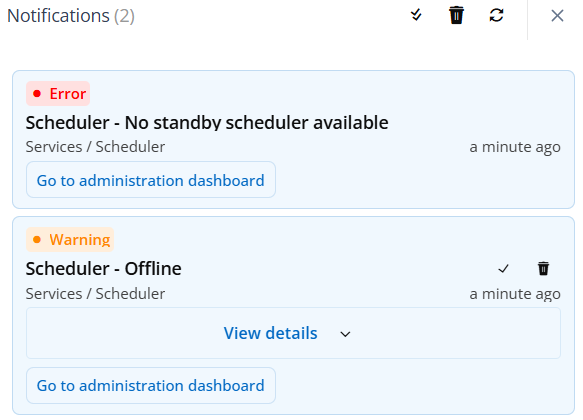
However, I still receive the following notifications:
- Scheduler - Offline
- Scheduler - No standby scheduler available
Best regards,
Jérémy Guibert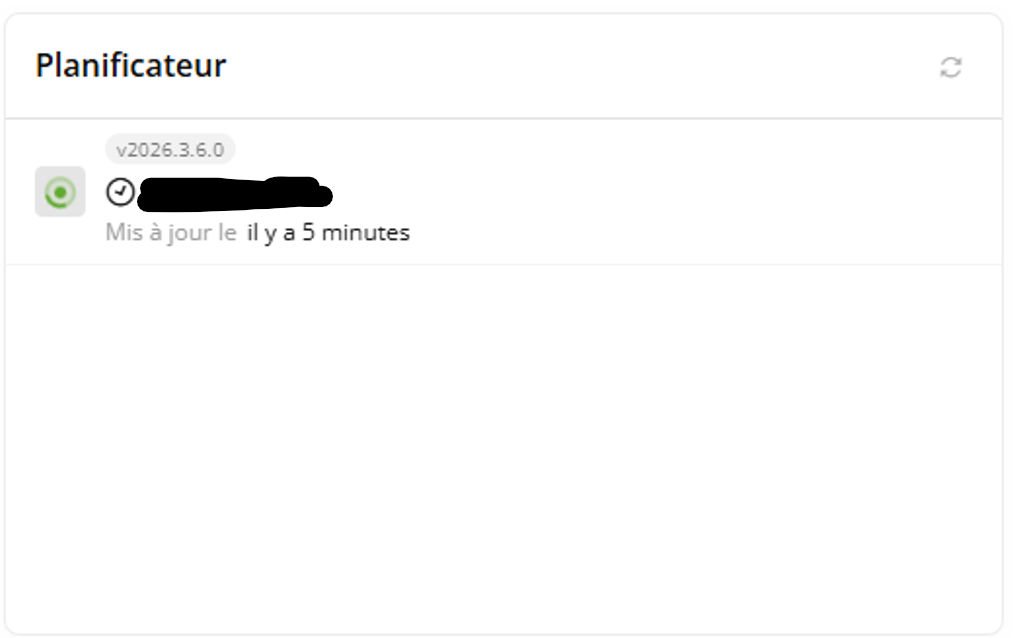
server_logs.txt
Capture d'écran 2026-09-24 115550.png
Devolutions.Server.Service.dll20260924.log
Capture d'écran 2026-09-24 114710.png
Capture d'écran 2026-09-24 114835.png
Hello Jérémy,
Thank you for the additional details. A fresh “Last updated” value confirms that the widget is reading a recent Scheduler heartbeat; Refresh does not create a heartbeat. However, it does not rule out an earlier gap that already triggered a notification.
“Scheduler - Offline” is raised when DVLS detects that the Scheduler heartbeat is stale. “Scheduler - No standby scheduler available” is the follow-on condition when the Scheduler marked offline was the active one and no healthy standby Scheduler was available. In a standard single-server installation, having no standby Scheduler is expected; this message does not by itself mean that another Scheduler must be installed.
Stopping or restarting the Scheduler service can produce this pair of notifications. A later heartbeat interruption can also produce it, so the current information does not yet establish which occurred here.
Please send the date, time, and delivery channel for two or three recent “Scheduler - Offline” notifications. Please also resend the Scheduler-widget screenshot showing all rows, “Last updated,” and the tooltip on any Down row, together with the Scheduler log covering those times. We have not been able to review the attachments mentioned in your reply. Anonymizing the server name is fine for this timing comparison.
Please also tell us whether any scheduled task failed or was delayed at those times. This will distinguish restart-related notifications from a recurring heartbeat interruption. The full support package is not needed at this stage.
Best regards,
Michel
Michel Audi