DVLS: Import/ Export rights

Hi Devoltutions-Forum,
I created another Ticket for the Copy/ Move Feature and as a solution until this feature is available, I tried the suggested Import/ Export workaround.
RDM with DVLS: Copy Folders/ Entries to another vault - Devolutions Forum
Now I noticed the Import/ Export is disabled for vault members and I tried to find the "System Permissions" page in DVLS to assign the right for it.
Unfortunately: I can't find it.
System permissions | Devolutions RDM | Product guides & reference or Import and export | Devolutions Server | Product guides & reference or Configuring system permissions : Devolutions
I guess it is somewhere else since the GUI change?
Best wishes,
All Comments (4)
Hello,
Thank you for reaching out regarding this matter.
These permissions have changed slightly. You can now find them under:
Administration > Role Assignments
The permissions you are looking for are Vault Content Exporter and Vault Content Importer.
Please note that users must also have access to the vault content they wish to import or export.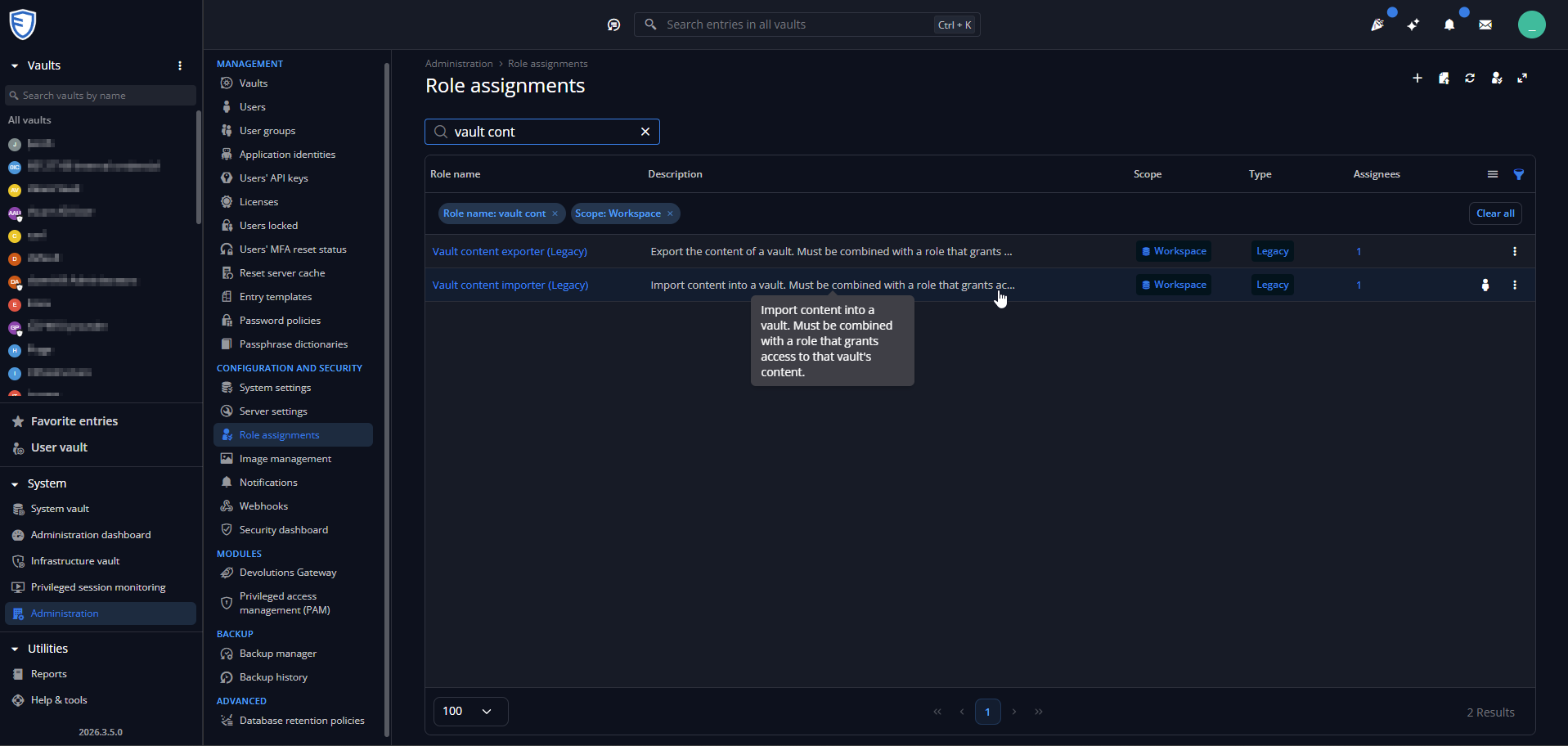
I will also review the documentation you shared and make the necessary adjustments accordingly.
Please let me know if you have any further questions.
I look forward to your reply.
Best regards,
Jacob Lafrenière
38fcc4f6-49f0-4055-9126-360457954221.png
Hi Jacob,
I looked here but I can't find it: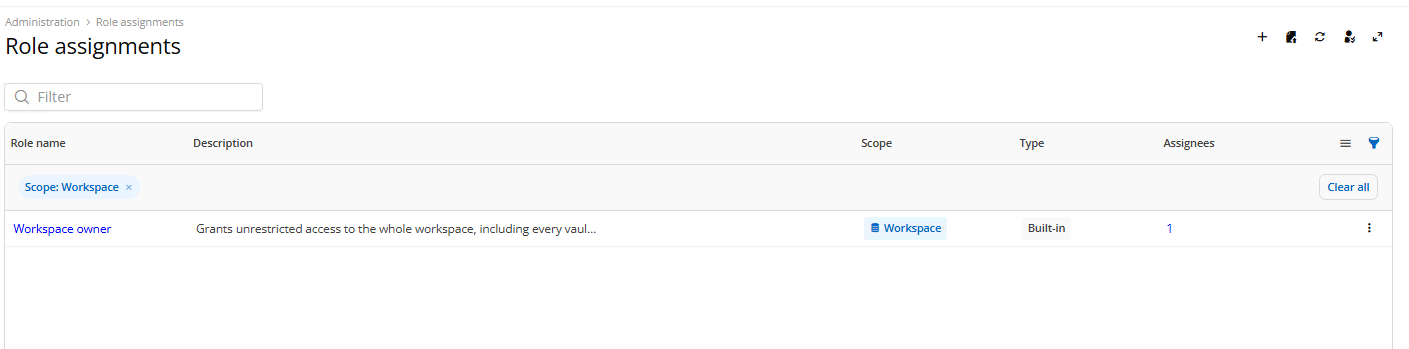
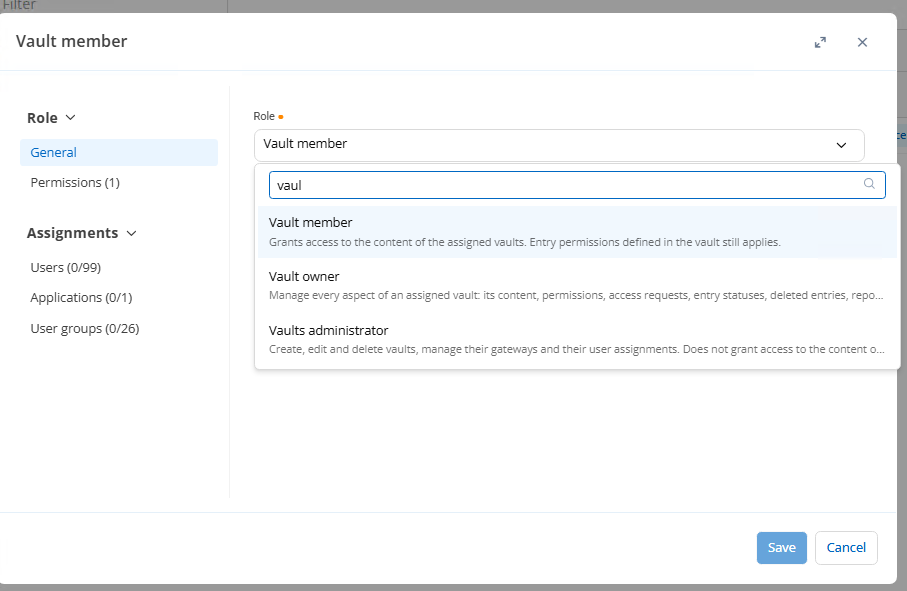
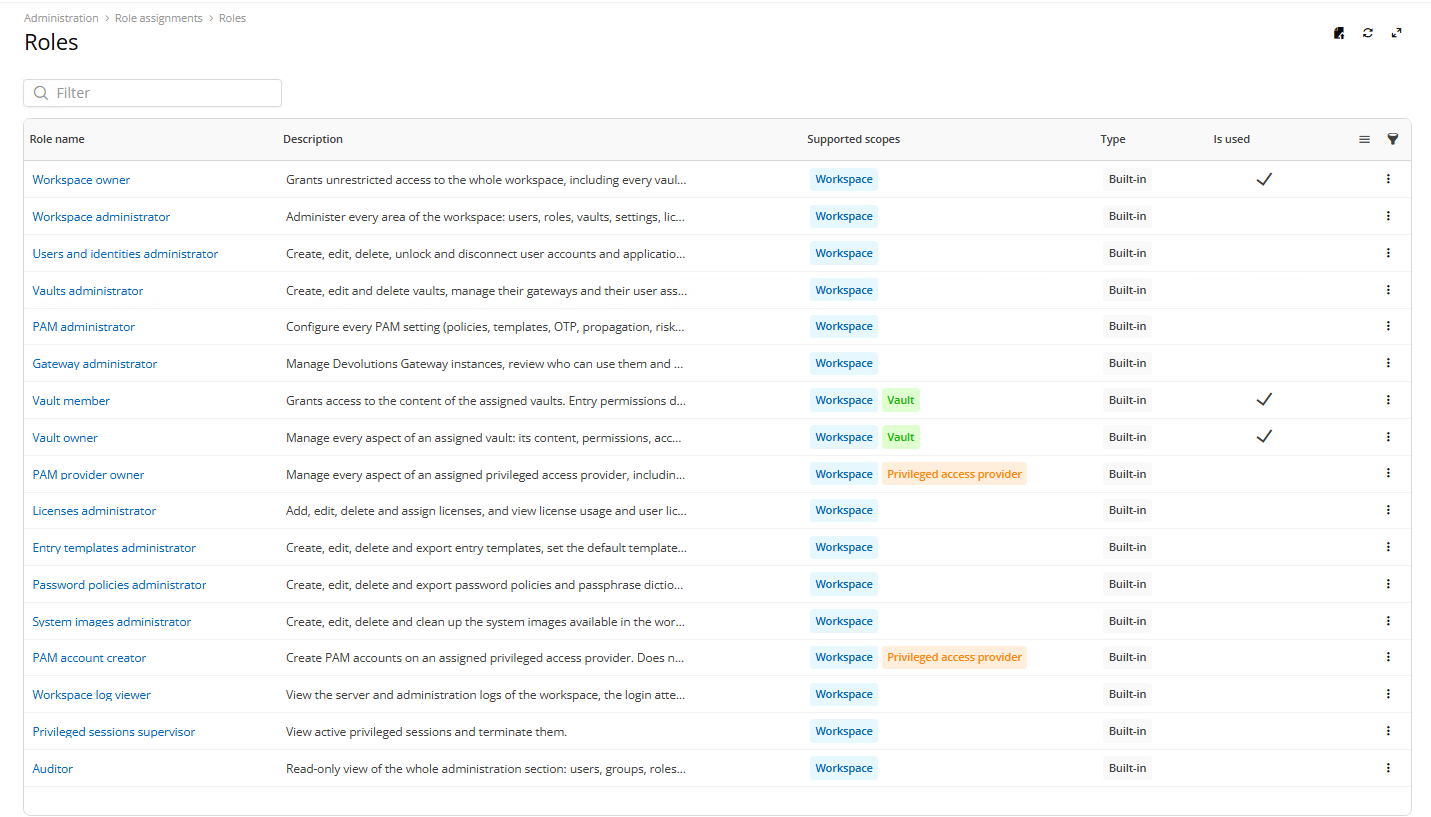
The Legacy Roles are not available.
Best wishes
93d9dc82-92dc-45e1-84ab-86c9ef2238ac.png
337ec6fa-9812-4100-9994-e483ec32e40b.png
edfda9af-c196-4f4d-92c3-29472c43a399.png
Hello,
Thank you for following up.
I spoke with the development team, and they confirmed that the legacy permissions were removed if no users were assigned to those roles prior to the update.
That said, these permissions will be added automatically in DVLS version 2026.3.7.0.
In the meantime, if you need to use these permissions right away, the development team has also provided me with a SQL query that can be used to add the roles manually. I have attached the query to this reply.
Please let me know which option you would like to proceed with. If you choose to use the SQL query, feel free to let me know if you encounter any issues.
I look forward to your reply.
Best regards,
Jacob Lafrenière
Hello,
Just a quick follow-up.
I will remove the SQL query from the public forum and share it with you via private message instead.
Please let me know if you have any questions.
Best regards,
Jacob Lafrenière