2026.3.0 - Error Saving User Preferences

I get the following error (no matter what I change) if I click the Save button under User Settings and Preferences. Mainly, I noticed it when trying to set the default them to dark mode after a fresh install of 2026.3.0. Running on Windows Server 2022.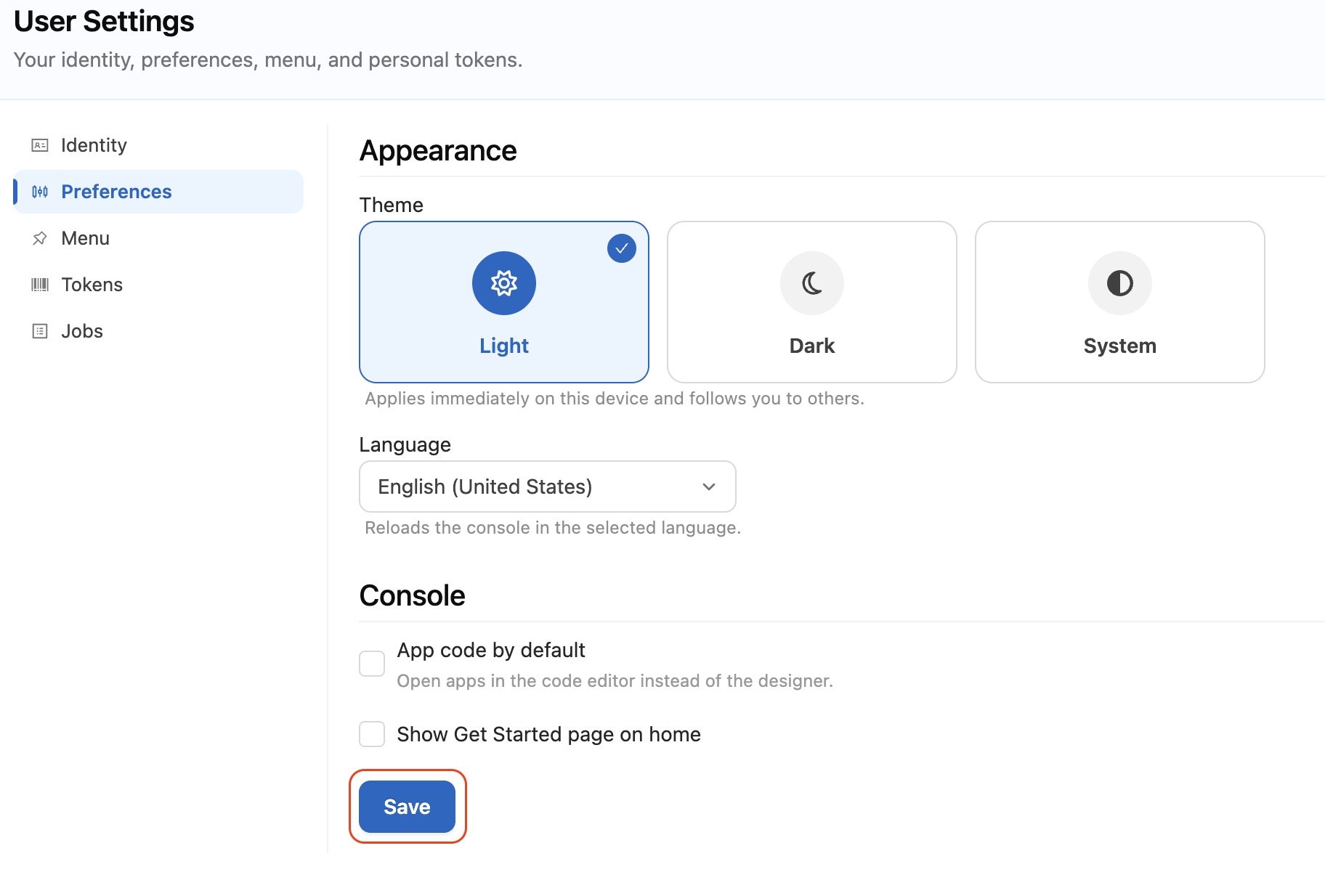
Item with ID 0 not found.

   at PowerShellUniversal.Extensibility.EFTable`2.UpdateAsync(Int64 id, Action`1 update) in D:\a\powershell-universal\powershell-universal\src\PowerShellUniversal.Extensibility\Persistence\EFTable.cs:line 502
   at PowerShellUniversal.Extensibility.EFTable`2.UpdateAsync(Int64 id, Action`1 update) in D:\a\powershell-universal\powershell-universal\src\PowerShellUniversal.Extensibility\Persistence\EFTable.cs:line 514
   at PowerShellUniversal.Authentication.IdentityService.UpdateIdentitySettingsAsync(Int64 identityId, Action`1 update) in D:\a\powershell-universal\powershell-universal\src\PowerShellUniversal.Authentication\IdentityService.cs:line 342
   at Universal.Server.Pages.User.UserPreferences.Save() in D:\a\powershell-universal\powershell-universal\src\Universal.Server\Pages\User\UserPreferences.razor:line 129
   at Microsoft.AspNetCore.Components.ComponentBase.CallStateHasChangedOnAsyncCompletion(Task task)
   at PowerShellUniversal.SaveButton.Run() in D:\a\powershell-universal\powershell-universal\src\Universal.Server\Shared\Settings\SaveButton.razor:line 36
   at Microsoft.AspNetCore.Components.ComponentBase.CallStateHasChangedOnAsyncCompletion(Task task)
   at AntDesign.Button.HandleOnClick(MouseEventArgs args)
   at Microsoft.AspNetCore.Components.ComponentBase.CallStateHasChangedOnAsyncCompletion(Task task)
   at Microsoft.AspNetCore.Components.RenderTree.Renderer.GetErrorHandledTask(Task taskToHandle, ComponentState owningComponentState)
75d3fcce-1eab-41d4-9b9a-7bfb0b486cfa.png
All Comments (2)
Hello,
Thank you for the detailed report and for including the full stack trace, it was genuinely useful.
I have looked into this and I can explain what the error means.
The Preferences page under User Settings is new in 2026.3.0, and when you click Save it writes to the account record of the signed-in user.
In your case it is resolving that account to an internal ID of 0, which is a placeholder rather than a real record, so the save fails with "Item with ID 0 not found."
This is why the message appears no matter which setting you change, the failure happens while identifying which account to write to, before any of your selections are applied.
The same applies to the Theme selector on that page, which is why dark mode does not stick.
In the meantime, there is a workaround for the theme specifically.
Use the theme toggle in the console header rather than User Settings and Preferences.
It performs the same change through a different code path and it is not affected by this problem.
I do want to be transparent about one point.
I set up a clean 2026.3.0 installation on Windows Server to reproduce this, and I tested it with local accounts, with Windows Authentication, with Kestrel and with HTTP.sys, and the Save button worked correctly in all of those.
That tells me something specific about your environment is involved, most likely in how the console's background connection is authenticated, so I need a few details to pin it down.
Could you confirm the following:
Which authentication method is configured (Windows Authentication, OpenID Connect, WS-Federation, client certificate, or local accounts).
Whether PowerShell Universal is running behind IIS, Application Request Routing, or any other reverse proxy, and whether it is hosted as a nested site under an existing IIS site.
Whether you are using Kestrel or HTTP.sys, and whether a BasePath is configured in your appsettings.json.
Whether the theme toggle in the console header works for you.
The contents of your PowerShell Universal log covering the moment you click Save.
If you can share your appsettings.json with any secrets removed, that would cover most of the above in one step.
I will follow up as soon as I have your answers.
Best regards,
Patrick Ouimet
Thanks for the quick response, Patrick. I have this deployed via IIS with OIDC authentication, but I ended up building out another server to test with and did another fresh install. And it works as expected... I'm not sure why it didn't work in the first place still. I imagine there was a setting I missed along the way, but it seems fine on the new server. Thanks for the thorough explanation on this though.