Copy entries from one vault to another

hi,
is it possible to get entries from one vault (using Get-DSEntry) and "import" them into another one? using New-DSBaseEntry maybe?
I tried the following but get an error: New-DSEntryBase: Object reference not set to an instance of an object
$copyEntry = Get-DSEntry -EntryId $idToCopy
$copyEntry.repositoryId = $destinationVault.ID
New-DSEntryBase -JsonBody (ConvertTo-Json -InputObject $copyEntry -Depth 10)
KR
G.
Recommended Answer
Hello,
Thank you for confirming the exact symptoms. This allowed us to identify what is happening.
The root cause is that New-DSEntryBase does not use the top-level ID or OriginalId properties of the ConnectionInfo object to determine whether it should create a new entry or update an existing one. Instead, it resolves the entry's identity from the ID embedded within its Data property (the raw XML).
In your script, only the top-level ID was replaced. As a result, the server continued to recognize the original entry through the ID embedded in the Data property and updated the existing entry in place—including moving it to the destination vault—instead of creating a copy.
This also explains why the script appeared to work on the first run but seemed to affect the source entry on subsequent runs: each execution was actually relocating the same original entry rather than creating a new one.
The good news is that your original entries are most likely not lost. Since the operation was updating (moving) the entries rather than deleting them, they should still exist under their original IDs in whichever vault was specified as $destinationVault.ID during the corresponding run. We recommend checking those vaults before assuming any data has been lost.
To make the operation behave as a true copy—where the original remains in place and an independent entry is created—the ID embedded in the Data property must also be replaced, rather than only the top-level ID:
$entry = Get-DSEntry -EntryId $idToCopy -SearchAllVaults -AsRDMConnection
$copyEntry = $entry.ConnectionInfo

$newId = [guid]::NewGuid()
$copyEntry.Data = $copyEntry.Data -replace "<ID>$idToCopy</ID>", "<ID>$newId</ID>"
$copyEntry.ID = $newId
$copyEntry.RepositoryID = $destinationVault.ID
New-DSEntryBase -FromRDMConnection $copyEntryOne
Important note: when the new entry is saved, the server assigns its own final ID. Therefore, the newly created entry may not retain the GUID generated client-side. If you need the new entry's ID for subsequent scripting, we recommend retrieving the entry from the destination vault—for example, by name—rather than assuming its ID matches $newId.
As before, please validate this procedure with a non-critical entry first and confirm that both the original entry and the new copy exist independently before using it for bulk operations.
Please let us know if you have any further questions.
Best regards,
Jacob Lafrenière
All Comments (7)
Hello,
Thank you for reaching out regarding this matter.
The JSON round-trip appears to be the source of the issue. Get-DSEntry without the -AsRDMConnection parameter returns a partial object that does not survive ConvertTo-Json cleanly, which is causing the null reference error.
Please try the following instead:
$entry = Get-DSEntry -EntryId $idToCopy -SearchAllVaults -AsRDMConnection
$copyEntry = $entry.ConnectionInfo
$copyEntry.ID = [guid]::NewGuid()
$copyEntry.RepositoryID = $destinationVault.ID
New-DSEntryBase -FromRDMConnection $copyEntry
New-DSEntryBase -FromRDMConnection accepts the entry object directly, so there is no need to convert it to JSON. Please note that the actual entry data is nested under .ConnectionInfo.
I recommend testing this approach on a non-critical entry first to confirm that it behaves as expected.
Please let me know if you have any further questions.
Best regards,
Jacob Lafrenière
hi @Jacob Lafrenière,
while this works fine when running it the first time - every other run fails.
The source entries are corrupt after that and Get-DSEntry -EntryID $idToCopy -VaultID $sourceVault.ID as well as using the browser to navigate to the source vault return "Object not found".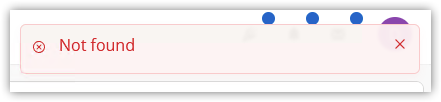
Can this be fixed somehow? maybe the Data property has to also be manipulated?
KR
G.
def887e1-b257-4b09-a442-e55c68f0e7e8.png
Hello,
Thank you for the follow-up.
Could you please clarify what you mean by “this works fine when running it the first time”?
More specifically:
- Are you moving the same source entry to multiple vaults?
- Are you running the script on a different entry each time?
- Are you moving an entry that was already moved to another vault?
Regarding the error, could you also let me know exactly when and where it occurs?
For example:
- Does the error appear when you open the vault?
- Does it occur when you try to open the entry?
- Does it happen when you open the properties of the source entry in the original vault?
- Or does it occur when you open the properties of the copied or moved entry in the destination vault?
For now, I recommend holding off on any additional move operations until I have a better understanding of the behavior you are seeing on your side.
I look forward to your reply.
Best regards,
Jacob Lafrenière
hi @Jacob Lafrenière ,
the goal was not to move an entry but to create the very same entry from a "template vault" in another newly created vault.
For example we have a template vault with one RDP session.
If I run the script the first time it finds the entry in the template vault and stores it in $entry and then the $copyEntry gets created in the destination vault.
If I then try to get the $entry again I get the "not found" error.
This is what I meant with "the first time it works, every other time it fails" because it does no longer retrieve the "source" entry which I want to be replicated in another vault.
The error appears when I click on the RDP session entry in the template vault in the web browser (RDM on windows - maybe due to local caching still shows it correctly - even lets me edit it). I only have to click on the entry - not open the session itself or its properties.
The entry in the destination seems to be OK/valid.
KR
G.
Hello,
Thank you for confirming the exact symptoms. This allowed us to identify what is happening.
The root cause is that New-DSEntryBase does not use the top-level ID or OriginalId properties of the ConnectionInfo object to determine whether it should create a new entry or update an existing one. Instead, it resolves the entry's identity from the ID embedded within its Data property (the raw XML).
In your script, only the top-level ID was replaced. As a result, the server continued to recognize the original entry through the ID embedded in the Data property and updated the existing entry in place—including moving it to the destination vault—instead of creating a copy.
This also explains why the script appeared to work on the first run but seemed to affect the source entry on subsequent runs: each execution was actually relocating the same original entry rather than creating a new one.
The good news is that your original entries are most likely not lost. Since the operation was updating (moving) the entries rather than deleting them, they should still exist under their original IDs in whichever vault was specified as $destinationVault.ID during the corresponding run. We recommend checking those vaults before assuming any data has been lost.
To make the operation behave as a true copy—where the original remains in place and an independent entry is created—the ID embedded in the Data property must also be replaced, rather than only the top-level ID:
$entry = Get-DSEntry -EntryId $idToCopy -SearchAllVaults -AsRDMConnection
$copyEntry = $entry.ConnectionInfo

$newId = [guid]::NewGuid()
$copyEntry.Data = $copyEntry.Data -replace "<ID>$idToCopy</ID>", "<ID>$newId</ID>"
$copyEntry.ID = $newId
$copyEntry.RepositoryID = $destinationVault.ID
New-DSEntryBase -FromRDMConnection $copyEntryOne
Important note: when the new entry is saved, the server assigns its own final ID. Therefore, the newly created entry may not retain the GUID generated client-side. If you need the new entry's ID for subsequent scripting, we recommend retrieving the entry from the destination vault—for example, by name—rather than assuming its ID matches $newId.
As before, please validate this procedure with a non-critical entry first and confirm that both the original entry and the new copy exist independently before using it for bulk operations.
Please let us know if you have any further questions.
Best regards,
Jacob Lafrenière
Thanks @Jacob Lafrenière!
This is working \o/
KR
G.
PS: Maybe you can edit you post as the last line "New-DSEntryBase..." is not displayed in the code block but with the remarks to "important note"
Hello,
Thank you for the follow-up.
You are correct. I’ll update the response and mark it as the recommended answer. Thank you for your feedback!
I’ll mark this topic as resolved. If you encounter a similar issue again, you can simply reply here to reopen the topic.
Best regards,
Jacob Lafrenière