Apps restart when git runs, even though apps set not to auto deploy
Apps restart when git runs, even though apps set not to auto deploy

Running version: 5.5.2
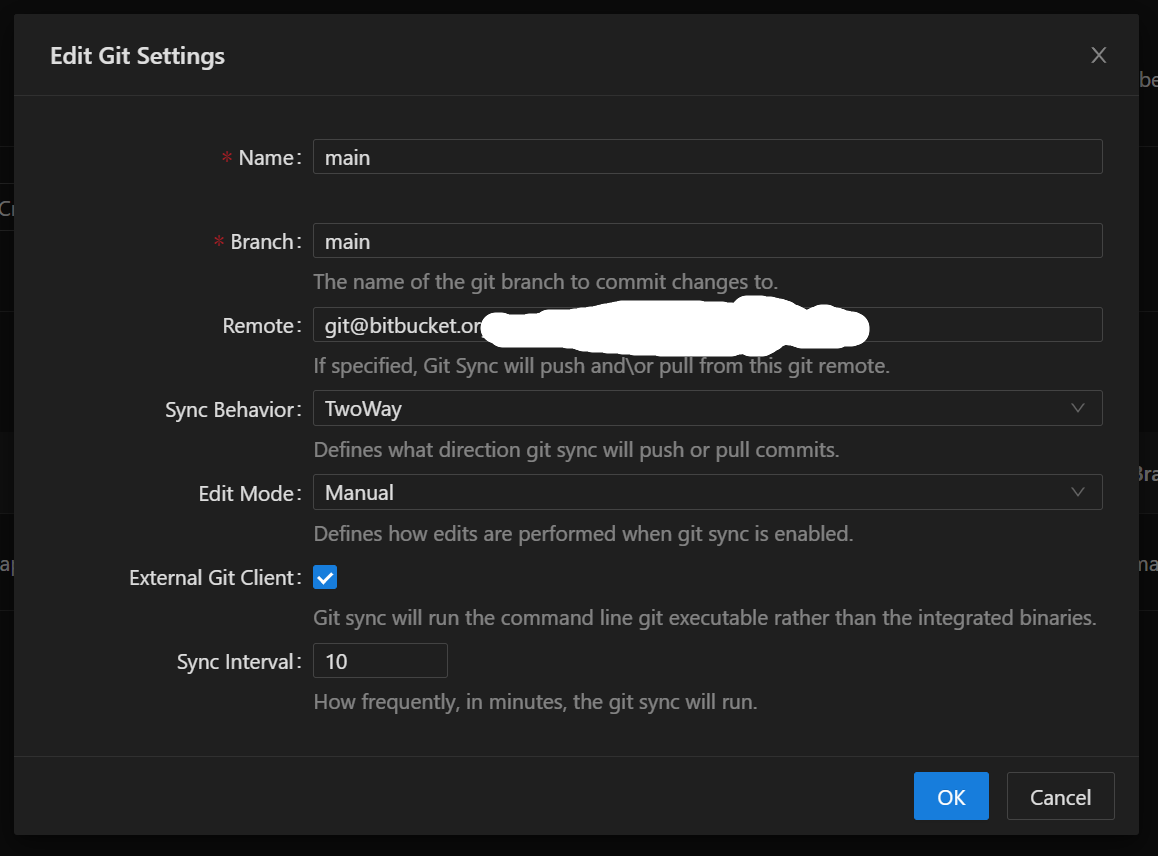
I have git sync enabled, TwoWay, using the external client.
This works well to keep the main server up to date, but I find that my apps often restart when there is a git sync, even when the app files are not updated, and the app has the Auto Deploy disabled. The apps restart even if there are no changes to pull from git.
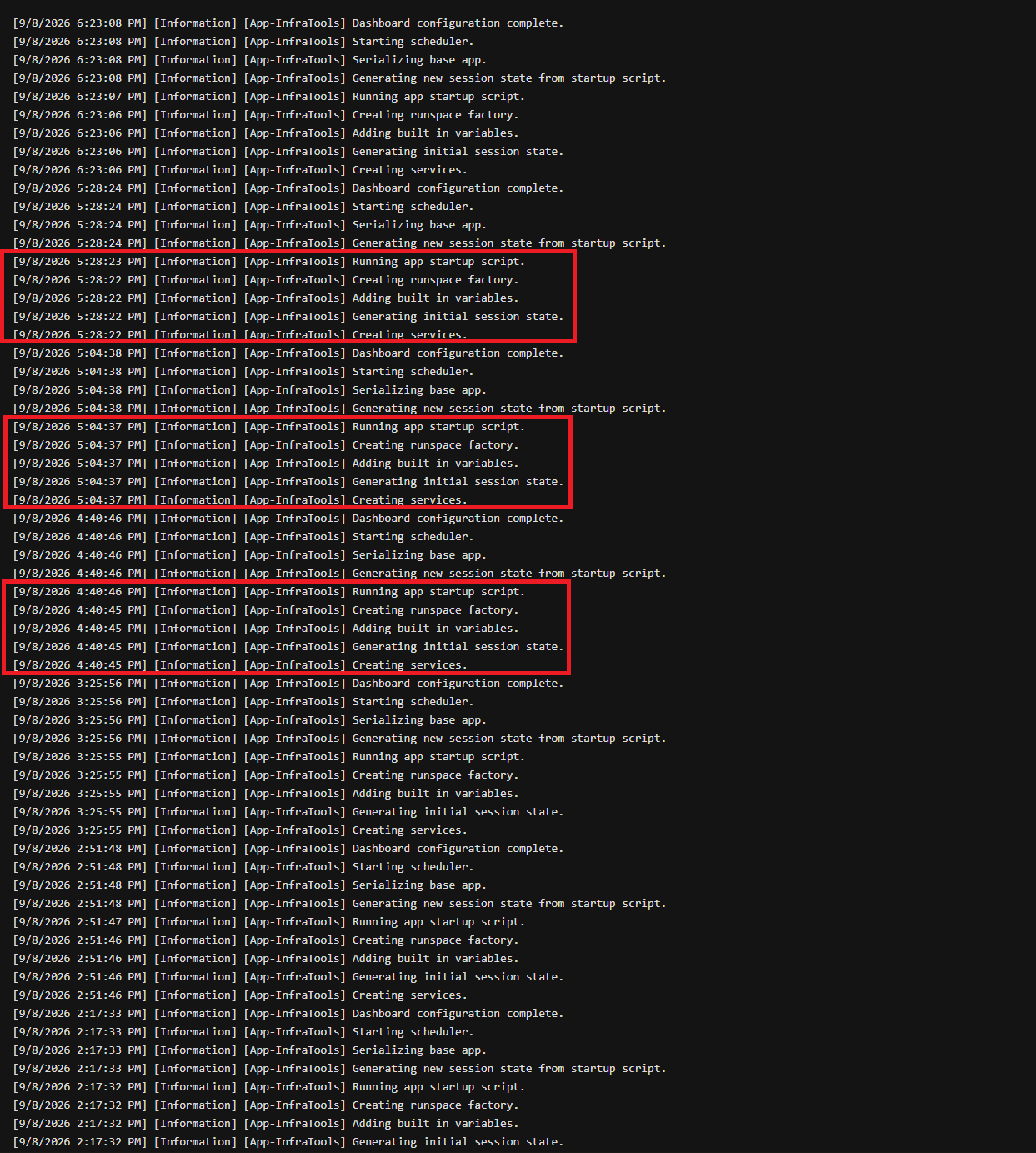
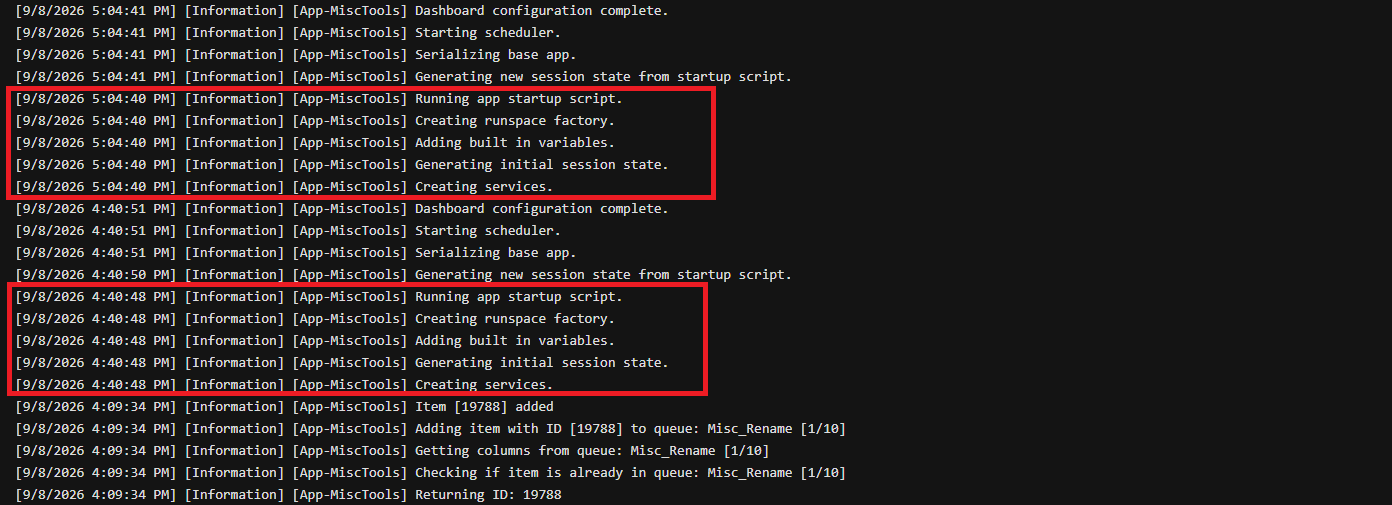
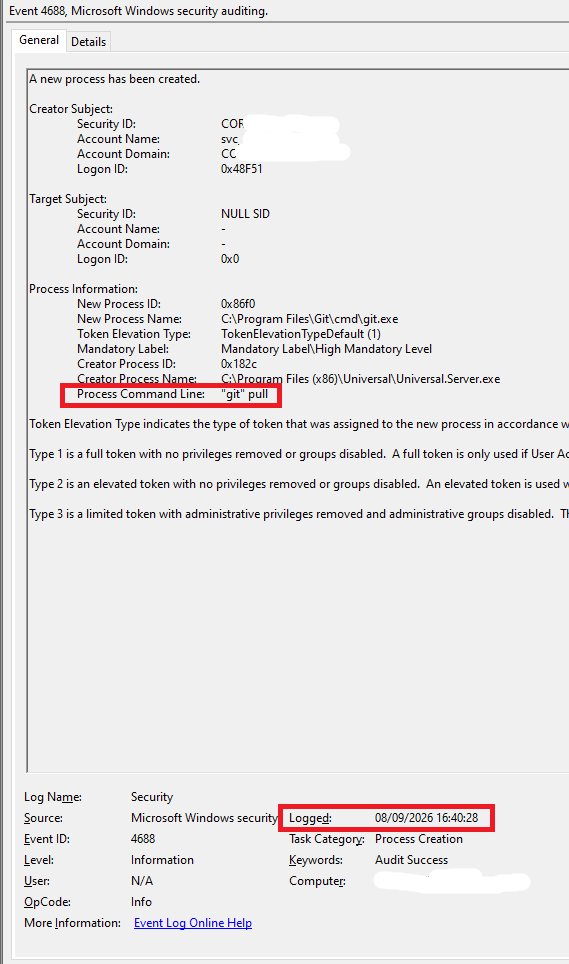
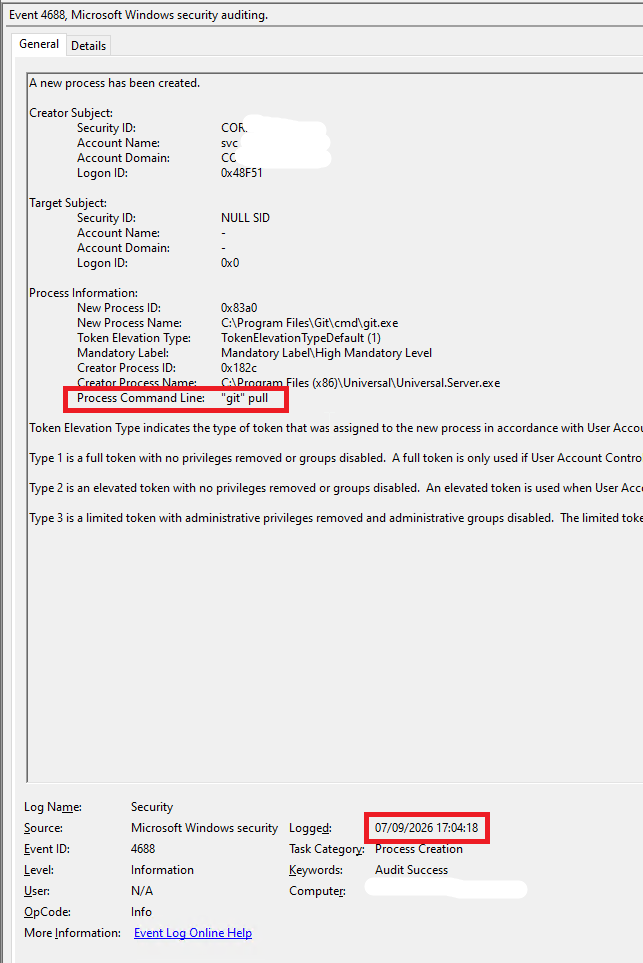
Here are some screenshots showing the app details, as well as the restart times related to the git pull. There are a number of other git commands at the same time, so possibly it's one of those, but I just used the git pull as the reference event to correlate times. Dates are in UK format.
The git sync is set to every 10 mins, but the restart of the apps doesn't happen that often - sometimes every 25 mins, sometimes there is an hour between restarts.
Is there a way to disable the app restart when git runs? Or is there a way to disable the automatic git sync and then I can trigger it manually at a time that the server is unused?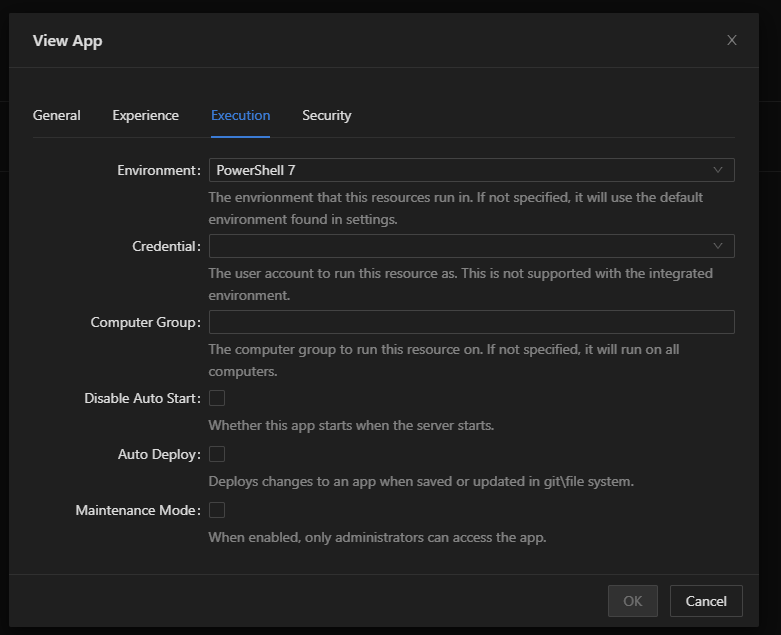
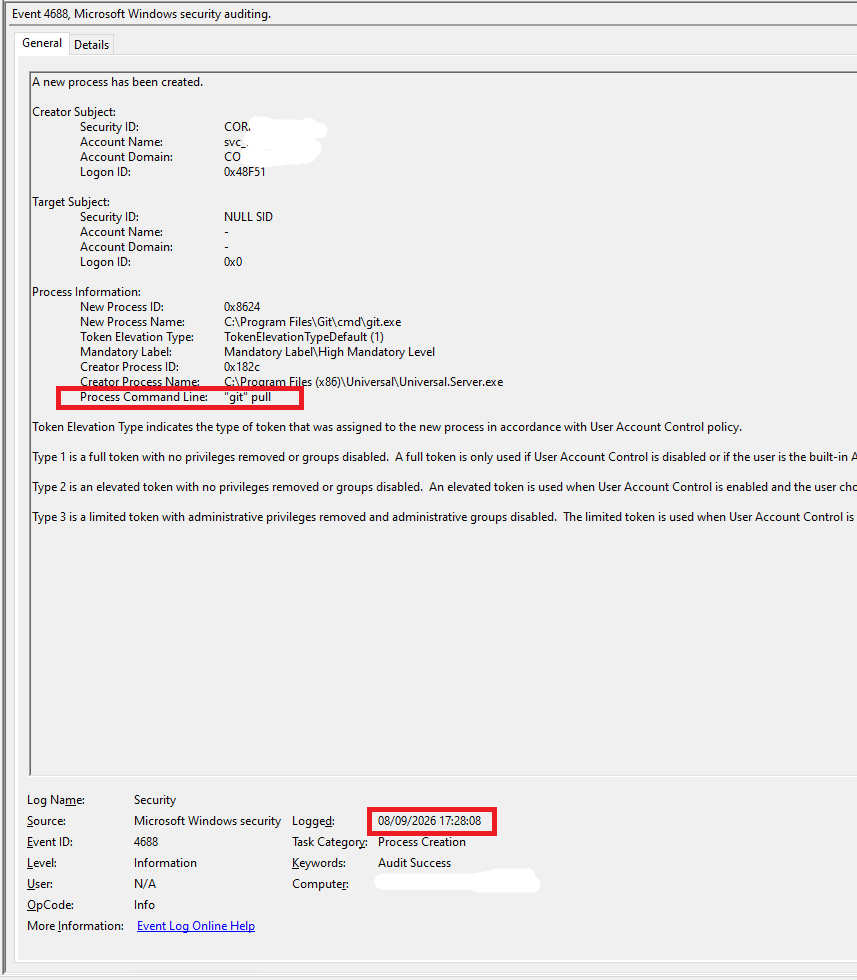
git 17.28.png
git 17.04.png
git 16.40.png
App Restart 2.png
App Restart 1.png
App Settings.png
git settings.png
All Comments (5)
Hello @squinlan
Thank you for the detailed report and screenshots. The timestamps are especially useful. I can see that the git pull operations launched by Universal.Server.exe are closely followed by the App startup sequence in several of the examples you provided.
With Auto Deploy disabled, I would not expect an unchanged App to be unnecessarily restarted simply because a Git synchronization occurred, so I would like to narrow down what is triggering the reload.
Could you please confirm the following?
Are all Apps restarting, or only specific Apps such as InfraTools?
Under Settings > Files > Configuration Changes, is automatic configuration reload enabled?
What hosting method are you using for PSU 5.5.2, for example Windows Service, IIS, or ZIP?
Is this a production environment, and do active users lose their sessions when the restart occurs?
If the local and remote repositories are fully synchronized, does clicking Synchronize Now manually also restart the App when Git reports no changed files?
Regarding your second question, PowerShell Universal provides Synchronize Now for manually triggering Git synchronization. Support for disabling scheduled synchronization by setting the Git sync interval to 0 was added in an earlier PSU release, so this may also be useful as a temporary diagnostic control while we investigate the unexpected App restarts.
Because this is a public forum, please sanitize all evidence before posting. Remove credentials, tokens, license keys, cookies, private keys, full connection strings, email addresses, usernames, customer data, tenant or account identifiers, internal domains, hostnames, IP addresses, and private URLs. Please do not upload unredacted HAR files, memory dumps, database backups, or complete configuration files to this public thread.
https://github.com/ironmansoftware/universal-docs/blob/v5/config/git.md
Regards,
Ruben Tapia
Thanks for the quick reply
Are all Apps restarting, or only specific Apps such as InfraTools?
All apps restart
Under Settings > Files > Configuration Changes, is automatic configuration reload enabled?
I don't have "Configuration Changes" under Settings - Files. Just the list of files in the git repository. Clicking on an individual file and clicking the cog just gives some display options.
What hosting method are you using for PSU 5.5.2, for example Windows Service, IIS, or ZIP?
Windows service
Is this a production environment, and do active users lose their sessions when the restart occurs?
The user is not logged out (we use AD authentication), the app just refreshes within the browser. Same thing as if I click Reload on an app manually.
If the app is processing something, then this is cancelled. If a form is filled in, then the form is cleared.
If the local and remote repositories are fully synchronized, does clicking Synchronize Now manually also restart the App when Git reports no changed files?
No, this does not force a reload of the app. I tried clicking the Synchronize Now button a few times and the apps do not reload. The git sync is set to every 10 mins, but the reloads of the apps are not every 10 mins (more along the lines of every 25-60 mins), so there does seem to be something else triggering the reload.
Interestingly, I pushed a change to the main branch today and then immediately clicked the Synchronize Now button (rather than wait for the automatic sync). The change in git was only to two scripts (no apps were change) and the script changes were pulled down correctly without the apps reloading.
Support for disabling scheduled synchronization by setting the Git sync interval to 0 was added in an earlier PSU release, so this may also be useful as a temporary diagnostic control while we investigate the unexpected App restarts.
If I set the git sync interval to 0 in the GUI, it resets back to 1 when I click Save. Possibly I can set it to 0 in appsettings.json, but I don't want to modify the production server during the week if I can avoid it. I will do more testing on our Dev server but need to do a bit of work to get it into the same state as the prod one for a proper test.
Hello @squinlan
Thank you for the additional details and for testing `Synchronize Now`. The fact that manual synchronization does not restart the Apps, including when Git contains changes limited to scripts, is very useful and suggests that we need to look more closely at what happens during the automatic cycles where the restart actually occurs.
At this point, the next best step is to review the PSU logs around one or more confirmed App restart events.
Since the logs may contain environment-specific or sensitive information, please do not upload the complete logs to this public forum. Instead, please send them directly to:
ruben.tapia@ironmansoftware.com
Please include case `56106` in the subject or body, along with the approximate timestamp and time zone of the restart event. If possible, logs covering a few minutes before and after the restart would be ideal.
Because this is a public forum, please sanitize all evidence before posting. Remove credentials, tokens, license keys, cookies, private keys, full connection strings, email addresses, usernames, customer data, tenant or account identifiers, internal domains, hostnames, IP addresses, and private URLs. Please do not upload unredacted HAR files, memory dumps, database backups, or complete configuration files to this public thread.
Once I review the logs, I can correlate the App restart sequence with the Git Sync activity and determine what we should test next.
Best regards,
Ruben Tapia
I have been trying to replicate the problem on my Dev server. But this one does not exhibit the same issue - I can make changes to the Dev branch and when the git sync runs, the apps do not restart.
To work around this, I changed the git sync time on both servers to "999999", to essentially prevent it from ever running (the servers will reboot for monthly patching before that many minutes have passed anyway). I also created a small script to run every 5 mins and run "git pull" in order to sync any changes.
This worked fine on my Dev server and I have now made that same change to the git sync and synchronised the "git pull" script as well. No app restarts in the last 24 hours, but I will continue to monitor it.
I looked through the log files in C:\ProgramData\PowerShellUniversal\Logs but I could not find anything in there that was related to git and nothing around the times that the Prod server was rebooting, so I didn't send them via email. I did change the logging to Debug though on both Dev and Prod, so I will hopefully have better logs if the problem does reoccur. Although I will disable the debug logging next week if there are no issues by that time.
Thanks for the assistance, I have a workaround at least and know what to look for in future.
Hello @squinlan
Thank you for the detailed update and for testing this on the Dev server.
The results are useful. At this point, the issue has not reproduced in Dev, and with the built in Git Sync effectively prevented from running while your external `git pull` script continues every 5 minutes, you have not seen an App restart in the last 24 hours.
That does not confirm the root cause yet, but it does give us a valuable distinction between the PSU scheduled Git Sync process and `git pull` itself.
Since the environment is currently stable, I would avoid making any additional changes for now. Keeping Debug logging enabled and continuing to monitor the server is a good next step.
If the App restarts again, please note the exact timestamp and time zone and send the corresponding PSU logs to:
ruben.tapia@ironmansoftware.com
Please reference case `56106` so I can correlate the logs with the event.
I am glad you have a working workaround in place while we continue to monitor the behavior.
Best regards,
Ruben Tapia