Variables enhancements
1 vote

why cant we see variables of string type in the admin ui?


- Also items stored in the database as strings should show up when you are editing it rather than having a blank text box


bb7c28e5-70a4-4340-84d8-084e8e239003.png
All Comments (4)
@michaelhanson1458 The images were broken for some reason. We don't show database secrets in the UI at all, so you won't see them here.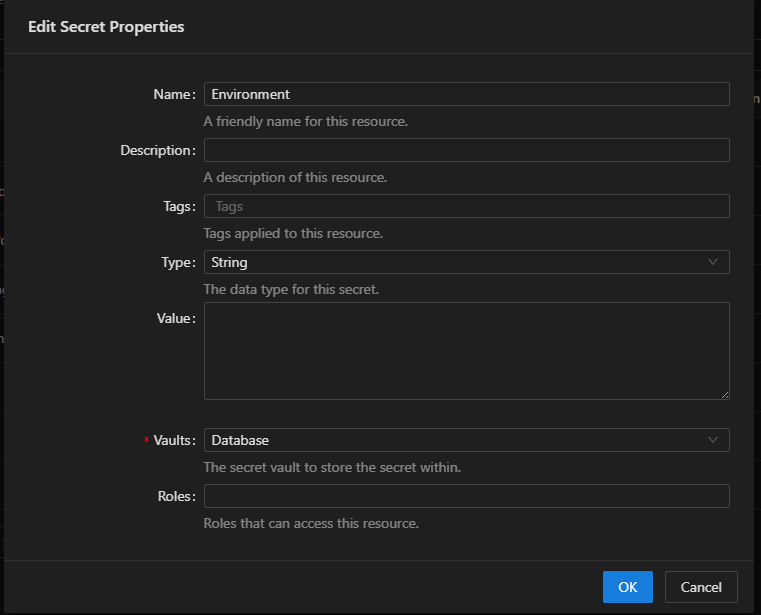
If this is a New-PSUVariable -Database variable, you should be able to see that. We just don't display secrets at all. 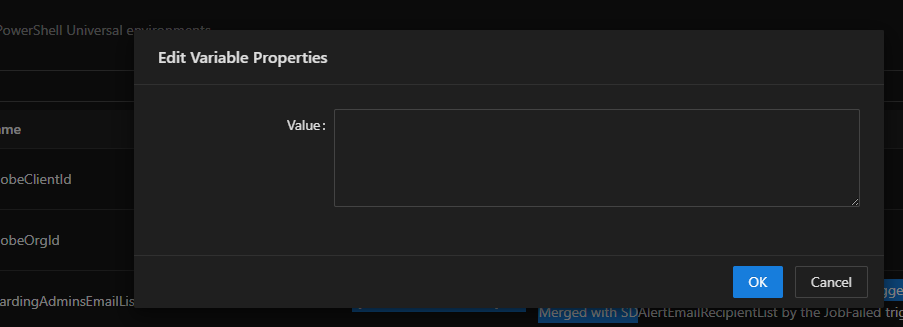
Adam Driscoll
PowerShell Expert and Software Architect at Devolutions
0f0611a3-c5f4-4197-9de5-f04c64f107b6.png
b464593a-9581-4942-be48-9d58419709be.png
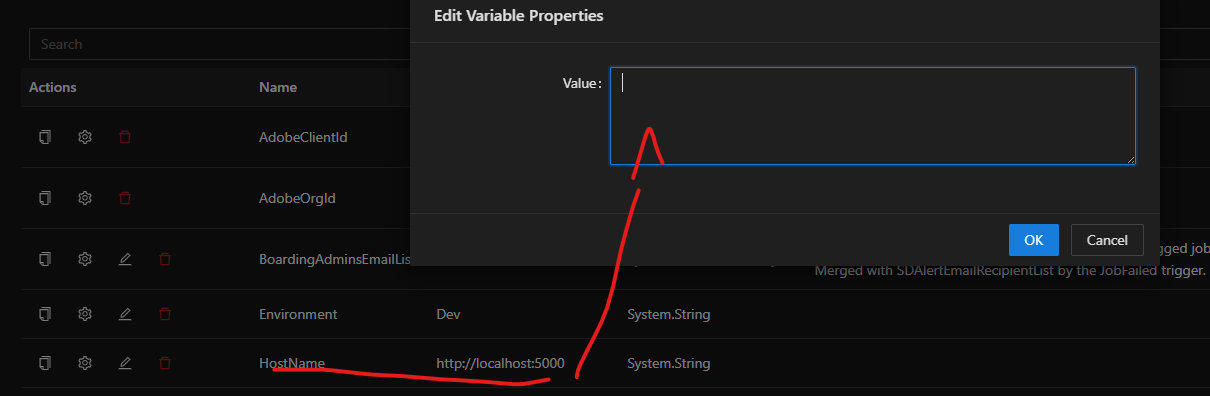
Even when its showing as a string it would be nice to see that value in the current value text box.
I am seeing the following in my variables.ps1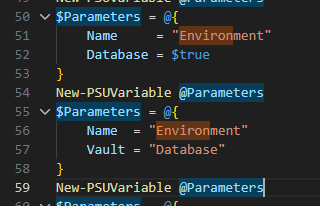
Are you able to see the images now?
ac55fdac-97b1-491f-a798-280bcd1a2f1f.png
eca15220-9d11-420a-ab01-50e05770740e.png
@michaelhanson1458 I can see your image now. And that makes sense to me. I'll get an issue created to get this implemented.
Adam Driscoll
PowerShell Expert and Software Architect at Devolutions
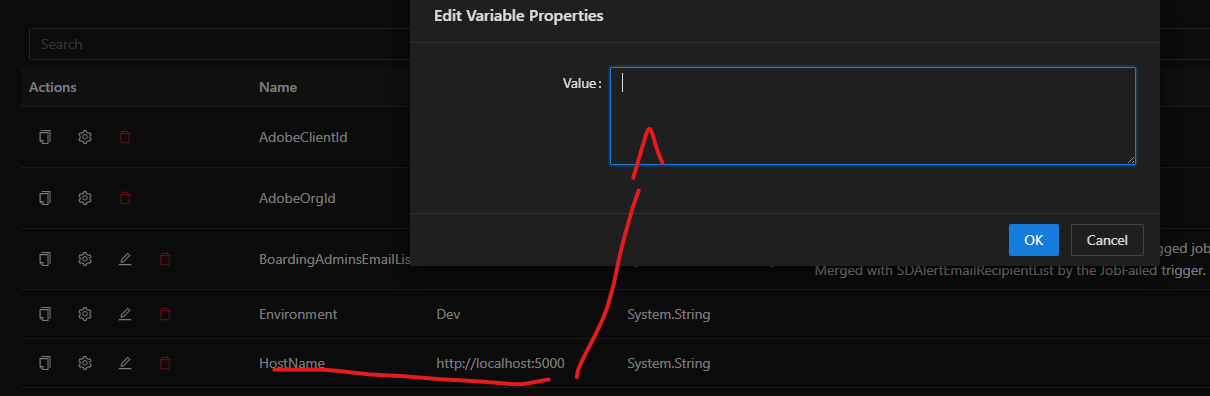
Even when its showing as a string it would be nice to see that value in the current value text box.
I am seeing the following in my variables.ps1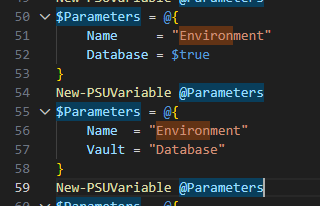
Are you able to see the images now?
4b54f3a1-59de-4aa7-887c-f7221d4fbc47.png
4a156f14-4f7b-4119-8f5a-d0867a3fc7ab.png