RDM Style Login for DPM
1 vote

Up until now our company has used RDM exclusively, however since not every user needs to full feature set were are migrating some of them to DPM.
During that we found that the way the login and token work is different between RDM and DPM.
As such we had to increase our token lifetime so DPM users that did not use the application every day had to reconnect to the datasource.
This would not be needed if DPM had a login like RDM does and in my opinion it would make the user experience between the 2 applications more consistant.
We are using our own DVLS as a datasource.
All Comments (3)
Thanks for the detailed feedback — this is very helpful.
A few questions so we can pinpoint what you're experiencing:
- What do you currently have set for Server settings → Advanced → Refresh token lifetime, and what was it before you increased it? (The default is 30 days.)
- Which DVLS version are you using, and which platforms are your DPM users on (Windows, macOS, or mobile)?
- When RDM users reconnect, do they actually see a browser login page, or does it just connect silently? We're specifically wondering whether your RDM users are on domain-joined Windows machines, since RDM can complete the login silently with Windows integrated authentication in that case.
- On the DPM side, what do the affected users see — the "Disconnected / please reconnect" state, or something else?
For context: both applications actually use the same login flow and the same token lifetimes from your server. The difference you're encountering is most likely that RDM can silently re-authenticate in the background, whereas DPM currently sends the user back through the browser — which is exactly the gap we're looking into.
Best regards,
Marc-Olivier
Hello Marc-Oliver,
we had a 1 day token lifetime which i have since increased to 14 days for DPM.
Our DVLS Version is 2026.1.11.0 and our DPM users are using Windows 11 as a plattform.
Our RDM users only see the browser login the very first time they use the app (though iam not 100% sure that is still the case since we switched to SSO. so it might not come up at all).
We are using domain joined maschines and our DVLS is linked to Active Directory for authentication and user groups.
Since DPM Version 2026.2.2 the user get the attached message and a yellow warning at the bottom (see Screenshot, sorry its in german)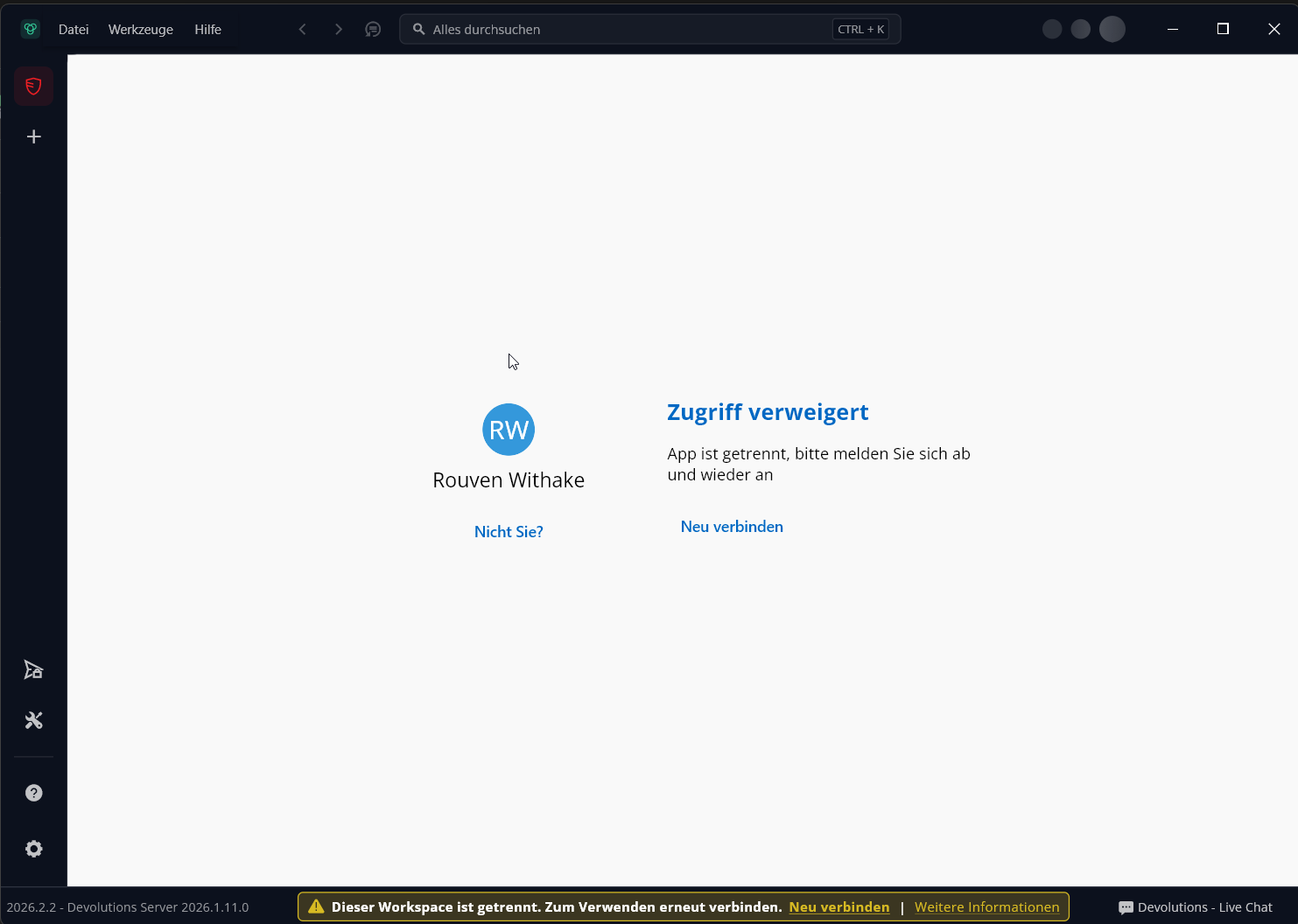 ).
).
2026-08-04 11_25_31-Devolutions Password Manager.png
Thanks — that confirms what we suspected.
Both applications use the same login flow and the same token lifetimes from your server, so the difference isn't the login itself. It's that RDM can authenticate silently using Windows integrated authentication on domain-joined machines, which is why your RDM users effectively never see a login page. DPM doesn't support that yet, so when the token expires, it sends the user back to the browser.
We're going to add Windows authentication support to DPM so the behavior matches RDM. Once that's in place, your DPM users on domain-joined machines should reconnect silently in the same way.
In the meantime, increasing the token lifetime is a reasonable workaround and may want to reduce it again once this ships.
Best regards,
Marc-Olivier