RDM & Fedora 44 UI Scaling issue

Hello,
I have been using RDM for quite some time now and I have recently decided to transition to Linux from Windows and macOS. RDM works perfectly under Windows and macOS, but under Fedora, I have some UI scaling issues. You will see that the overall RDM window is great, but the Terminal session is tiny and can't be read easily without a magnifying glass. I have attempted to adjust the Scaling settings for both GTK and Avalonia but these don't seem to have any affect on the actual terminal window, those settings only seem to affect on the RDM window itself. How can I increase the size of the terminal window as I have tried "CTRL +" and "CTRL SHIFT +" with no response from the RDM client to resize the terminal window. Any help would be appreciated.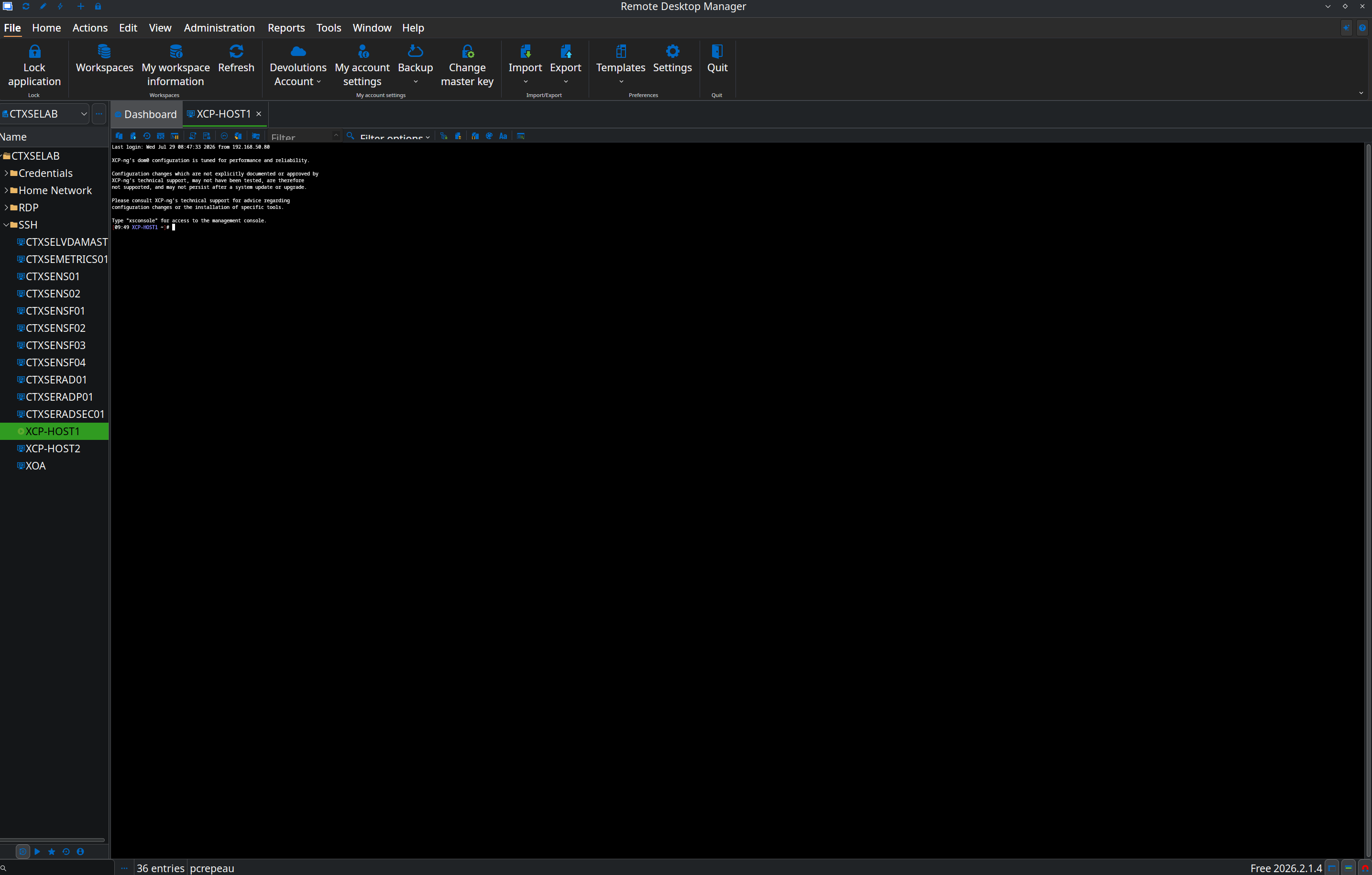
Screenshot_20260729_095437.png
All Comments (3)
Hello petercrepeau,
Thank you for reporting this issue. We are aware of some scaling issues and are working to fix them.
In the meantime, could you please try overriding the font and changing its size in the entry properties (SSH Shell > Terminal > Display > Font: Overwrite) or in the RDM settings (File > Settings > Session Types > Terminal > Terminal Font)?
Please let us know whether this workaround works for you.
Regards,
Gabriel Dubois
Changing the font does not help with the issue, unfortunately
Hello,
Thank you for the update.
We're still actively working on this issue on our end. In the meantime, I'd like to share a workaround that I personally use.
If you hold Ctrl and scroll your mouse wheel while the SSH terminal is in focus, you should be able to zoom in and out. This changes the terminal's zoom level and can help make the text much more readable until we have a permanent fix for the UI scaling issue.
Please let us know if this workaround helps in your case.
Thank you for your patience!
Best regard.
Carl Marien