Keyboard input not accepted in RDP connection settings tab on Xfce (xfwm4) — works correctly under KWin
Keyboard input not accepted in RDP connection settings tab on Xfce (xfwm4) — works correctly under KWin

Environment
- Remote Desktop Manager version: 2026.2.1.4 (Linux, installed via official APT repo dl.cloudsmith.io/public/devolutions/rdm, package remotedesktopmanager)
- OS: Ubuntu 22.04 (Jammy), inside a Docker container based on kasmweb/core-ubuntu-jammy:1.18.0-rolling-weekly
- Window Manager: xfwm4 (Xfce), no compositing/panel changes relevant to reproduction
- Access method: VNC (noVNC/Kasm) into the container's X11 display
- Launch command: remotedesktopmanager --no-sandbox
- Reproduced consistently; a second container running the identical RDM version under KDE Plasma (kwin as window manager) does not exhibit the problem.
Description
Keyboard input is not accepted in the connection editor's RDP-specific settings tab (the tab shown when creating/editing a connection of type RDP). All other tabs/menus of the same connection editor window accept keyboard input normally. Mouse clicks into text fields on the RDP tab appear to register (cursor/focus indicator), but no characters are entered when typing.
Steps to Reproduce
- Start Remote Desktop Manager (2026.2.1.4) in a container using xfwm4 as window manager, connected via VNC.
- Create a new connection or edit an existing one, selecting RDP as the connection type.
- Open the RDP-specific settings tab within the connection editor.
- Click into any text input field on that tab and try to type.
Expected behavior
Keyboard input is entered into the focused field, as it is on every other tab of the same dialog and as it is under KDE/KWin.
Actual behavior
No keystrokes reach the input field on the RDP tab. The field visually appears focused (cursor caret shown), but typed characters are dropped.
Technical investigation (X11 level)
We debugged this at the X11 protocol level from inside the container:
- The connection editor's dialog top-level window (WM_CLASS = "RemoteDesktopManager") is correctly marked as _NET_WM_STATE_MODAL / _NET_WM_STATE_FOCUSED by the window manager, and correctly declares WM_HINTS.input = True plus WM_PROTOCOLS including WM_TAKE_FOCUS.
- However, the actual input-receiving widget is a window nested three levels deep below that top-level window (top-level → intermediate window → innermost WM_CLASS = "RemoteDesktopManager" window). This innermost window has no WM_HINTS and does not implement WM_TAKE_FOCUS itself — it relies entirely on the application to forward real X11 input focus (XSetInputFocus) to it once the top-level receives focus.
- Using xev, we confirmed focus NO on both the top-level and intermediate windows at all times during interaction — i.e., true X11 input focus never actually lands there via normal click interaction.
- Manually forcing focus onto the innermost window from outside the application (xdotool windowfocus --sync <innermost-window-id>) immediately fixes the issue: subsequent keystrokes from the VNC session are received correctly by the field, confirming the window and toolkit are otherwise fully capable of receiving input once focused. This also rules out any VNC/X-server input delivery problem.
- We independently ruled out window-manager focus-model differences (tested with both click-to-focus and focus-follows-mouse in xfwm4, and with /general/synchronous_client enabled) — none of these changed the behavior, since none of them can make the WM aware of the deeper application-owned child window that needs focus.
- The launch command includes --no-sandbox, suggesting the affected UI is rendered via an embedded Chromium/Electron surface; if the RDP-specific tab is implemented as a separately embedded renderer/view (unlike the other tabs), this would be consistent with our finding that only this specific sub-window fails to receive delegated input focus.
Conclusion
This appears to be an application-side issue in how Remote Desktop Manager forwards X11 input focus from its managed top-level window down to the embedded/nested widget used specifically by the RDP connection settings tab, triggered by xfwm4's focus-assignment behavior differing from KWin's in a way that this delegation does not handle. We're happy to provide the exact xwininfo -tree / xprop output and xev traces if useful.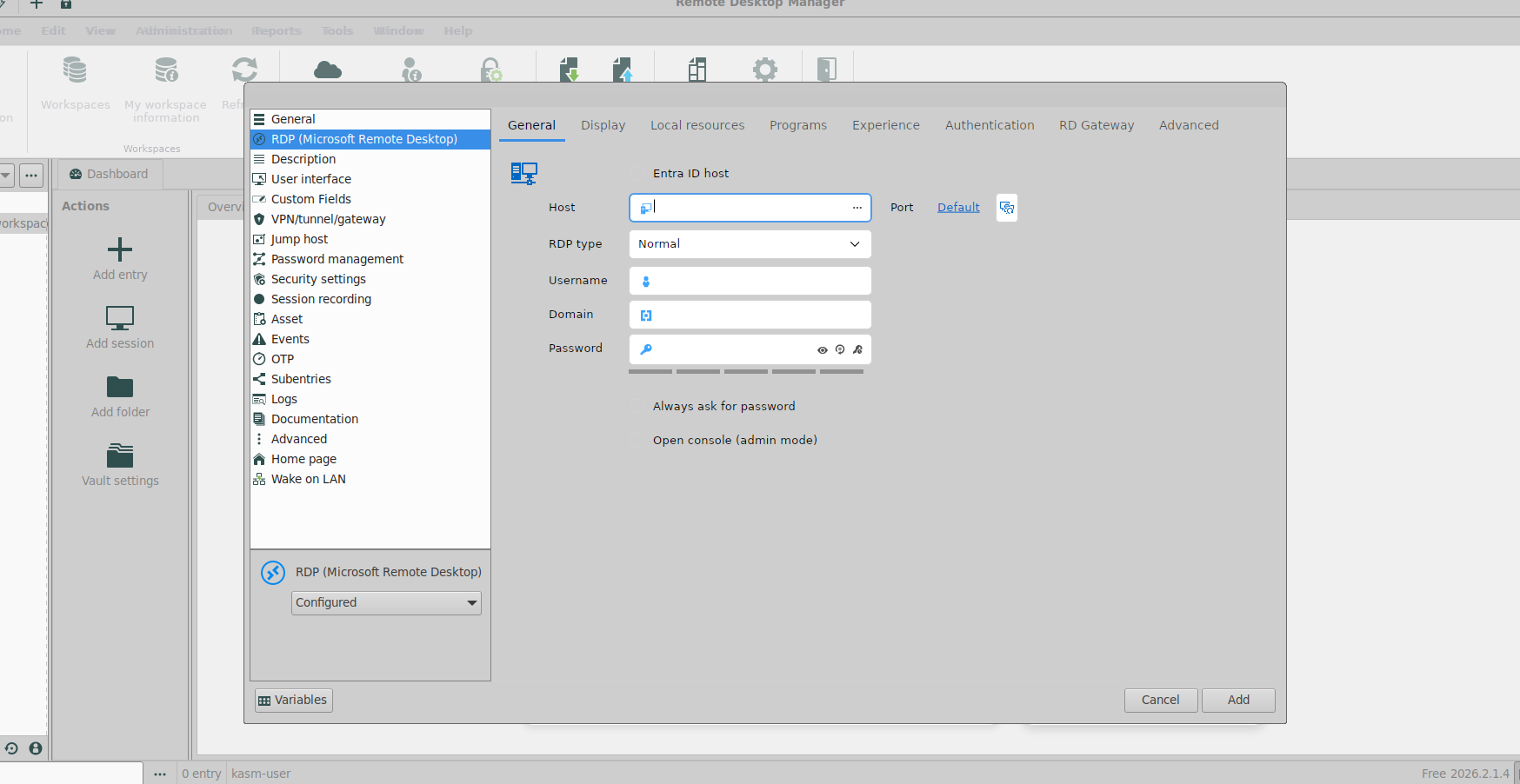
dab104ac-4361-42f4-93f3-cb0a2b4bdf31.png
All Comments (3)
Hello,
Thank you for the detailed report and for taking the time to instrument the issue down to the X11 protocol level.
The manual xdotool windowfocus recovery combined with the top-level having focus while the innermost child does not is a strong indicator that the failure is in how focus is delegated from the RDM top-level window down to the embedded surface used specifically by the RDP settings tab under xfwm4.
To make sure the ticket lands with everything development needs to reproduce and act on it, could you share the RDM application logs from a session where the issue reproduces (typically under ~/.config/Devolutions/RemoteDesktopManager/Logs/).
We will keep the case open on our side while we confirm internally and reproduce in a comparable Xfce environment.
Best regards,
Carl Marien
Hello,
thank you for your response.
Unfortunately, the directory ~/.config/Devolutions/RemoteDesktopManager/Logs/ does not appear to exist in my installation — I was unable to locate any log files there.
In the meantime, I have attached a screenshot. Please let me know whether this is useful or if there is an alternative way to retrieve the logs you are looking for.
Best regards,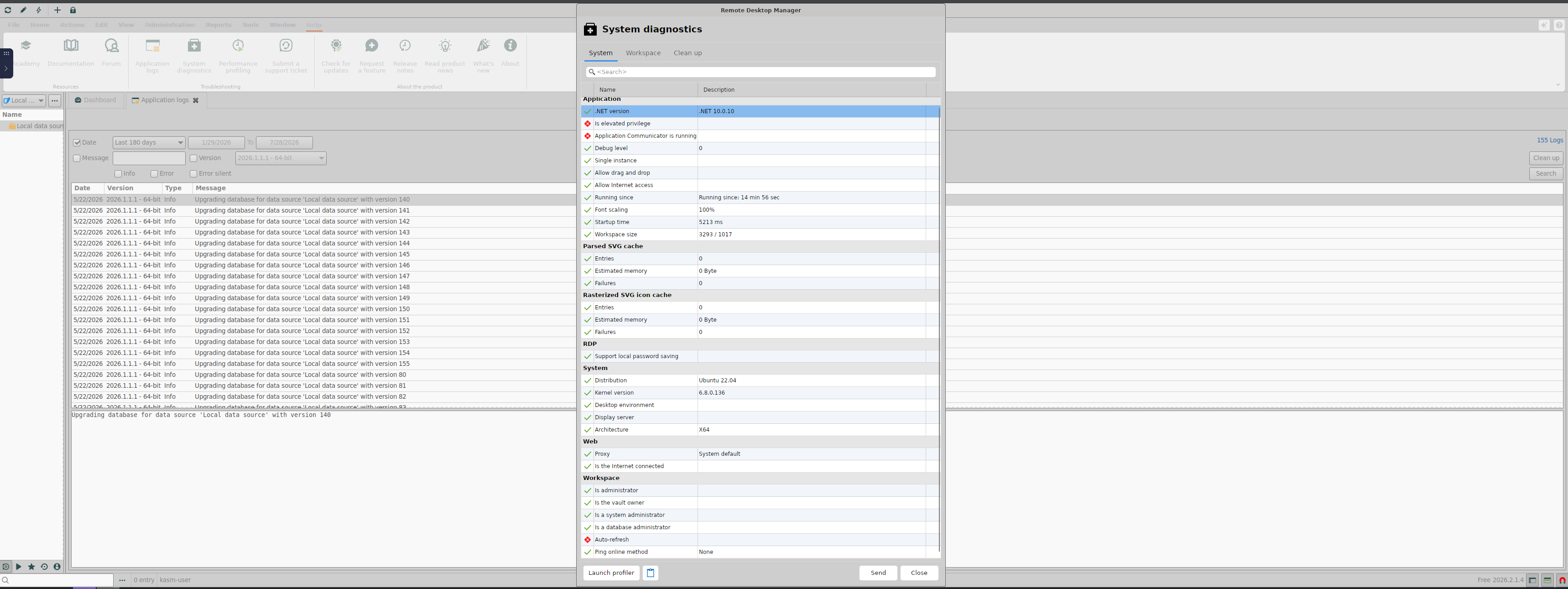
grafik.png
Hello,
Thank you for the follow-up and for the screenshot, which is helpful.
To capture what we need, could you please do the following:
- Open a terminal and launch RDM from it using the command remotedesktopmanager
- Reproduce the issue by opening the RDP connection settings tab and attempting to type.
- Share any console output printed in the terminal from the moment RDM started until you triggered the profiler.
While you gather that, two quick data points would help narrow the delegation moment on xfwm4:
- Does the field start accepting keystrokes if you Alt-Tab away and back, or if you switch to another tab of the connection editor and return to the RDP tab?
- Does resizing the dialog restore input on that tab?
Best regards,
Carl Marien