macOS has issues rendering when Dark mode is enabled

We are running PSU version 2026.1.1
Ran into an issue where on macOS, enabling Dark Mode in any browser caused it to not finish rendering the page? Has anyone else experienced this?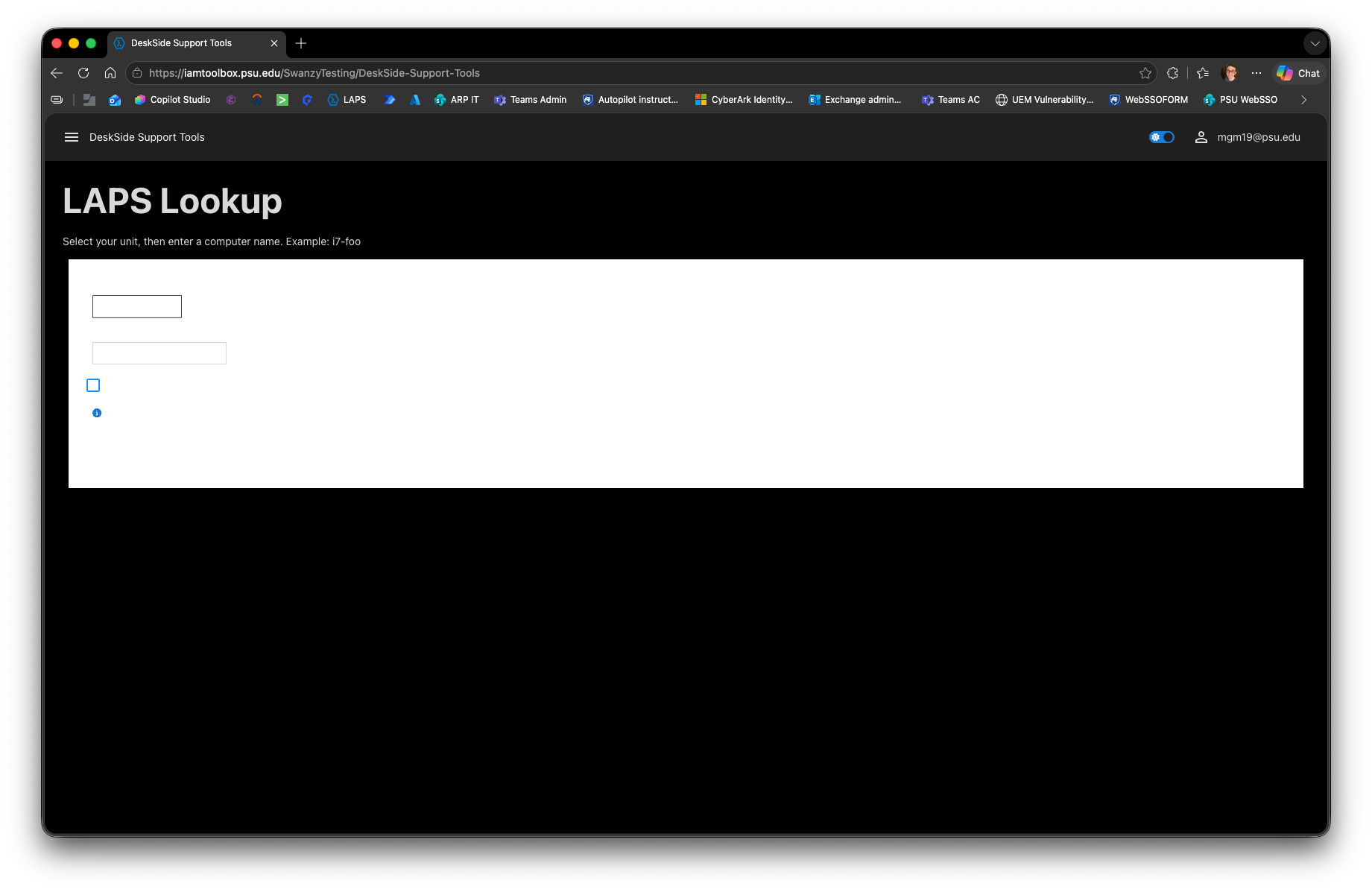
macOS_Tahoe.png
Recommended Answer
Hi Pss127,
We completed the laboratory review of your sanitized App using PowerShell Universal 2026.1.1 on Apple Silicon.
With your App, we reproduced the appearance of missing content when the PSU Dark theme was active. The controls were present, completed their dynamic loading, retained valid dimensions, and remained functional. We did not identify failed CSS or JavaScript resources or a related PSU server error.
The primary visual conflict identified was:
* `New-UDPaper` forces `backgroundColor = '#ffffff'`.
* Under the PSU Dark theme, some foreground text becomes white.
* This produces white content on a white background, making the controls appear not to have rendered.
We also identified two separate code issues:
* The `/Laps_Lookup` navigation target does not appear to align with the page containing the controls in the submitted structure.
* One loading component provides `-Style` as a CSS string instead of a property map, resulting in React error 62.
For a non-production copy of the App, we recommend:
1. Remove `backgroundColor = '#ffffff'` from `New-UDPaper` so the background can inherit the active theme.
2. Review the remaining hard-coded colors and replace them with theme-compatible values where necessary.
3. Ensure `/Laps_Lookup` opens the page containing the controls.
4. Correct the affected `-Style` value so it uses a PowerShell hashtable instead of a CSS string.
5. Test macOS Light and Dark Mode separately from the PSU Light and Dark themes.
We did not reproduce the exact macOS-only trigger, so we cannot classify this as a confirmed PSU defect. The current evidence supports a contrast conflict caused by the App’s fixed styling.
Please apply these changes only to a test copy and let us know whether the content remains visible in both Light and Dark modes.
Best regards,
Ruben Tapia
All Comments (11)
Hello Pss127,
Thank you for reporting this behavior.
To align the lab as closely as possible with your environment, could you please confirm:
* The exact macOS version and build.
* Whether the Mac uses Intel or Apple silicon.
* The browser names and exact versions tested.
* Whether the same App renders correctly after changing only macOS from Dark Mode to Light Mode.
* Whether the issue also occurs in a private browsing window with extensions disabled.
Once we have these details, we can reproduce the test using a comparable macOS and browser configuration.
Best regards,
Ruben Tapia
Hello Ruben,
Here is some information:
The exact macOS version and build:
- MacOS Tahoe Version 26.5.2
* Whether the Mac uses Intel or Apple silicon:
- Apple Silicon
* The browser names and exact versions tested (screenshots attached):
- Palo Alto Networks Prisma Browser version 150.33.6.129
- Safari version 26.5.2
- Chrome Version 150.0.7871.125
- Edge Version 150.0.4078.65
Screenshot: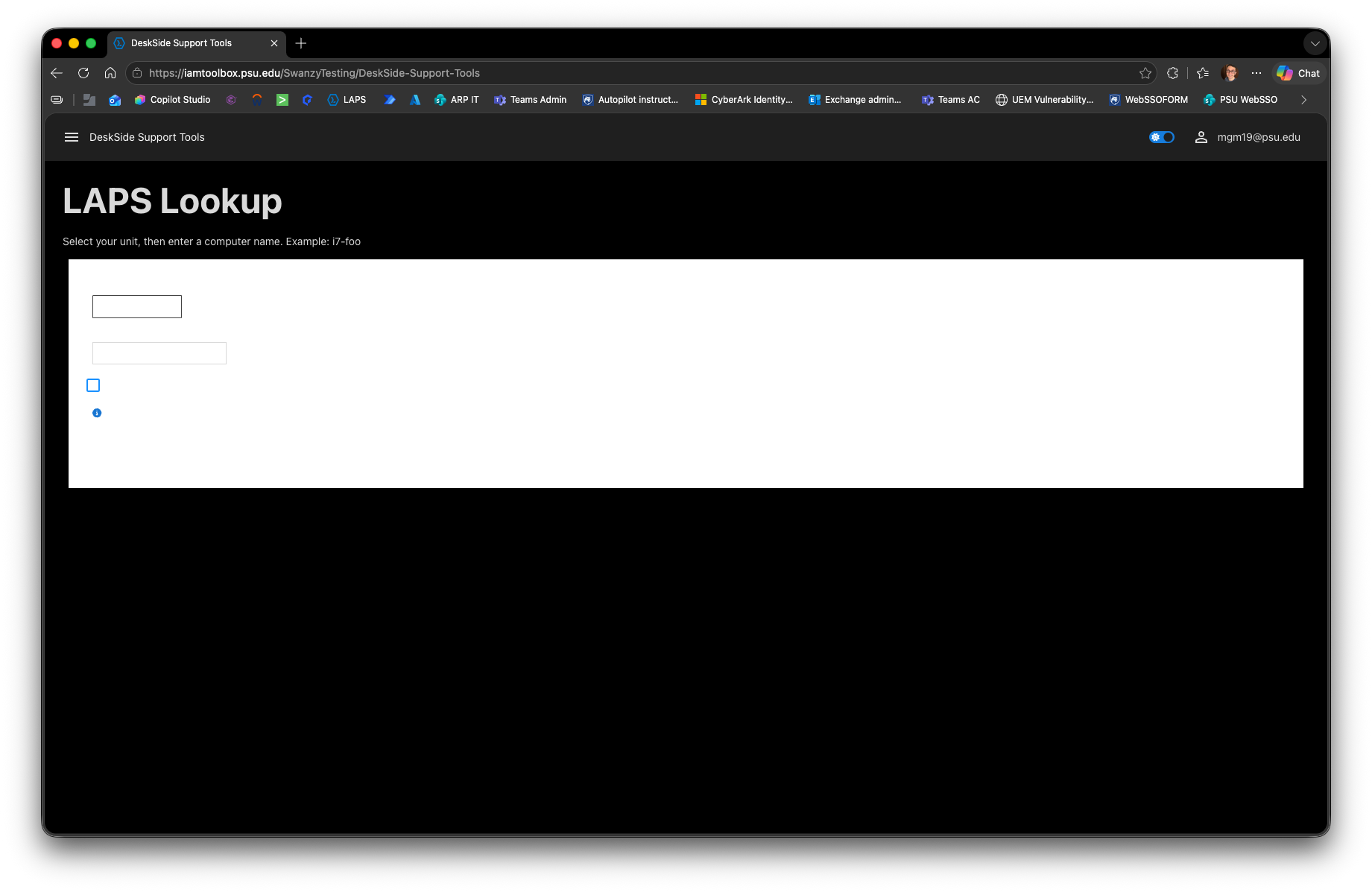
* Whether the same App renders correctly after changing only macOS from Dark Mode to Light Mode –
- I do not have a dark mode extension on any browser, but when switching my Mac settings to dark mode, it caused the issue
* Whether the issue also occurs in a private browsing window with extensions disabled.
- I tried in a private browser on both Chrome and Safari and it did not make a difference.
image.png
Another user:
Microsoft Edge - Version 150.0.4078.83 (Official build) (arm64)
Chrome: Version 150.0.7871.129 (Official Build) (arm64)
Safari: Version 26.5 (21624.2.5.11.4)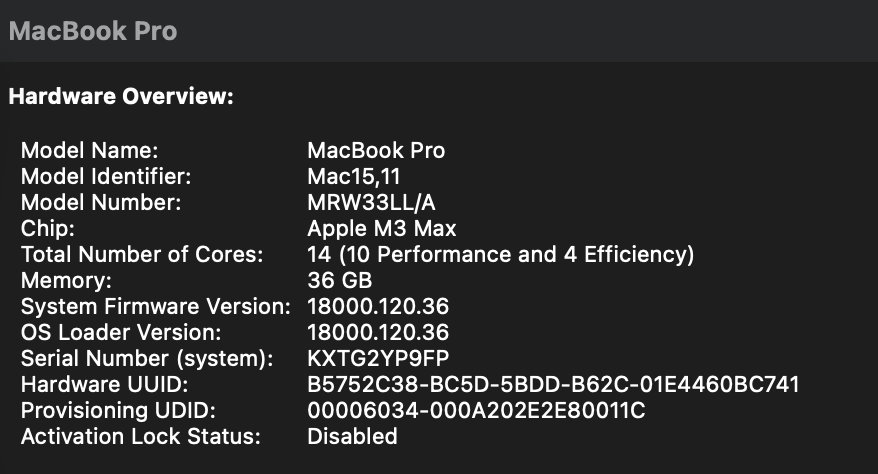
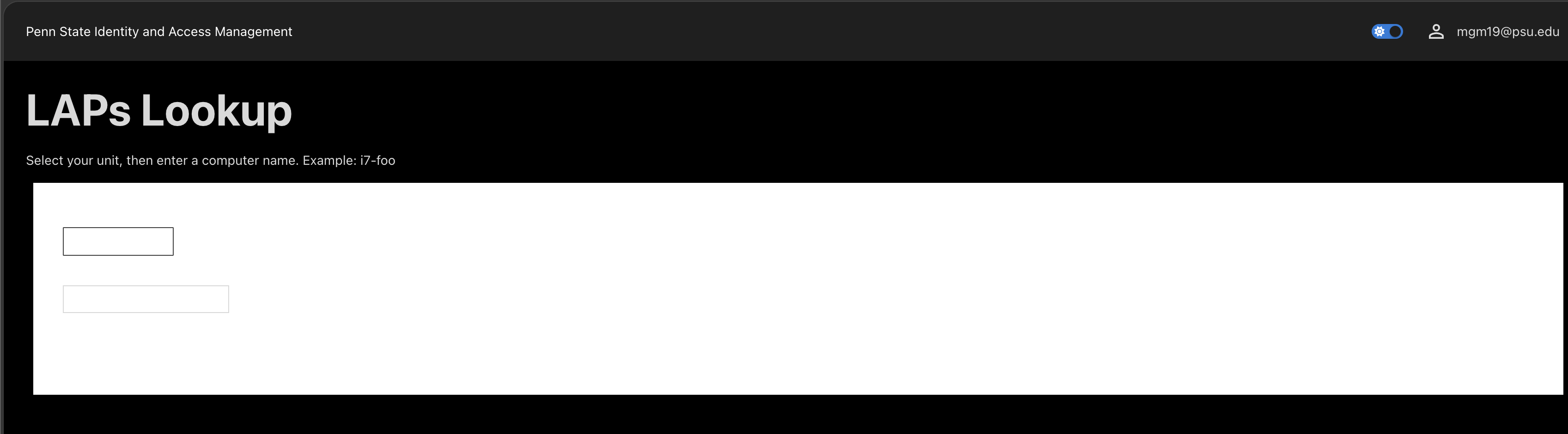 Renders correctly when changing from dark mode to light. Issue only occurs in dark mode.
image.png
Image (1).png
Hi Pss127,
Thank you for the additional environment details.
We are currently performing controlled testing in an Apple Silicon lab using the same PowerShell Universal version you reported, 2026.1.1. We are comparing macOS Light and Dark Mode with the PSU theme behavior across Chrome and Safari, including private browsing.
Testing is still in progress, so we do not yet have enough evidence to confirm the cause or classify this as a product issue. There is no need to update Chrome or PowerShell Universal while we complete this validation.
We will provide another update with our findings and any specific sanitized configuration details we may need from your App.
Best regards,
Ruben Tapia
Hi Pss127,
Thank you for your patience while we completed our laboratory testing.
We tested PowerShell Universal 2026.1.1 on Apple Silicon across 32 combinations involving macOS Light and Dark appearance, PSU Light and Dark themes, Chrome and Safari, and normal and private sessions. We were unable to reproduce the incomplete rendering behavior. The PSU theme toggle and all representative controls rendered and functioned correctly.
This does not confirm that your App is the cause. Our macOS and Safari versions differ from yours, and we have not tested your App configuration or custom assets.
To help us isolate the difference, could you provide:
- A sanitized minimal App that reproduces the behavior, if possible.
- The relevant `New-UDApp`/`New-UDDashboard` and `New-UDTheme` declarations.
- Any values used for `Theme`, `DefaultTheme`, or `DisableThemeToggle`.
- Any custom CSS or JavaScript related to the App.
- The exact controls that do not finish rendering and the steps used to reproduce the issue.
- Relevant console errors or failed CSS/JavaScript requests, including only the HTTP status and sanitized relative path.
Please remove credentials, tokens, cookies, license information, private URLs, internal hostnames, and other sensitive information before posting any code, screenshots, or diagnostics publicly. Please do not upload a complete HAR file or unsanitized logs.
Best regards,
Ruben Tapia
Here is sanitized code base
$Navigation = @(
    New-UDListItem -Label "Home"
    New-UDListItem -Label "Getting Started" -Children {
        New-UDListItem -Label "DeskSide Support Tools" -Href '/Laps_Lookup'
    }
)

$Pages = @()
$Pages += New-UDPage -Name 'Laps_Lookup'
New-UDApp -Title 'Penn State Identity and Access Management' -Pages $Pages -Navigation $Navigation
# ============================================================
# Sanitized DeskSide Support Tools - PSU PowerShell Universal App
# ADA Title II / WCAG 2.1 AA Improvements Applied
# ============================================================
New-UDPage -Name 'DeskSide Support Tools' -Content {
# ----------------------------------------------------------
# DEBUG FLAG
# ----------------------------------------------------------
$DebugForceD4Admin = $false
# ----------------------------------------------------------
New-UDDynamic -Id 'dynPageContent' -Content {
# --- Mocked Initial Load & Group Resolution ---
if (-not $Session:SessionInitialized) {
New-UDElement -Tag 'div' -Attributes @{
role = 'status'
'aria-live' = 'polite'
'aria-label' = 'Page loading'
style = 'padding: 32px; text-align: center;'
} -Content {
New-UDProgress -Circular
New-UDTypography -Variant 'body1' -Text 'Loading your access groups, please wait...' `
-Style @{ marginTop = '16px'; color = '#555555' }
}
# ==========================================================
# SANITIZATION: Mocking Database, AD, and CyberArk Returns
# Populating default prefix of 'I7'
# ==========================================================
$Session:OwnPrefixes = @('I7')
$Session:UnitPrefixes = @('I7')
$Session:StandardDelegations = @()
$Session:CustomGroupDelegations = @()
$Session:IsD4Admin = $false
$Session:SessionInitialized = $true
Sync-UDElement -Id 'dynPageContent'
return
}
# ----------------------------------------------------------
# LAPS Lookup Section
# ----------------------------------------------------------
New-UDElement -Tag 'section' -Attributes @{ 'aria-label' = 'LAPS Lookup Tool' } -Content {
New-UDTypography -Variant 'h3' -Text 'LAPS Lookup' -Style @{ fontWeight = 'bold' } -GutterBottom
New-UDTypography -Text 'Select your unit, then enter a computer name. Example: i7-foo'
New-UDElement -Tag 'p' -Content {}
# ==========================================================
# PAPER 1: Form Inputs
# ==========================================================
New-UDPaper -Elevation 2 -Style @{
padding = '24px'
marginTop = '8px'
backgroundColor = '#ffffff'
} -Children {
New-UDForm -Content {
New-UDSelect -Label 'Your Unit' -Id 'selectedUnit' -Option {
foreach ($prefix in $Session:UnitPrefixes) {
New-UDSelectOption -Name $prefix -Value $prefix
}
}
New-UDTextbox -Label 'Computer Name' -Id 'computerName' `
-Placeholder 'e.g. i7-foo (max 15 chars)' `
-Style @{ width = '180px' } -OnChange {
if ($EventData.Length -gt 15) { $Session:ComputerNameWarning = $true }
else { $Session:ComputerNameWarning = $false }
Sync-UDElement -Id 'computerNameWarning'
}
New-UDCheckbox -Id 'useLegacyLAPS' -Label 'Lookup macOS LAPS Password' -Checked $false
New-UDTooltip -TooltipContent { 'This checkbox does NOT search JAMF admin passwords, only passwords stored in Active Directory Legacy LAPS attribute for macOS' } -Content {
New-UDIcon -Icon 'InfoCircle' -Style @{
color = '#1976d2'
cursor = 'help'
marginBottom = '2px'
}
}
New-UDDynamic -Id 'computerNameWarning' -Content {
if ($Session:ComputerNameWarning) {
New-UDAlert -Severity 'warning' -Title 'Computer Name Too Long' -Text (
'Computer names cannot exceed 15 characters. This name will not be found as it exceeds the NetBIOS limit.'
)
}
}
} -OnSubmit {
# ==========================================================
# SANITIZATION: Submit Button Disabled
# No Active Directory, Graph, or CyberArk queries will execute.
# ==========================================================
Show-UDToast -Message 'This is a sanitized mock application. Submit actions are disabled.' -Duration 4000 -BackgroundColor '#1976d2' -MessageColor 'white'
}
}
}
} -LoadingComponent {
New-UDProgress -Circular
New-UDTypography -Variant 'body1' `
-Text 'Loading your delegated Unit prefixes, please wait...' `
-Style @{ marginTop = '16px'; color = '#555555' }
}
} -AutoInclude
# ============================================================
# Sanitized DeskSide Support Tools - LAPS Delegation Module
# All Graph API, SQL, CyberArk, and AD calls have been mocked.
# ============================================================

# ------------------------------------------------------------------
# Mocked Active Directory & LAPS Cmdlets
# (Prevents the UI from crashing when it tries to run AD commands)
# ------------------------------------------------------------------

function Get-ADComputer {
    param(
        $Identity, $Filter, $Properties, $Credential, $SearchBase, $SearchScope, $ErrorAction
    )
    # Always return a fake Windows workstation to pass the OS scope checks
    return [PSCustomObject]@{
        Name              = if ($Identity) { $Identity } else { "i7-mock" }
        OperatingSystem   = 'Windows 11 Enterprise'
        DistinguishedName = 'CN=i7-mock,OU=Workstations,OU=ITS-Identity-Services,OU=PSU-IT-Units,DC=AD,DC=PSU,DC=EDU'
    }
}

function Set-ADComputer {
    param($Identity, $Replace, $Credential)
    # Do nothing - mocked for Legacy macOS LAPS expiration update
}

function Get-LAPSADPassword {
    param(
        $Identity, $Credential, $DecryptionCredential, [switch]$AsPlainText, [switch]$IncludeHistory
    )

    # Enforce the i7-* rule for returning dummy data
    if ($Identity -match '(?i)^i7-') {
        return @(
            [PSCustomObject]@{
                ComputerName        = $Identity
                Password            = "foo"
                ExpirationTimestamp = (Get-Date).AddHours(24).ToString("MM/dd/yyyy HH:mm:ss")
                PasswordUpdateTime  = (Get-Date).AddDays(-1).ToString("MM/dd/yyyy HH:mm:ss")
            }
        )
    }

    # Return nothing if it doesn't match the prefix rule
    return $null
}

function Set-LAPSADPasswordExpirationTime {
    param($Identity, $WhenEffective, $Credential)
    # Do nothing - mocked for password expiration updates
}

# ------------------------------------------------------------------
# Mocked Core Module Functions
# ------------------------------------------------------------------

function Get-UserLAPSGroupPrefixes {
    param([string]$UserPrincipalName)
    # Mocking that the user only has the 'I7' unit prefix role
    return [PSCustomObject]@{
        Prefixes  = @('I7')
        IsD4Admin = $false
    }
}

function Get-LAPSDelegation {
    param([string]$UserPrincipalName, [string]$DelegatedOU, [switch]$HasCustomGroup)
    # Return empty array so standard DB delegations are bypassed
    return @()
}

function Get-UserCustomGroupDelegations {
    param([string]$UserPrincipalName)
    # Return empty array so custom DB delegations are bypassed
    return @()
}

function Get-LAPSSFAAccountName {
    param([string]$UnitPrefix)
    # Return a mocked SFA account name based on the prefix requested
    return @("$UnitPrefix-LAPS_MockAdmin")
}

function Get-DelegatedSFAObjectName {
    param([string]$UserPrincipalName, [string]$ComputerName)
    # Return a mocked SFA object name
    return "I7-LAPS_MockAdmin"
}

function Get-CyberArkLAPSCredential {
    param([string]$SFAObjectName)
    # Generate a fake PSCredential so the UI doesn't fail on null credentials
    $securePass = ConvertTo-SecureString "MockPassword123!" -AsPlainText -Force
    return [PSCredential]::new("PSU\MockUser", $securePass)
}

function Test-ComputerInAllowedOU {
    param([string]$ComputerName, [PSCredential]$Credential, [bool]$IsD4Admin = $false, [string]$DelegatedOU = $null)

    # If the computer name starts with i7-, allow it through the mock OU check
    if ($ComputerName -match '(?i)^i7-') {
        return @{ Allowed = $true; Reason = 'ok'; Message = "Computer found in mocked OU." }
    }

    return @{ Allowed = $false; Reason = 'not_in_ou'; Message = "Mock: Computer must start with i7-" }
}

function Test-DelegationScope {
    param([string]$ComputerName, [string]$Scope)
    # Always pass the OS scope check in mock mode
    return $true
}

# ------------------------------------------------------------------
# Stubs for other module functions (prevents "command not found" errors)
# ------------------------------------------------------------------
function Connect-PSUMgGraph { Write-Verbose "Mock Graph Connection" }
function Initialize-LAPSDelegationStore { return $true }
function Sync-LAPSDelegationGroupsCache { Write-Verbose "Mock Sync" }
function Invoke-LAPSDelegationQuery { return @() }
function Grant-LAPSReaderRoleToGroup { Write-Verbose "Mock Grant Role" }
Steps are User on the macOS on any browser goes to the page and enabled dark mode and reloads the page sees nothing like the screenshots above. In light mode in the santized page they can select i7 in the drop down and then type a computer name of i7-foo and submit.
I will add also this is a MSI install with a Active Directory service account, Port 443 and backed by a MS SQL database with Entra Authentication and Roles.
Hi Pss127,
Thank you for providing the sanitized code.
During our initial static review, we noticed that `New-UDPaper` explicitly sets:
backgroundColor = '#ffffff'
Because this fixed background does not change with the PSU theme, we would like to use it as a controlled diagnostic variable.
If possible, please create a non-production copy of the sanitized App and temporarily remove only this `backgroundColor` property, along with the empty `-Style` block if it contains no other properties. Please keep everything else unchanged.
Then, please let us know the results of these two separate tests:
1. Keep the PSU theme unchanged and switch macOS from Light to Dark.
2. Keep macOS unchanged and switch the App between the PSU Light and Dark themes.
Please confirm whether the same controls still fail to appear in each test. A sanitized screenshot of the result would also be helpful.
This test will not confirm that the fixed color is the cause, but it will help us determine whether theme-dependent contrast is contributing to the apparent incomplete rendering. Please do not apply this change directly to the production App.
We will also test your sanitized code in our Apple Silicon Mac laboratory using PSU 2026.1.1 and compare the results.
Best regards,
Ruben Tapia
Hi Pss127,
We completed the laboratory review of your sanitized App using PowerShell Universal 2026.1.1 on Apple Silicon.
With your App, we reproduced the appearance of missing content when the PSU Dark theme was active. The controls were present, completed their dynamic loading, retained valid dimensions, and remained functional. We did not identify failed CSS or JavaScript resources or a related PSU server error.
The primary visual conflict identified was:
* `New-UDPaper` forces `backgroundColor = '#ffffff'`.
* Under the PSU Dark theme, some foreground text becomes white.
* This produces white content on a white background, making the controls appear not to have rendered.
We also identified two separate code issues:
* The `/Laps_Lookup` navigation target does not appear to align with the page containing the controls in the submitted structure.
* One loading component provides `-Style` as a CSS string instead of a property map, resulting in React error 62.
For a non-production copy of the App, we recommend:
1. Remove `backgroundColor = '#ffffff'` from `New-UDPaper` so the background can inherit the active theme.
2. Review the remaining hard-coded colors and replace them with theme-compatible values where necessary.
3. Ensure `/Laps_Lookup` opens the page containing the controls.
4. Correct the affected `-Style` value so it uses a PowerShell hashtable instead of a CSS string.
5. Test macOS Light and Dark Mode separately from the PSU Light and Dark themes.
We did not reproduce the exact macOS-only trigger, so we cannot classify this as a confirmed PSU defect. The current evidence supports a contrast conflict caused by the App’s fixed styling.
Please apply these changes only to a test copy and let us know whether the content remains visible in both Light and Dark modes.
Best regards,
Ruben Tapia
I am working with my team to test this but thank you so much as this completely makes sense.
This resolved the issue, thank you.