Devolutions Password Manager browser extension - Add/Edit Equivalent URLs
Devolutions Password Manager browser extension - Add/Edit Equivalent URLs
1 vote

Dear Development Team,
More and more websites use separate login providers or dedicated login URLs. Currently, in the Devolutions Password Manager browser extension, a website entry can only handle a single URL, which makes it difficult to match these scenarios.
It would be very helpful to have the ability to add and manage multiple (or equivalent) URLs for a single website entry.
Best regards
Roman Eglin
All Comments (3)
Hi,
Devolutions Password Manager browser extension already supports equivalent URLs.
Are you using the extension connected to Remote Desktop Manager, Devolutions Server or Devolutions Cloud?
Depending on the workspace, you can find the equivalent URLs here:
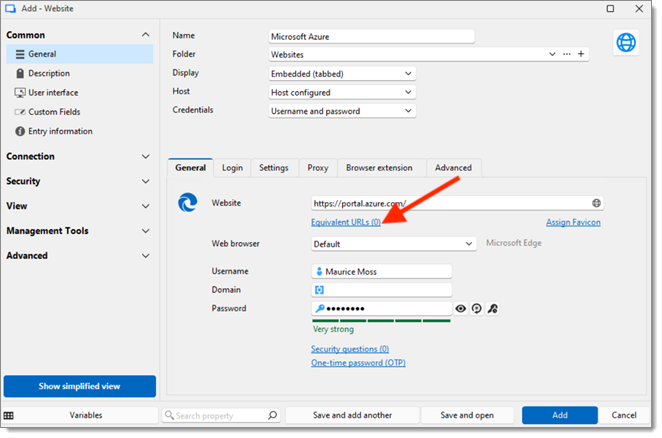
Remote Desktop Manager
- In the General tab, you should see them in the Equivalent URLs section under the main URL.
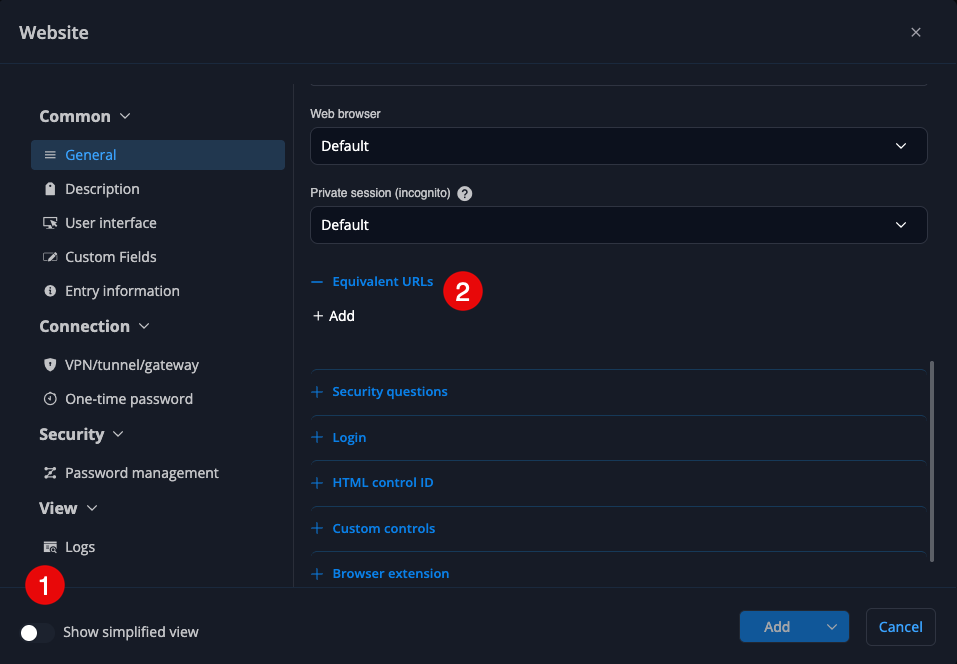
Devolutions Cloud
- In the General tab make sure Show simplified view is unchecked, then scroll down to the Equivalent URLs section.
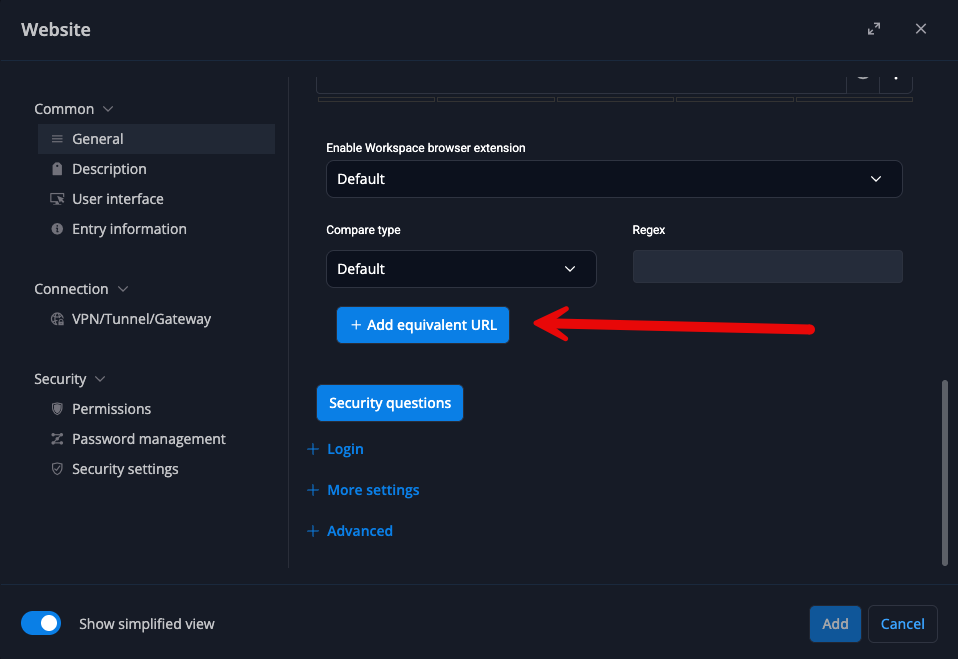
Devolutions Server
- In the General tab, scroll down until you see the Add equivalent URL button.
Best regards,
Olivier Désalliers
DVLSEquivalentUrls.png
DevolutionsCloudEquivalentUrls.png
RDMEquivalentUrls.png
Hello Olivier,
Thanks for replying and the screenshots.
We're using DPM browser extension 2026.2.1.3 with DVLS 2026.2.9.0. Additional URLs get considered and the browser extension uses them - but there's no option for adding/managing equivalent URLs:
Website entry shows equivalent URL (added using RDM):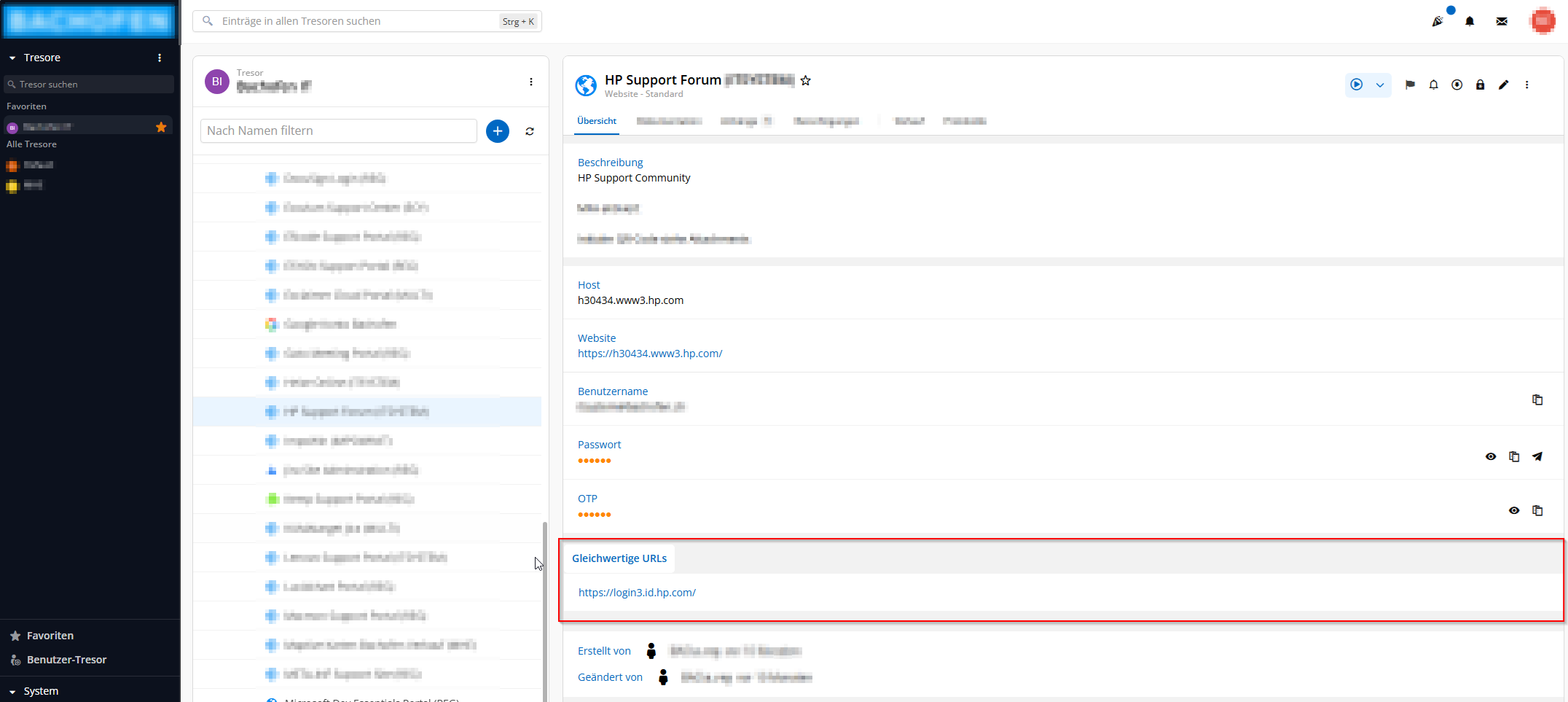
While editing the Website entry in Web UI (opened through browser extension) there is a button "Sicherheitsfragen" to add security questions, but no button "Add equivalent URL".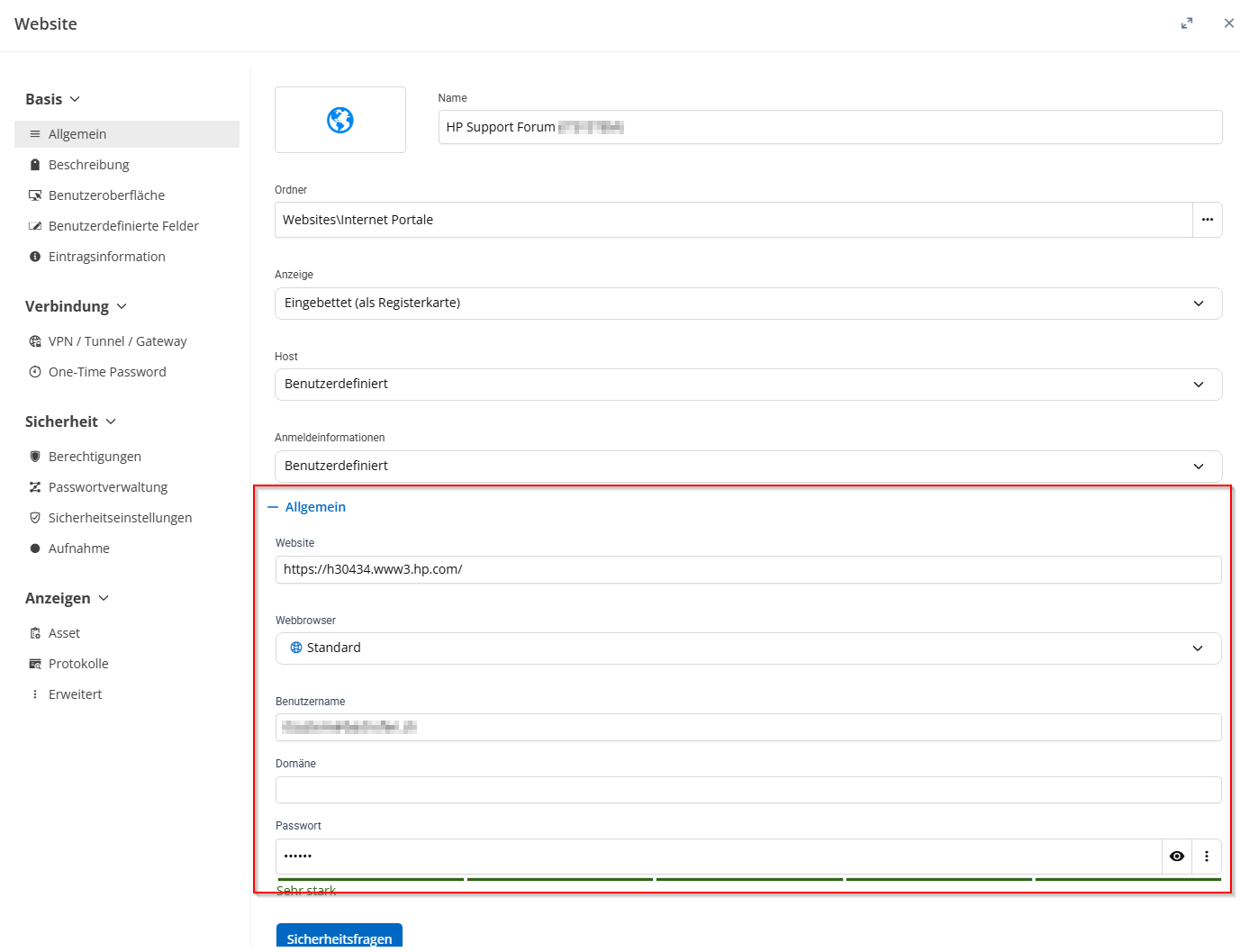
Please find additional information in ticket 00123023: Add/Edit Equivalent URLs in DPM, Browser Add-on and DVLS Web UI, where your colleague suggested opening a feature request for the browser extension.
Best regards,
Roman Eglin
4ecad41f-8439-4600-9be9-a6fd0bd18bdd.png
85d93cbb-40f3-4b1a-bfee-d0ea923ecc5f.png
Hi,
The "Add equivalent URL" button shown in my screenshot is from DVLS 2026.1.22.0 (Extended Maintenance).
A ticket has been created to make this option available in the DVLS 2026.2 web UI.
We will keep you updated.
Best regards,
Olivier Désalliers