How to link a user credential of an Entra ID PAM vault as a session login?
How to link a user credential of an Entra ID PAM vault as a session login?

Hi
I created a new Entra ID PAM vault with password rotation for accounts in Entra ID. Connection test and password rotation works as expected. In RDM I have an existing "Default" vault, where we configured all connections to our systems.
I'm struggling using the newly created Entra ID PAM vault as linked vault in existing system connections, e.g RDP to a Windows Server or portal website of Entra ID.
In "Default" vault I created already a Devolutions Server cross vault entry. In this Entry I can see my Entra ID PAM vault. If I try to use this credential to link it to a session, I cannot see/choose any Entra ID credentials from Entra ID PAM vault.
Can you help me please?
Br
Walter
All Comments (6)
Hi Walter,
Glad to hear the Entra ID PAM vault and password rotation are already working well.
The behaviour you are seeing is expected: a regular cross-vault credential link only surfaces standard Credential entries, so PAM accounts will never appear in that picker — which is why you can see the vault but none of the Entra ID accounts inside it. PAM accounts are referenced a bit differently. You have two options depending on how you want it to work.
The simplest approach is to set the credentials directly on the session. Open your RDP or website entry, go to the Credentials section, and instead of a linked credential choose the type PRIVILEGED ACCOUNT. That lets you pick the account straight from your Entra ID PAM vault, and the session will trigger the checkout on launch. You can also set this once on a parent folder and use INHERITED on the sessions below it so they all share the same PAM account. Both types are described here: https://docs.devolutions.net/rdm/ribbon-menu-bar/edit/entry-credentials-options/
If you would rather keep referencing it from your Default vault (the cross-vault approach you started with), the entry type matters. Create a DEVOLUTIONS SERVER PRIVILEGED ACCOUNT entry in the Default vault, enter your Devolutions Server URL, and select the desired account from the PAM vault. Then, on the session, set the credentials to LINKED (VAULT) and point it at that entry. The generic cross-vault credential entry will not expose PAM accounts, but this dedicated entry type carries the PAM reference correctly.
One last variant, in case you want each user to choose their own account at connection time rather than fixing one account: on the Devolutions Server privileged account entry, enable "Use My account settings" together with "Always prompt with list." Each user is then shown their personal PAM list on launch. This and the user-vault setup are covered here: https://docs.devolutions.net/rdm/kb/how-to-articles/set-up-user-vault-credentials/
Sorry for the long explanation, I wanted to make sure I cover all eventualities :D
I hope this clears this up for you, please don't hesitate to follow up with any additional questions
Best regards,
Stephan
Hi Stephan,
thank you very much for your tipps.
If I attempt use the first way I only see "My privileged account" not "PRIVILEGED ACCOUNT". 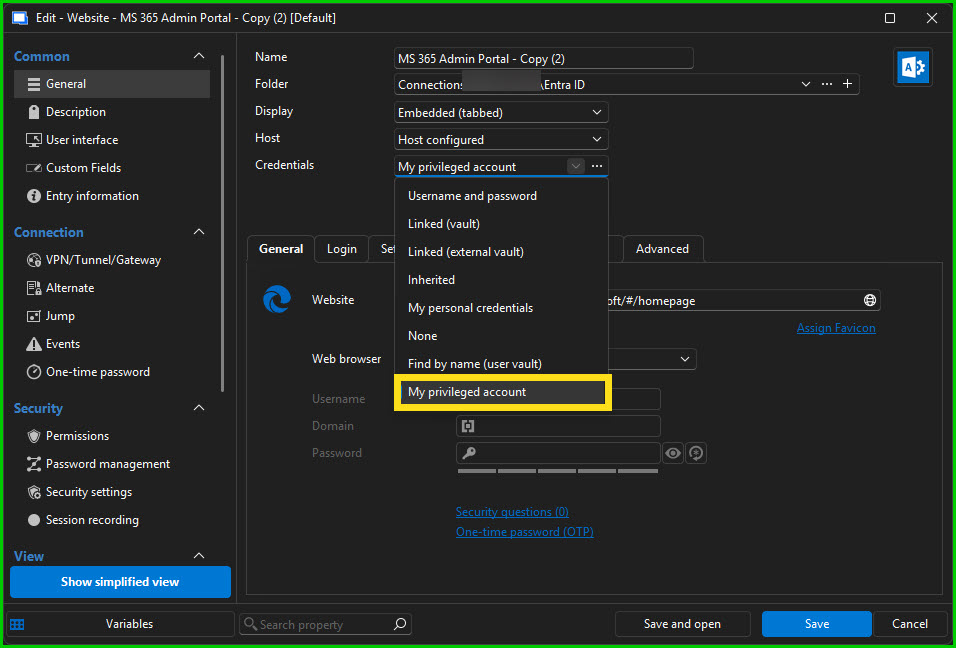
Editing the settings it looks like this: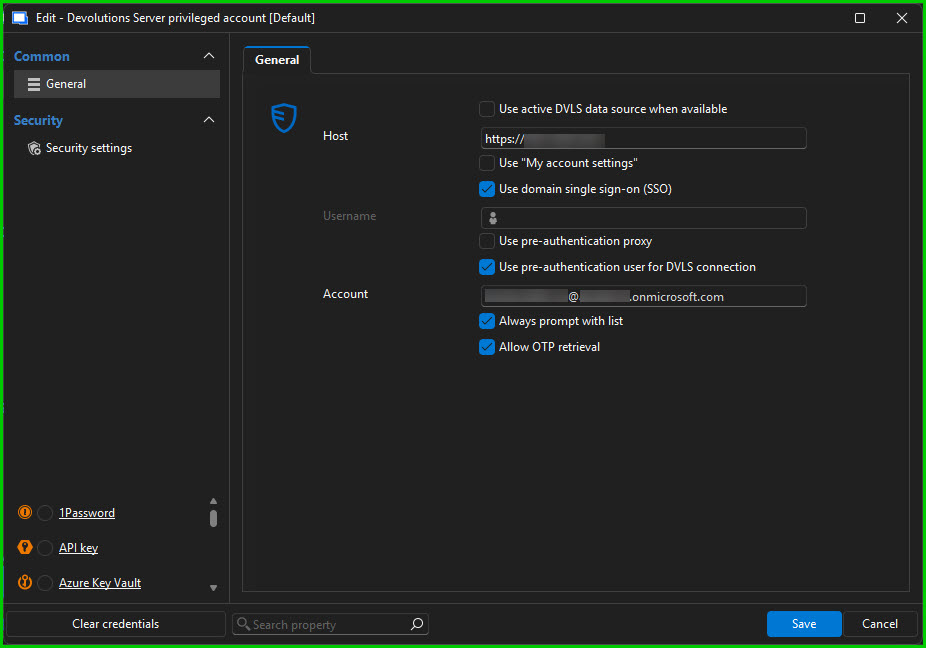
After saving and open this web page I get this message: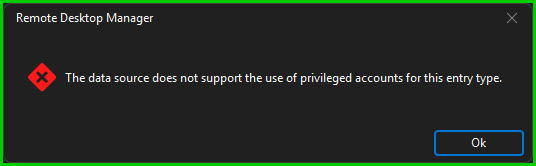
Trying the second option (cross vault) leads to the same message at the end.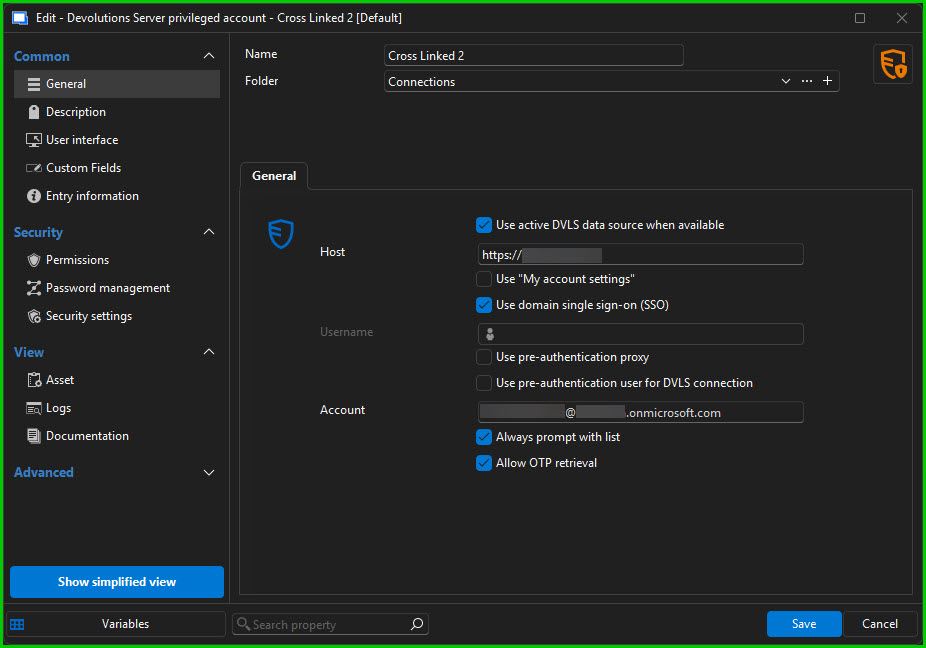
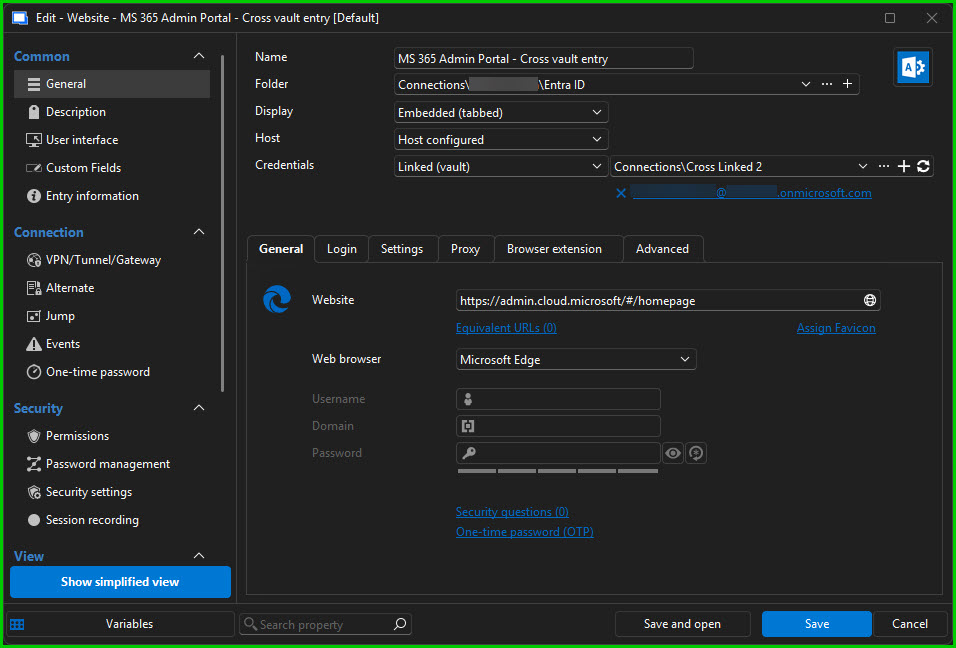
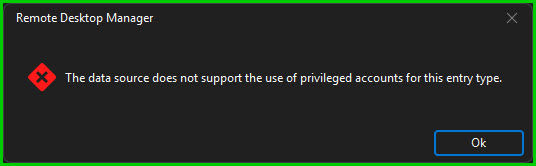
The third option is not what we want. We would like to have one save account for each team.
Can you see any mistakes in the screenshots which lead this error message at the end?
Is it planned to implement also web pages for this kind of entry types?
Best regards,
Walter
SNAG25-0192.jpg
SNAG25-0191.jpg
SNAG25-0190.jpg
SNAG25-0188.jpg
SNAG25-0189.jpg
SNAG25-0187.jpg
Hello Walter,
According to your screenshots, could you please verify whether the use of Privileged Users is enabled for Website entries?
https://docs.devolutions.net/pam/pam-with-devolutions-server/modify-pam-usage-policies
After enabling, you should have also the option Stephan mentioned for the Website entries: Privileged account
Regards,
Min
Hello Min,
thank you very much for this information. It resolved my problem.
No I'm able to use EntraID accounts for sessions.
But now I ran into another problem:
I have now these Entra ID accounts available. When I want to setup an OTP for these accounts I can enter the key which is provided by OTP provider (MS), but to finalize the creation of this OTP, I need to enter a six digit code from the Entra ID user in Devolutions PAM.
I don't get or see this six digit code to finalize OTP creation.
Just jumping from one to another...
Thanks
Walter
Hi Walter,
If I'm understanding your setup correctly, the six-digit code you're being asked for isn't a separate value that Microsoft provides — it's generated FROM the secret key you already entered.
Microsoft gives you the key, and whatever app you put that key into becomes the authenticator that produces the rotating six-digit codes. The final step where you're asked for a code is just the confirmation that the key was stored correctly.
Assuming that's your scenario, Devolutions IS that authenticator. Once you paste the Microsoft key into the One-time password (OTP) entry and save it, the entry immediately starts generating the current code — see https://docs.devolutions.net/rdm/kb/knowledge-base/entry-settings/otp-entry/.
You then take that code and type it back on the Microsoft side to finalize the enrollment. The quickest way to grab it is to right-click the entry and choose COPY OTP, or just open the entry to see the live code — more on that here: https://docs.devolutions.net/rdm/kb/how-to-articles/otp-usage-entries/.
That said, I may have misread where exactly you're stuck. Could you let me know a bit more about the screen that's prompting you for the code — and ideally a screenshot of it?
That would let me confirm whether this is the Microsoft enrollment step or something on the Devolutions side, so I can give you the precise steps rather than a general answer.
Best regards,
Stephan
Hi Stephan,
Sorry for late response, busy weeks...
Thank you very much for your post. It solved my problem. I didn't realize that the OTP code, which is needed to confirm the MFA setup of Microsoft, is available after check out together with the password.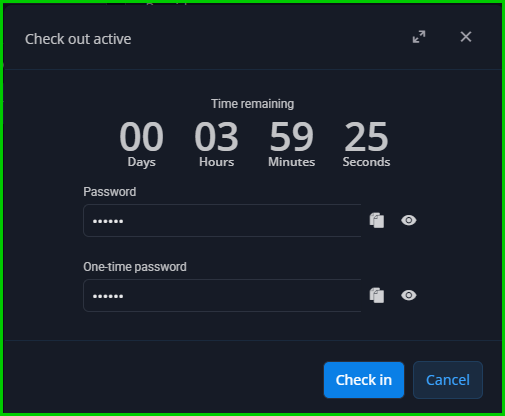
No it works as expected.
THANK YOU VERY MUCH!!!
Best regards
Walter
9f58acbd-ec40-4fbe-96e4-39f1eb746c83.png