Website entry OTP source confusing name
1 vote

Hi
In RDM when configuring a one-time password (OTP) for a website you can either create an OTP entry and link it to the website entry, or you can configure it directly in the website entry. The same can be done with the username and password.
I would like to create a website entry with username, password and OTP in the same entry.
In RDM it is shown like this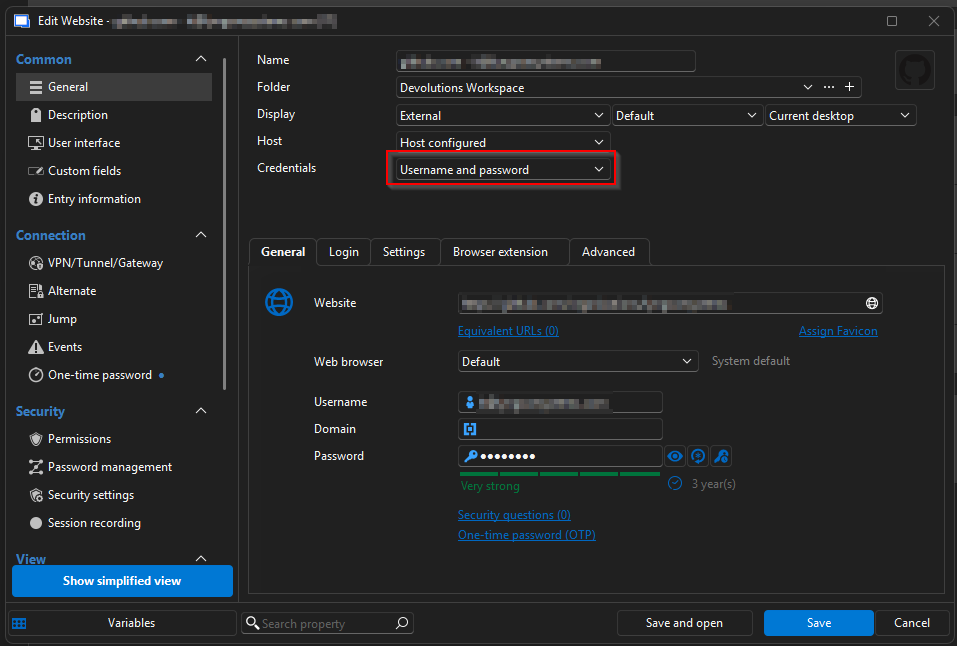 This makes sense that the field Credentials is Username and password because you type the username and password below.
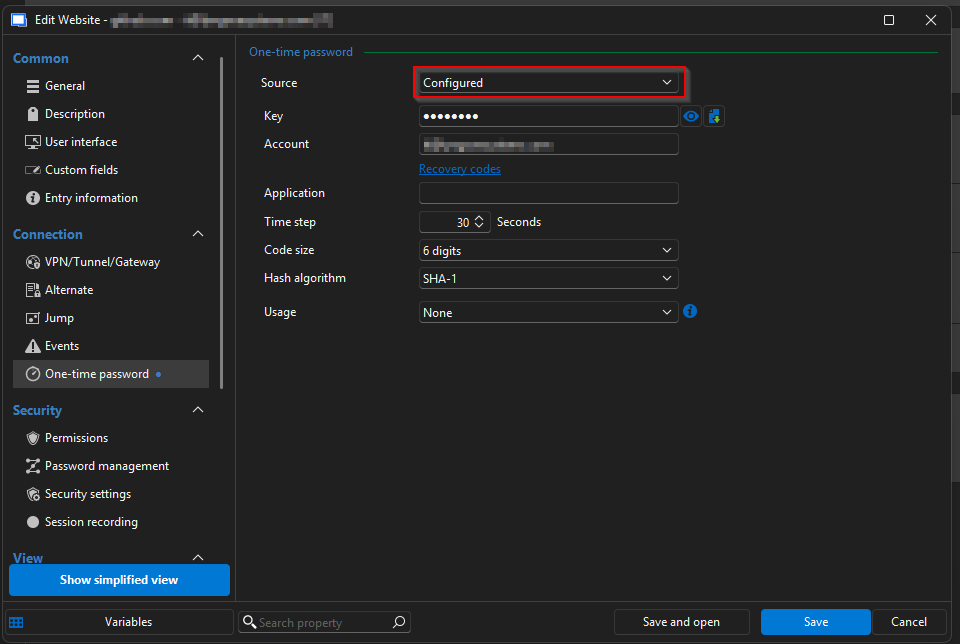 It makes somewhat sense that the field Source is Configured because it's default None. In my opinion TOTP, OTP or One-time password would be better, because that is what you type below.
Now we come to the even more strange part.
On the web the same entry is shown like this. Credentials is Username and password. That makes sense. So far so good.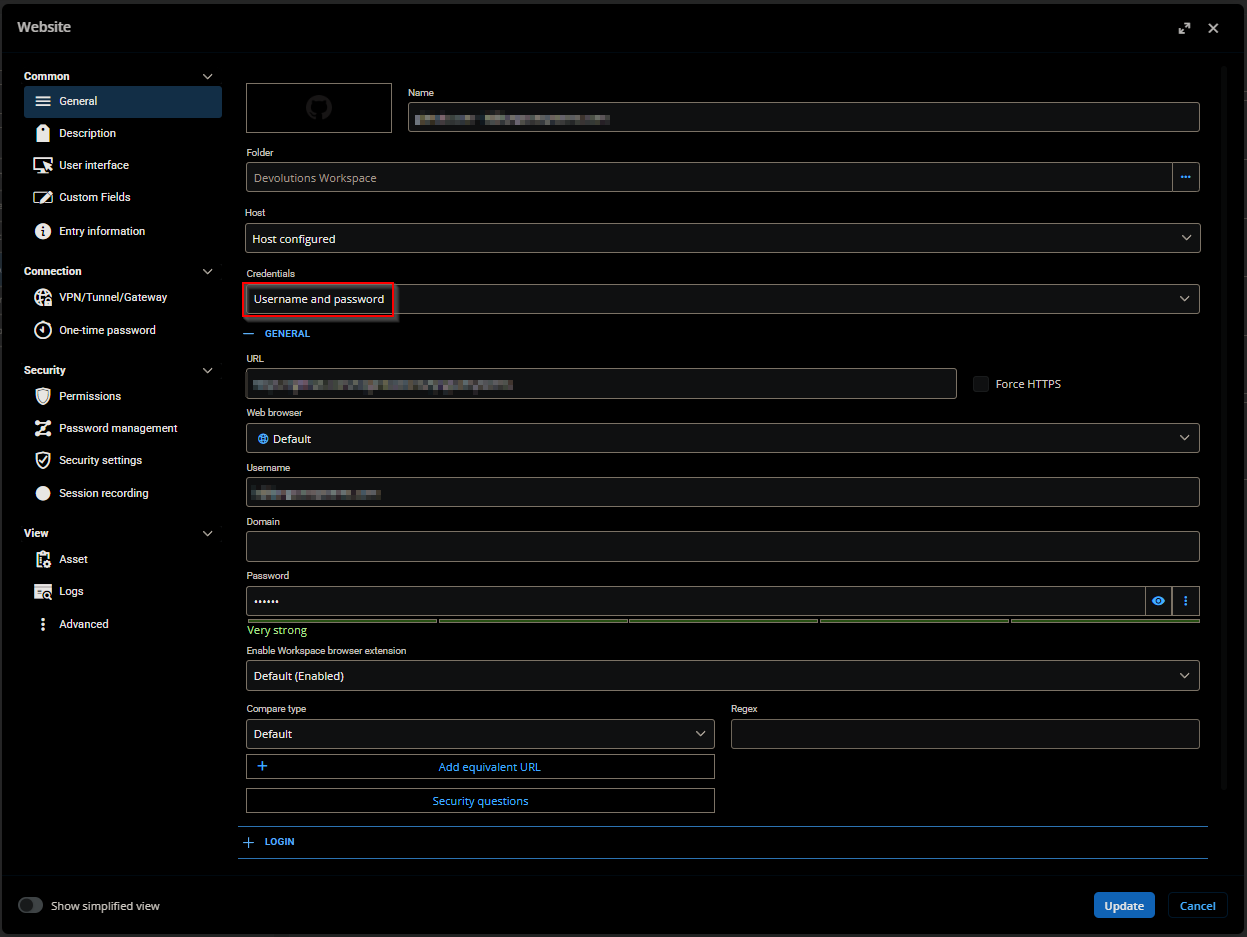
But here the OTP Source is Username and password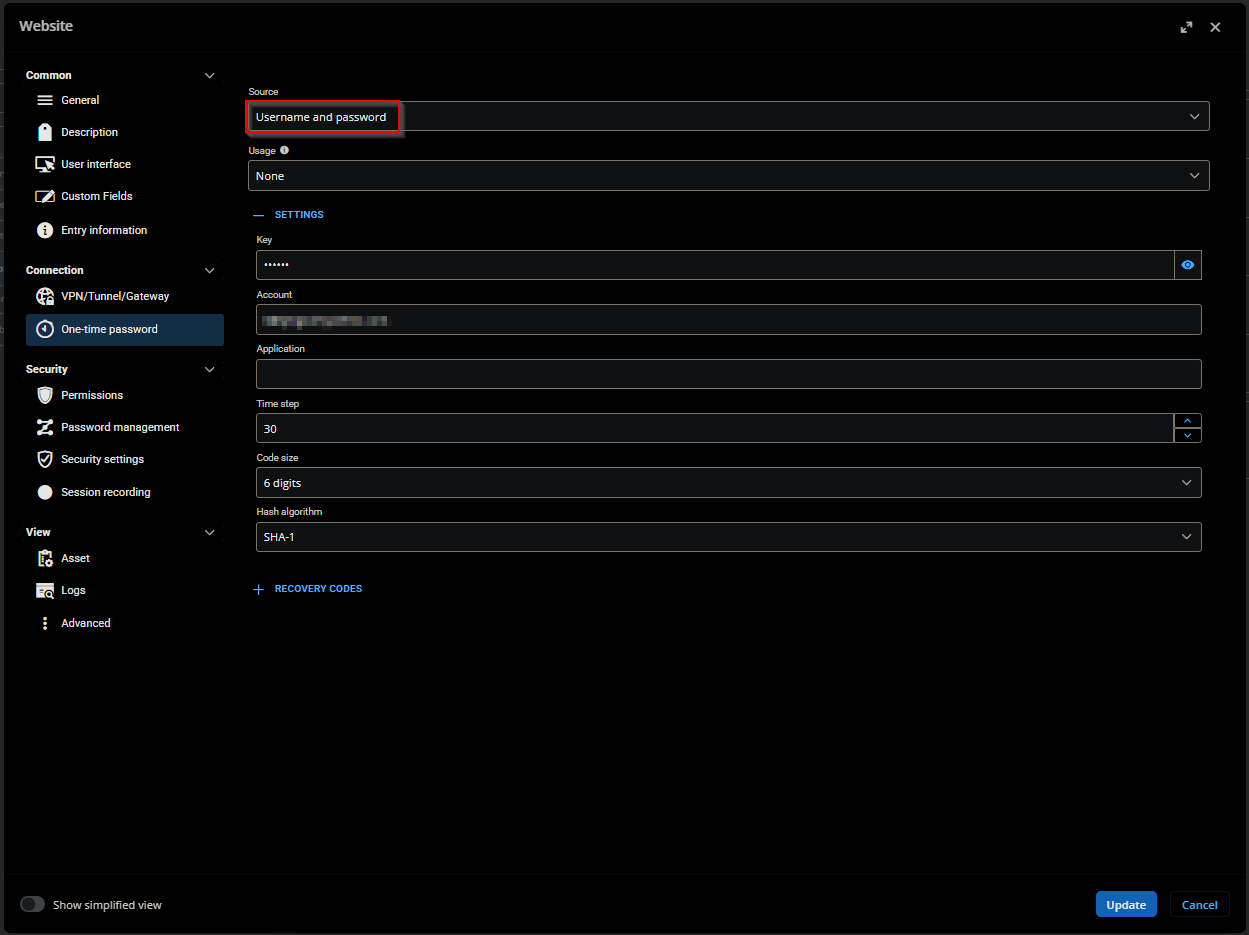 What? This doesn't make sense at all. One would think these field values would be the same for RDM and website.
My guess is the Source values have been copied from the Credentails values when creating the UI for the website.
DVLS version 2025.3.20.0 Same happens on 2026.2.4.5715 - Cloud
Please align value names in RDM and website.
0ce04c42-7fa7-40ee-bdc6-eaf2f30aa724.png
96cb03ee-b4d8-4b1d-b6fe-65a3f96240fb.png
c9897264-bac2-4626-87ed-b46e99202791.png
624456bd-831d-45ad-b441-ff153126359f.png
