Terminal not starting

Product: PowerShell Universal - Container
Version: 2026.1.6-azure
We are running the Azure container at version 2026.1.6 and are not able to start the Terminal.
We’ve setup the terminal like below: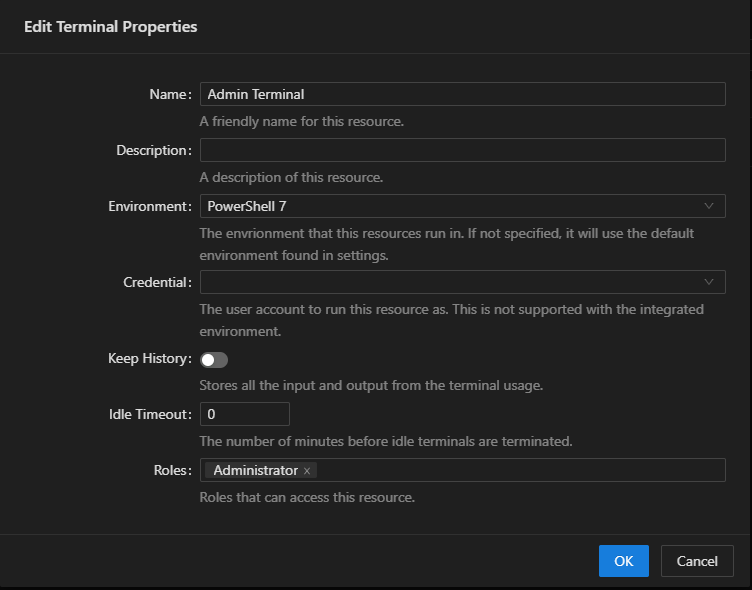
But when we click on the ‘Open Terminal’ button or start from the vscode extension, nothing will happen. We only see the ‘wait circle’ or the message ‘Starting terminal…’ (vscode).
There’s nothing written to the logs about starting the terminal or any errors.
Anyone any idea what’s going wrong? Any help is appreciated
f795c26e48207cee4ede602d35e0a2082e691135.png