Unable to login with Devolutions account
Product: PowerShell Universal
Version: 2026.1.4
Hello,
I’m currently evaluating Powershell Universal, and would like to test some of the licensed features.
There is the developer license, accessible when logging in with a Devolutions account, which should cover this use case, however, when I click on “Login with Devolutions Account”, I get redirected to this error page: https://login.devolutions.com/op/error?title=error.LUCID1000.title&message=error.LUCID1000.message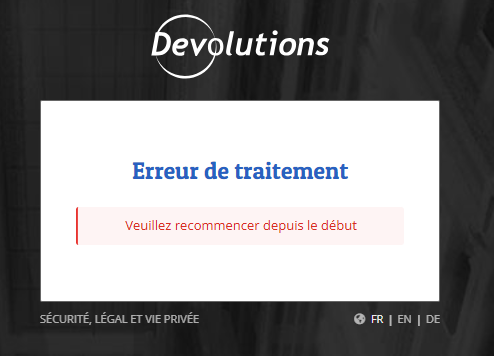
Translation:
Processing error
Please retry from the beginning
This is a new installation. I had this error when trying to login from the initial setup screen a few days ago, so I started with a local installation, and I still have it if I try to login with Devolutions on the existing instance.
Of course, I tried the basics like using private window and another browser (Chrome vs Edge) to rule out any cookie issues.
This is a Windows portable (ZIP) installation, and I access PSU from http://localhost:5000/
Is this a know issue?
bdc1c0cd8e9c7df836b4d012205fc5a419312490.png
Recommended Answer
We have a fix coming for this in 2026.1.6. There is an issue with the port being set for the login.
Adam Driscoll
PowerShell Expert and Developer at Devolutions
All Comments (4)
Hello,
For information, this issue still happens with the version 2026.1.5.
We have a fix coming for this in 2026.1.6. There is an issue with the port being set for the login.
Adam Driscoll
PowerShell Expert and Developer at Devolutions

Do you have an ETA on this? I am trying to evaluate PSU but can’t activate a developer license.
Likely this Friday. In the meantime, you can use a trial key to enable all the features: Trial | PowerShell Universal
Adam Driscoll
PowerShell Expert and Developer at Devolutions